Physical StatusPhysical Status
Alarm/Error StatusAlarm/Error Status
Monitor ButtonsMonitor Buttons
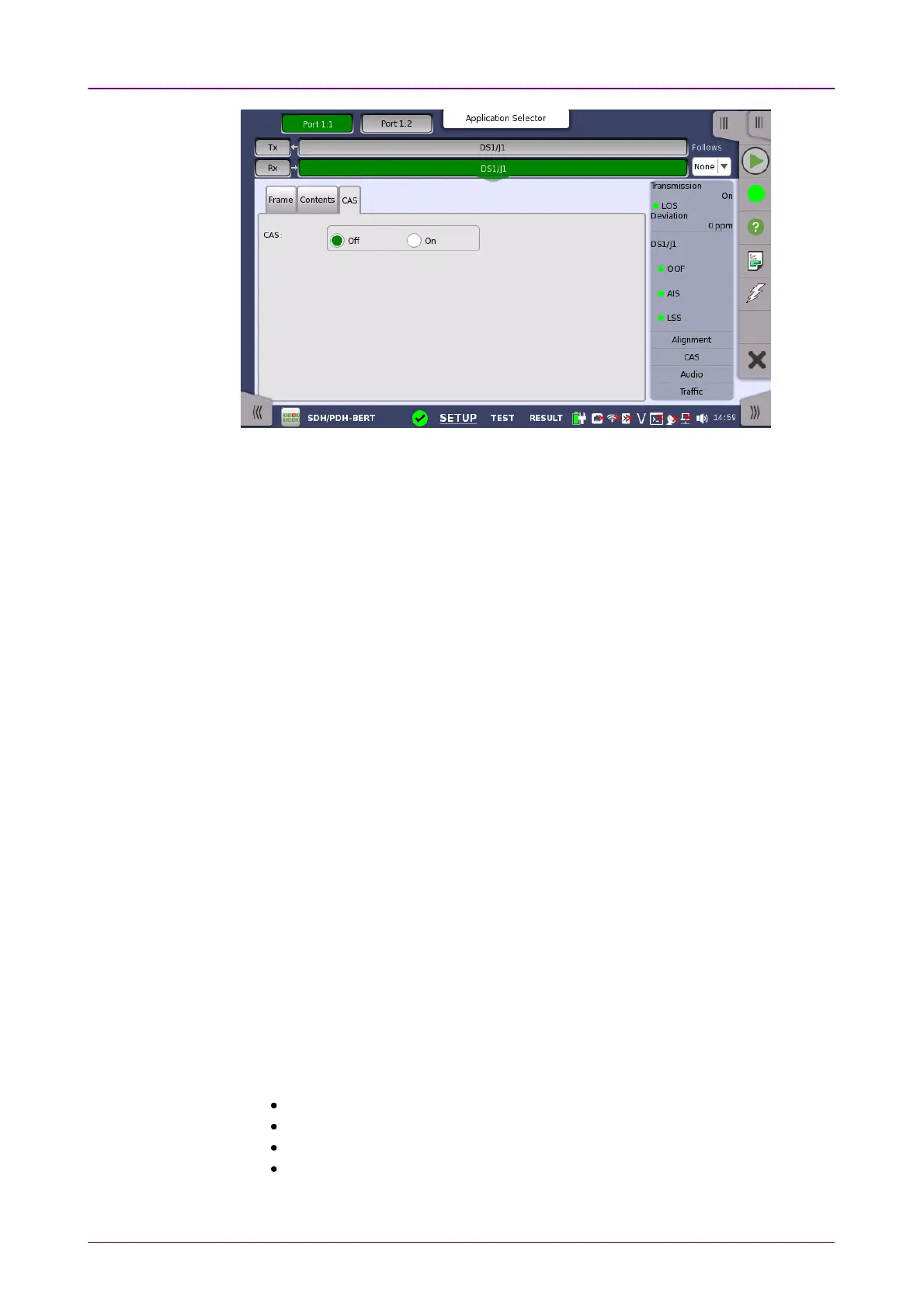
CASCAS
Use the CASCAS radio buttons to enable (OnOn) or disable (OffOff) the reception of a
CAS (Channel Associated Signaling).
55..44..33 Status InformationStatus Information
This section describes the status information available for the DS1/J1 layer in
the status area of the Ports SetupPorts Setup screen.
55..44..33..11 Status SummaryStatus Summary
The status summary displayed for the DS1/J1 layer consists of the following
information:
The topmost part of the status area gives you access to information about the
current physical status of the selected interface. A summary consisting of the
most relevant status indicators is displayed constantly. By touching the
summary, you can launch a display that contains the detailed status
information.
The middle part of the status area gives you access to alarm and error
information for the selected interface. The current status is indicated by the
lamp color.
A summary consisting of the most relevant alarm/error indications is displayed
constantly. By touching the summary, you can launch a display that contains
all alarms/errors.
At the bottom of the status area are below buttons that give you access to
various monitor information. By touching a button, you can launch the
corresponding information display.
AlignmentAlignment
CASCAS
AudioAudio
TrafficTraffic














 To Next Page