Port modePort mode
Clock ConfigurationClock Configuration
TransceiverTransceiver
99..11..11 Physical Port SetupPhysical Port Setup
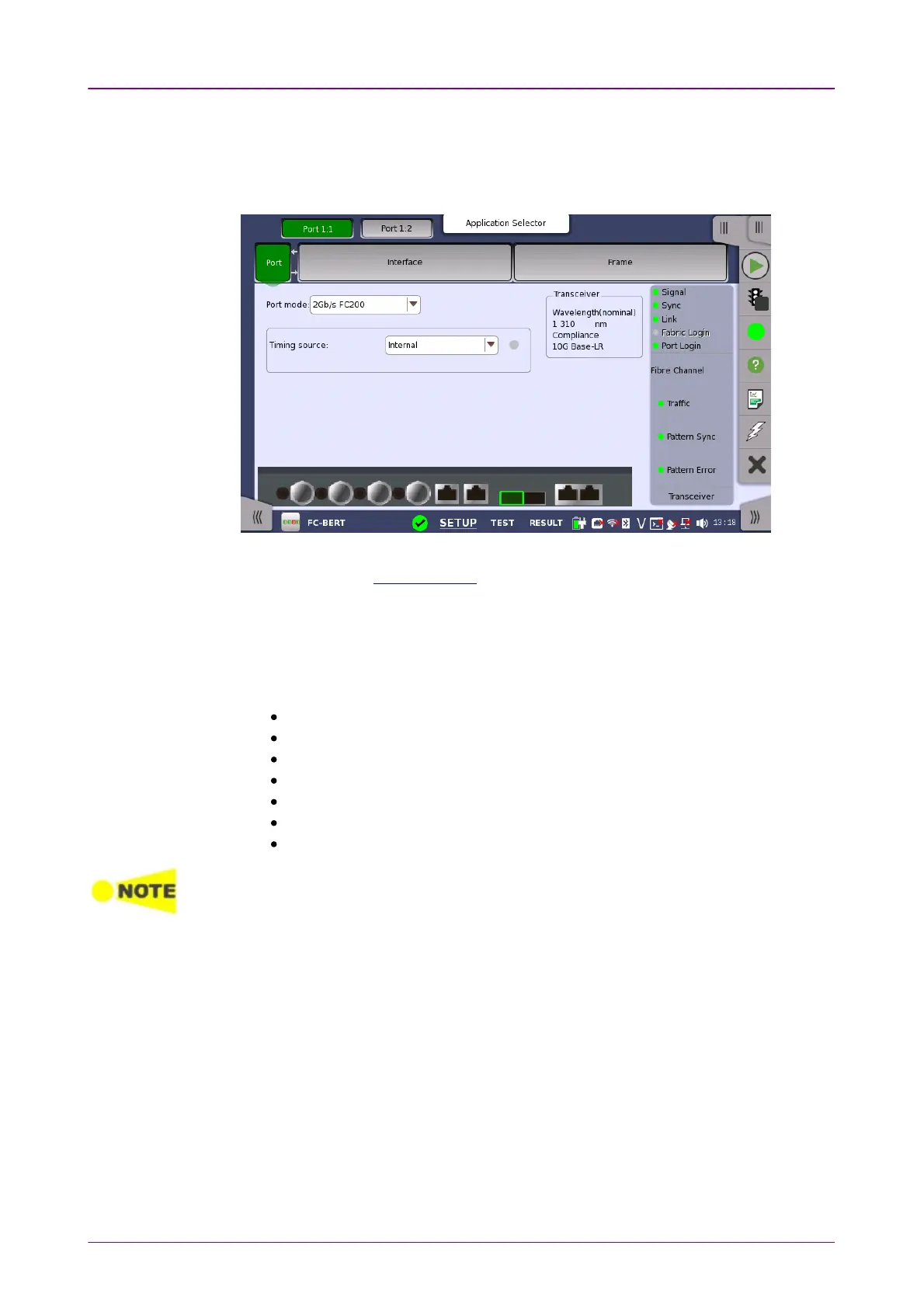
When the port is set up with a Fibre Channel interface, touching the PortPort button
in the navigation area will display the screen shown below.
This screen allows you to specify the physical port configuration of the
currently selected Fibre Channel port. It can also be used to inspect the current
status of the selected port.
The configuration options available in the setup area of the screen are
described below. The status information is described in a separate section.
Select one from the following port mode options:
OffOff: The transmission will be disabled.
1Gb/s FC1001Gb/s FC100: 100 MBytes/s
2Gb/s FC2002Gb/s FC200: 200 MBytes/s
4Gb/s FC4004Gb/s FC400: 400 MBytes/s
8Gb/s FC8008Gb/s FC800: 800 MBytes/s
10Gb/s FC120010Gb/s FC1200: 1200 MBytes/s
16Gb/s FC160016Gb/s FC1600: 1600 MBytes/s
For Performance Test application, 16Gb/s FC160016Gb/s FC1600 is displayed when one of Port 1 or
Port 2 is selected at starting the application.
Use the drop-down menu to select the clock source.
Timing Source
InternalInternal: Internal clock of the module
ExternalExternal: The clock input to the connector
GPSGPS: The clock provided from the external GPS sensor
ReceivedReceived: The clock generated from the received signal
When ExternalExternal, GPSGPS or ReceivedReceived is set, the right hand lamp indicates whether a
clock signal is detected or not.
Displays the Transceiver information.














 To Next Page