22..77 How to Attach the MU100090AHow to Attach the MU100090A
MU100090A is attached to MT1000A with rear panel or MU100010A 10G
Multirate module.
CATIONCATION
Replacing modules operation should be done on the table where antistatic
measures are taken.
Do not drop the modules or give a shock.
Doing so may cause the failure.
22..77..11 Replacing the MU100010A 10G Multirate modulesReplacing the MU100010A 10G Multirate modules
1. Switch the Network Master OFFOFF.
2. Before the detaching operation, disconnect the AC adapter and remove the
battery pack.
3. Place the instrument on its front on a plain surface.
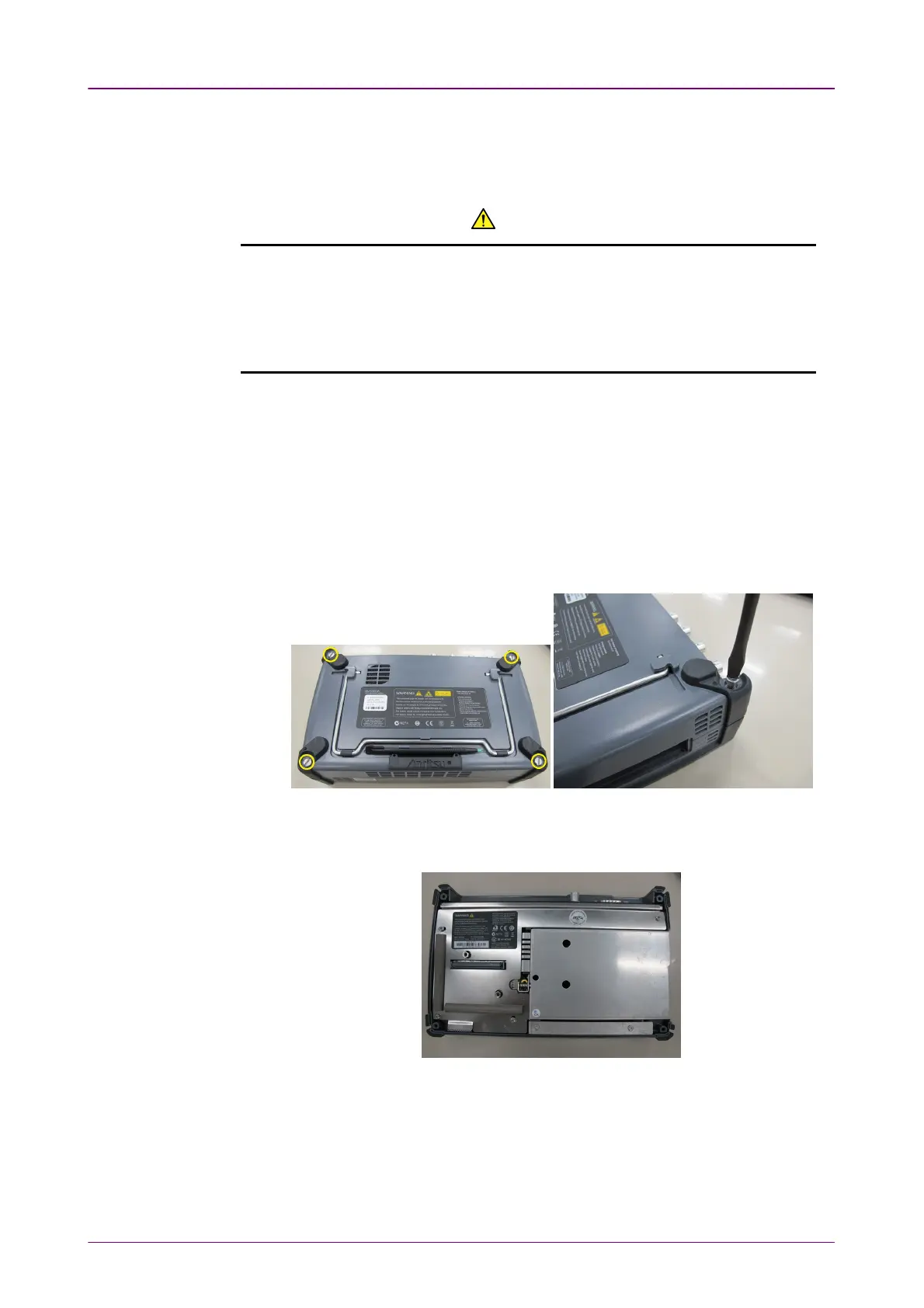
4. Loosen the screws (shown by the yellow circle) on rear side of the MU100010A
10G Multirate module.
5. After loosing the four screws, lift up the 10G Multirate Module with holding
both sides. If you cannot lift up, loosen the four screws again. You can see the
panel as below.














 To Next Page