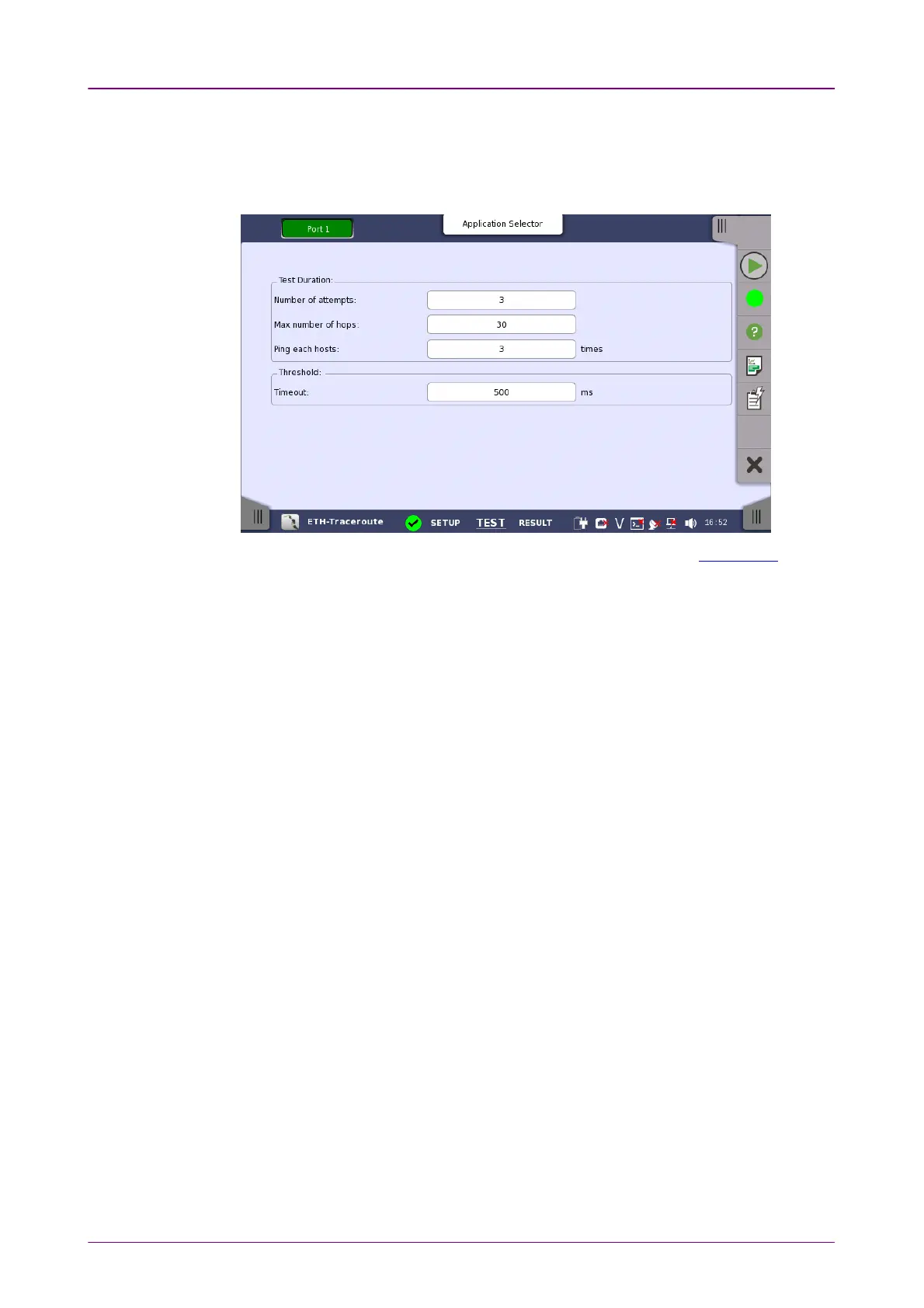
Test DurationTest Duration
ThresholdThreshold
66..1212..22 Test SetupTest Setup
When you go to the test setup of the Ethernet Traceroute test, the following
screen is displayed.
This screen allows you to configure the parameters related to a Traceroute test.
Number of attemptsNumber of attempts
Used to specify the maximum number of times that Ping packets with each TTL
value are transmitted. If no ICMP type 11 or ping reply is received after this
number of attempts, the test will move on to a higher TTL value.
Max number of hopsMax number of hops
Used to specify the maximum number of hops performed in the test. The test
will gradually increment the TTL value until a regular ping reply is received. If
no ping reply is received before this number of hops, the test will stop.
Ping each hostsPing each hosts
Used to specify the number of times each host is pinged to determine the RTT.
For each hop that responds with ICMP 11 type packets, and for the desired
destination, this number of Ping packets is sent.
TimeoutTimeout
Used to specify the timeout limit for Ping packets sent by the test.














 To Next Page