99..22 BERTBERT
BERT stands for Bit Error Rate Testing or BER Testing. The bit error rate is a key
parameter in assessing systems that transmit digital data from one location to
another (that is, systems such as radio data links, fiber-optic data systems, Ethernet
etc.).
99..22..11 Ports Setup and StatusPorts Setup and Status
The first step in running an application is to set up the port interfaces. This is
done on the Ports SetupPorts Setup screen, which also provides port status information.
The setup options and status information related to the Fibre Channel interface
are described in a separate section:
FC Setup and Status
For applications also including an OTN interface, you can find a description of
the setup options and status information for OTN in the following section:
OTN Setup and Status
Refer to the sections relevant for your current port setup requirements.
99..22..22 Test SetupTest Setup
99..22..22..11 ControlControl
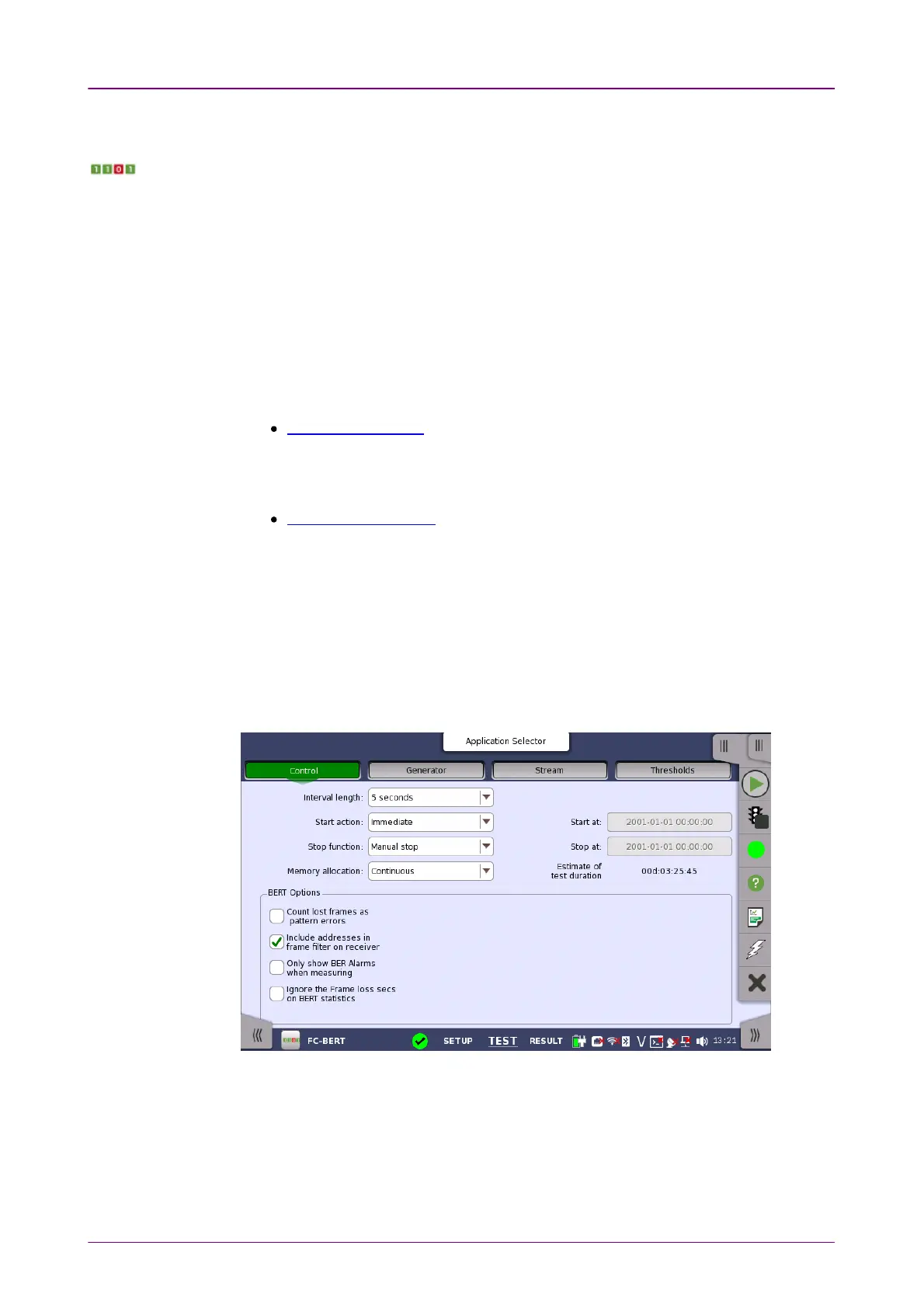
When you go to the test setup of the Fibre Channel Bert application, the
following screen is displayed.
This screen contains the parameters that are generally required in a BERT test
setup.
Interval lengthInterval length
Allows you to specify the duration of the BERT intervals. The drop-down menu
contains the following values: 11, 22, 55, 1010, 1515, 30 seconds30 seconds, 11, 55, 1010, 1515, 30 min.30 min.,
11, 22, 44, 66, 12 hours12 hours or No IntervalsNo Intervals.














 To Next Page