Line rateLine rate
Clock ConfigurationClock Configuration
TransceiverTransceiver
NormalNormal: The Network Master terminates and transmits the signal generated
in the Network Master.
ThroughThrough: The Network Master transmits the received data by own port.
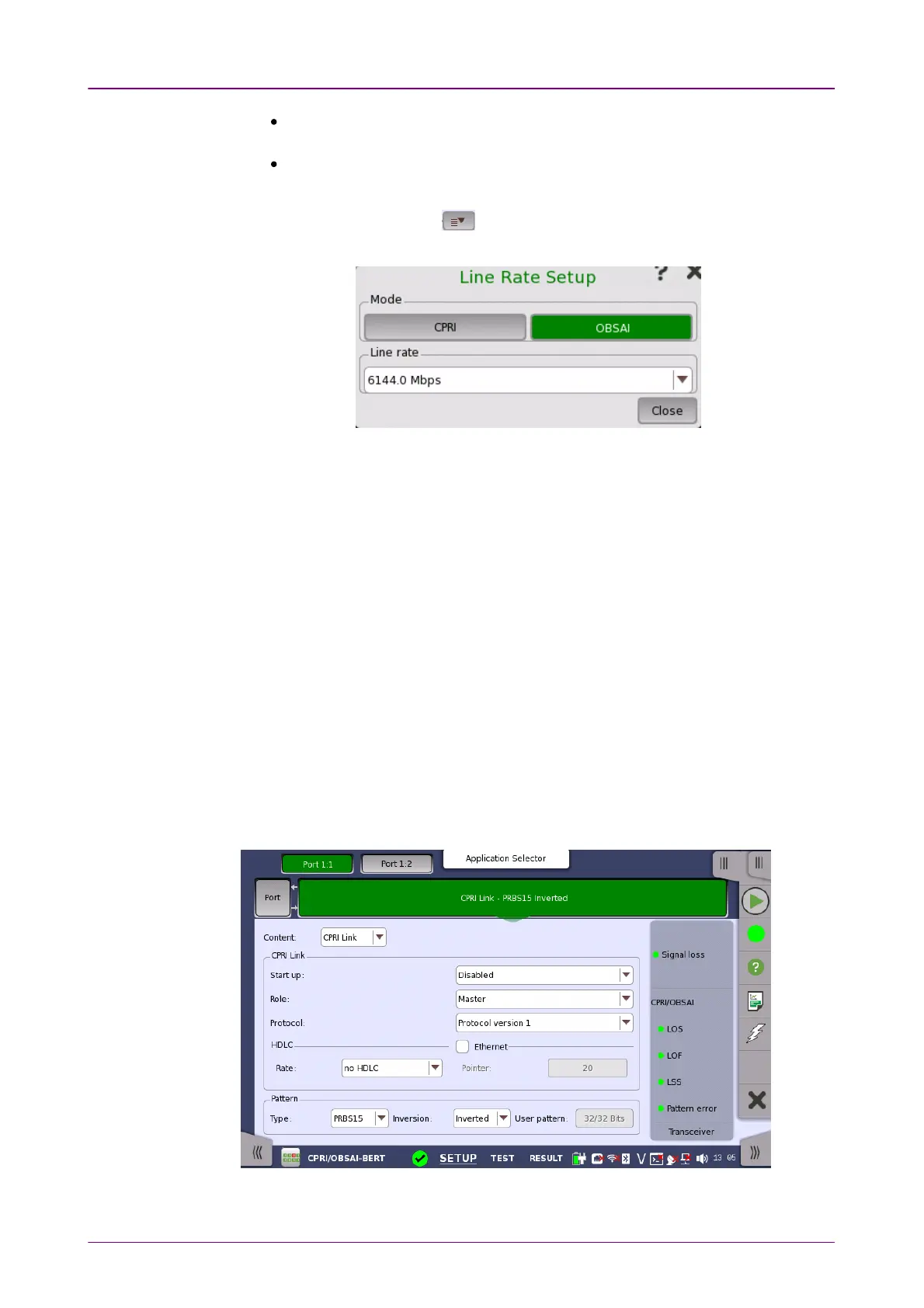
Touching the long button will launch the Line Rate SetupLine Rate Setup dialog box. Touching
the right part of the button ( ) will open the
quick setup menu
. Select the bit
rate of the line from the drop-down menu.
Touch CPRICPRI or OBSAIOBSAI and select a line rate.
Use the drop-down menu to select the clock source. This is fixed to ReceivedReceived
when the Port mode is set to ThroughThrough.
Timing Source
InternalInternal: Internal clock of the module
ExternalExternal: The clock input to the connector
GPSGPS: The clock provided from the external GPS sensor
ReceivedReceived: The clock generated from the received signal
When ExternalExternal or ReceivedReceived is set, the indicator on the right is on if the clock is
detected.
Displays the Transceiver information.
88..11..22 CPRI/OBSAI Frame SetupCPRI/OBSAI Frame Setup
The CPRI LinkCPRI Link or UnframeUnframe button appears in the navigation area. Touching the
button will display the screen shown below.














 To Next Page