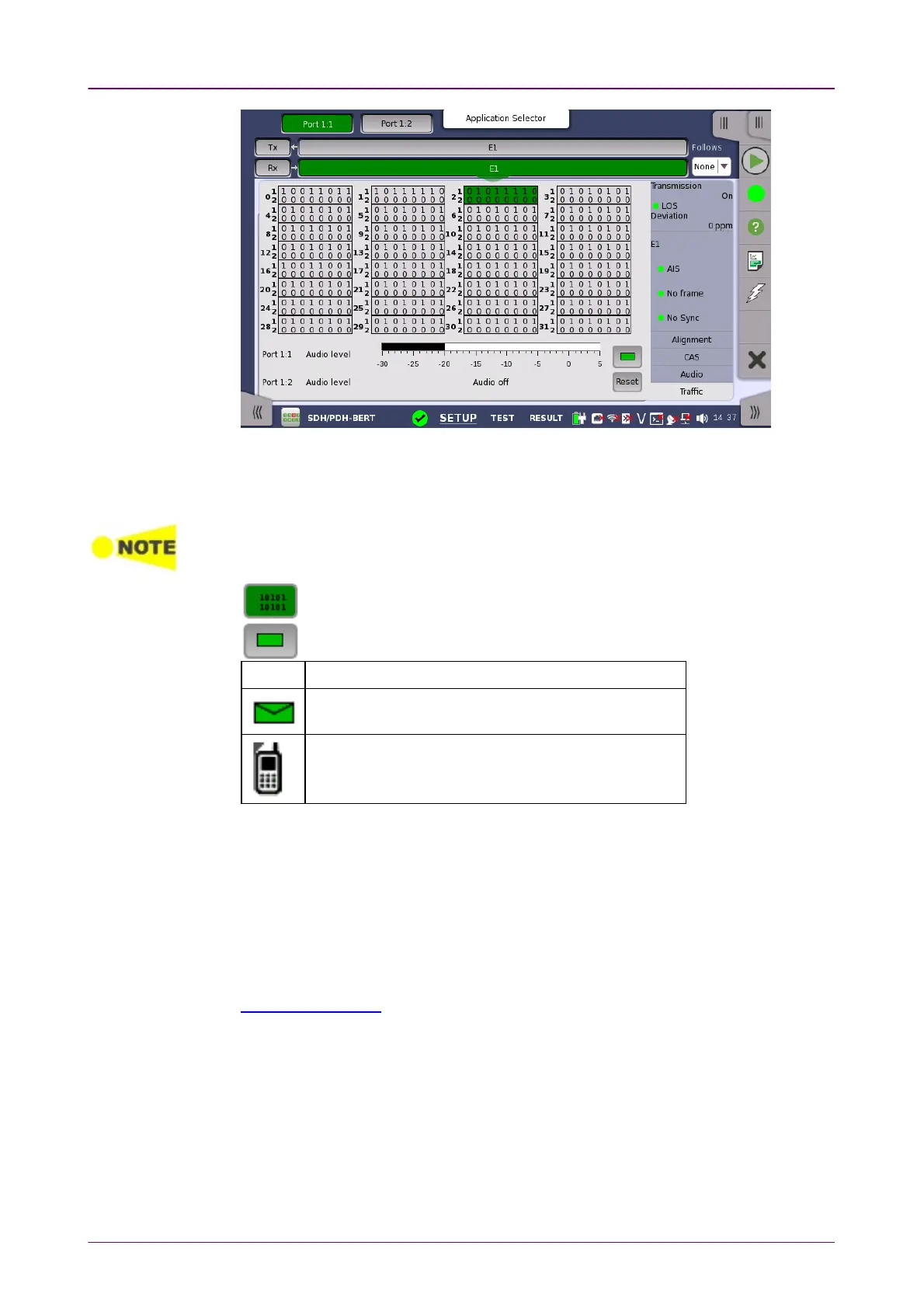
The busy / idle status of channel is displayed.
The current audio time slot is marked with an green highlighting. Select the
relevant channel by touching it.
Audio Time Slots for all ports are marked, but it is only possible to change the time slots
of the current port.
Touching this button will convert the table to display time slot content.
Touching this button will convert the graphic to display traffic.
IconIcon PCM descriptionPCM description
Flags detected in currently selected signaling channel
Channel activity
Touching ResetReset button will clear icons.
Audio levelAudio level
Two dBm meters show the volume of the currently selected audio channel
(Port1 - Port2).
55..33..44 Errors/Alarms InsertionErrors/Alarms Insertion
This section describes the errors or alarms insertion for the PDH layer on the
Application toolbar.














 To Next Page