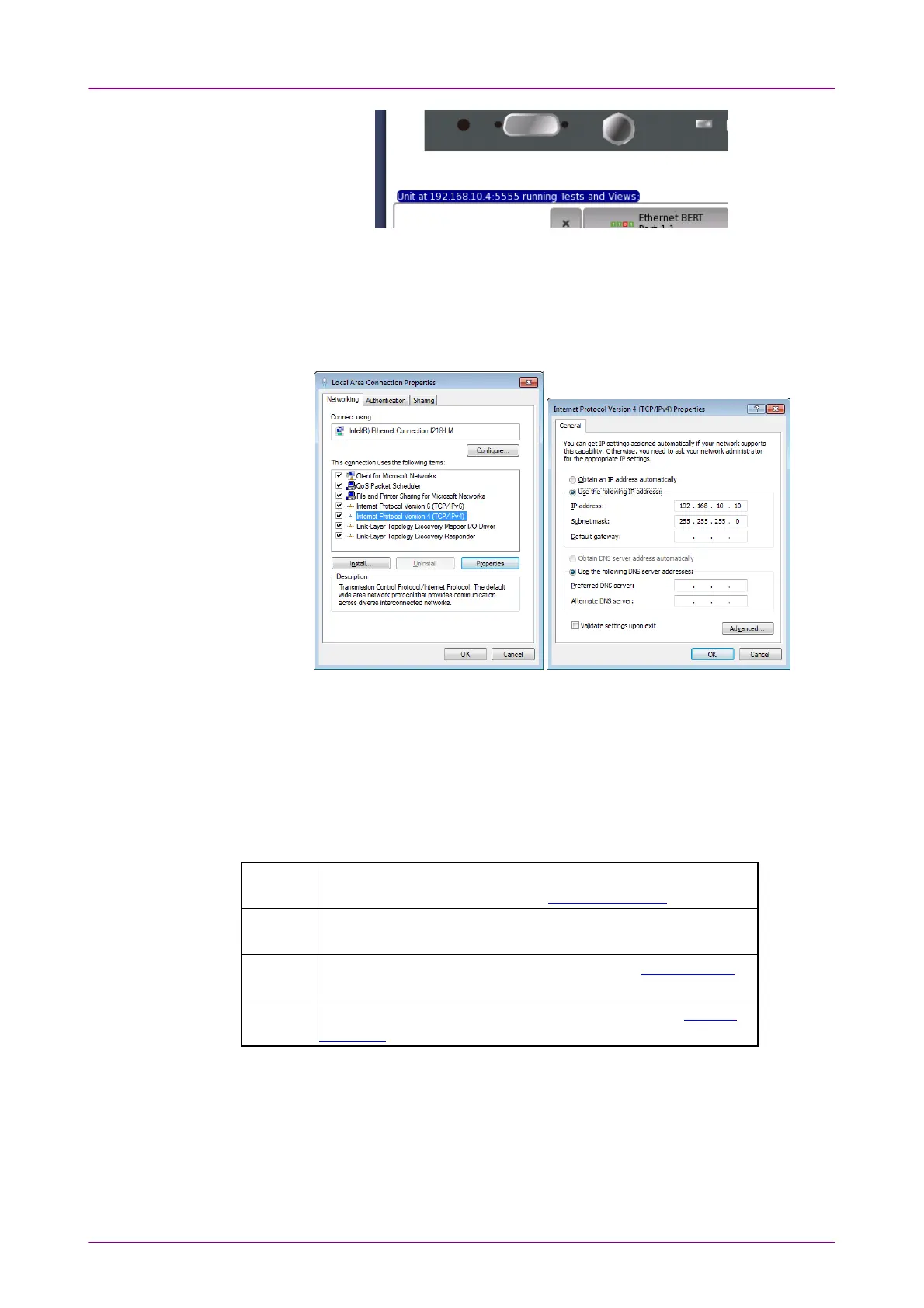
5. Change the Network settings of the PC, so it can access the Network Master
via Ethernet.
Select Control Panel -> Network and Internet -> Network Connection.
Right-click the interface and click the Properties.
Select the properties of Internet Protocol Version 4 (TCP/IPv4) and click the
Properties button.
6. Execute Ping command on PC to confirm connection to the Network Master.
33..55..33 Communication PortsCommunication Ports
When using the MX100001A Control Software with a Network Master
connected behind a port restrictive firewall, to successfully communicate with
the instrument, it is important to configure the firewall to allow communication
on the following ports:
5555 Framework core communication port, fixed. Used by Control
Software main GUI, including the Remote Upgrade function.
5650 to
5699
Application servers, fixed range. Used by Control Software
Application GUIs.
5898 Unit reset port, fixed. Used by Control Software Remote Reset
function.
58012 Remote wake-up port, fixed. Used by Control Software Remote
Wake Up function.
In addition, the following ports are used for other network functions in the
Network Master:














 To Next Page