55..1010 RTDRTD
The Round-Trip Delay (RTD) test measures the time that the data which is transmitted
by the transmitter returns to the receiver.
The RTD test described in this section is applicable for SDH/SONET/PDH/DSn
interfaces.
For RTD test of OTN interface, refer to RTD in "OTN Application".
55..1010..44 Ports Setup and StatusPorts Setup and Status
The first step in running an application is to set up the port interfaces. This is
done on the Ports SetupPorts Setup screen, which also provides port status information.
The setup options and status information related to each interface type are
described in separate sections:
SDH Setup and Status
SONET Setup and Status
E1 Setup and Status
DS1/J1 Setup and Status
E3 Setup and Status
DS3 Setup and Status
E4 Setup and Status
OTN Setup and Status
Please refer to the sections relevant for your current port setup requirements.
55..1010..55 Test SetupTest Setup
55..1010..55..11 ControlControl
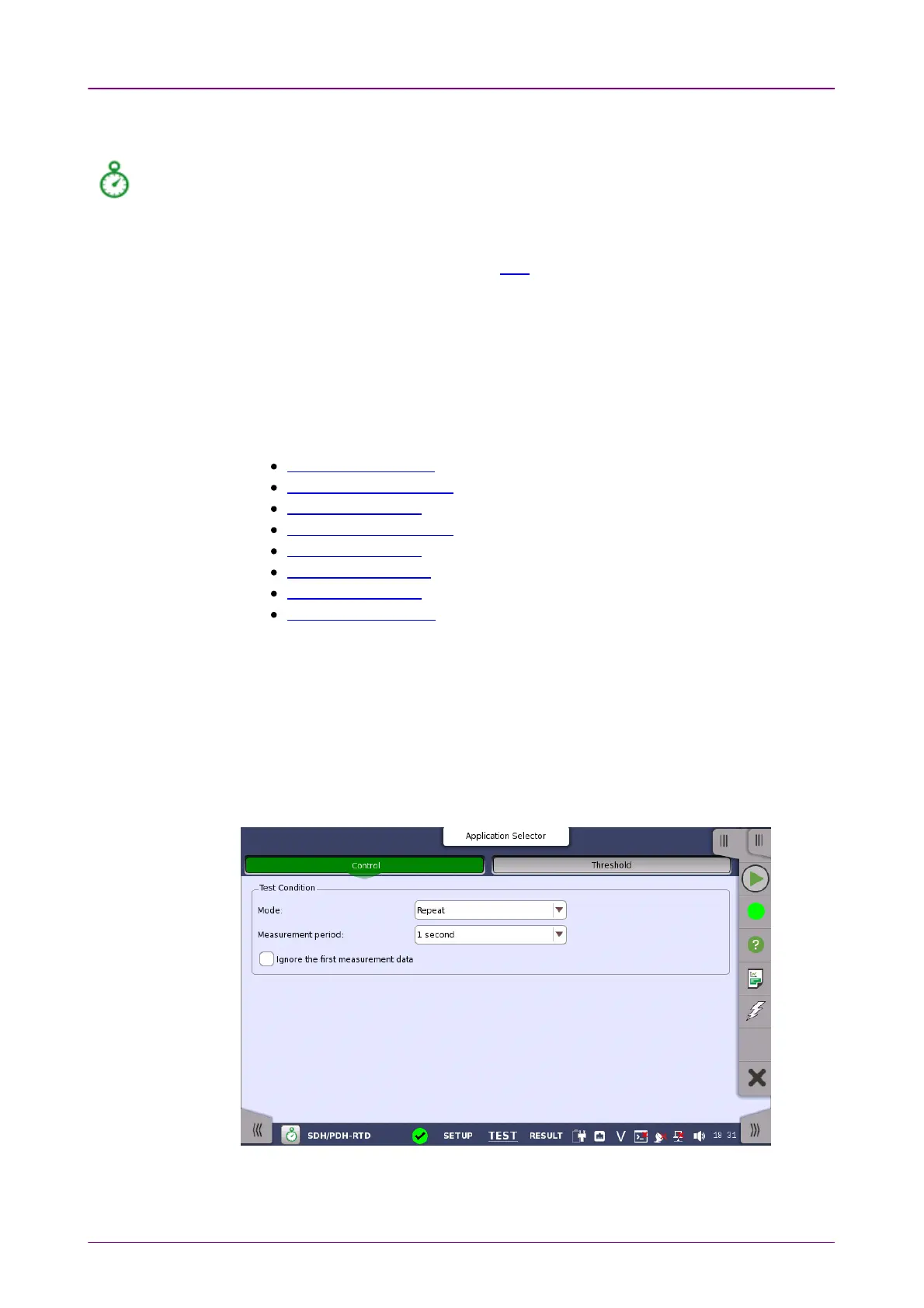
When you go to the test setup of the RTD application, the following screen is
displayed.
This screen allows you to configure the RTD test conditions for the currently
selected port(s).














 To Next Page