44..33..33 Accessing Previous Tests and Test ResultsAccessing Previous Tests and Test Results
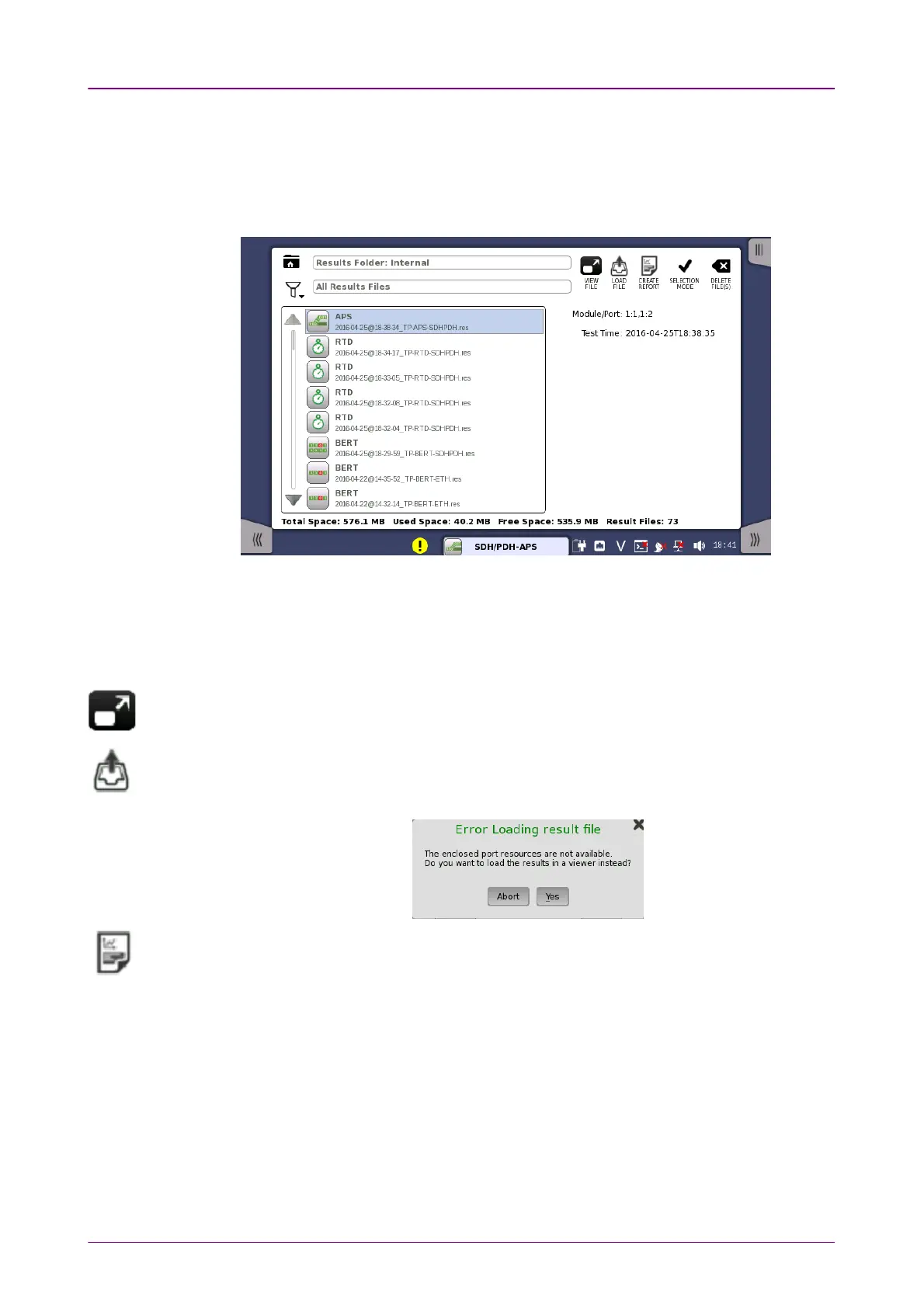
When you select test result files on the
Report File Browser
screen, you can
choose to create either a report from the results or a
workspace
containing the
test setup data and its results.
Creating a
workspace
for a previous test allows you to view the test results in
the GUI and also to rerun the test if required (either with the same setup or
with changed parameter settings). You are brought directly to the
Test Results
screen when you touch the View/Load FileView/Load File button, but can navigate to the
other screens in the workspace from there.
When you touch the VIEW FILEVIEW FILE button, an application starts in
Viewer
mode. In this
mode, you cannot start measurement. This mode is used to view the test result.
When you touch the LOAD FILELOAD FILE button, an application starts using the setting in the
file. If other application is using ports, the following message appears. In this case,
you can start the application in
Viewer
mode.
When you touch the CREATE REPORTCREATE REPORT button, the file manager dialog box is
displayed, allowing you to name and save the report (in PDF format).
44..33..44 Closing an ApplicationClosing an Application
When you touch the CloseClose icon in the
application toolbar
, you are prompted to
confirm that you really want to close the current application. If you touch
"Yes", the
workspace
is closed and you are returned to the
desktop
(i.e. the
Application Selector
screen). The resources previously allocated to the
application are freed to be used by another application if required.














 To Next Page