44..11 General Handling of the GUIGeneral Handling of the GUI
The Network Master is equipped with a touch screen display, except for the key
to switch the instrument on/off. The operating principle of the graphical user
interface (GUI) presented on the touch screen display is that it guides you
through all setup steps required for running a specific test and then finally
presents you with the test results. You can also navigate back and forth
between setup steps and result presentation to re-run a test with new parameter
settings if required.
44..11..11 GUI ConceptGUI Concept
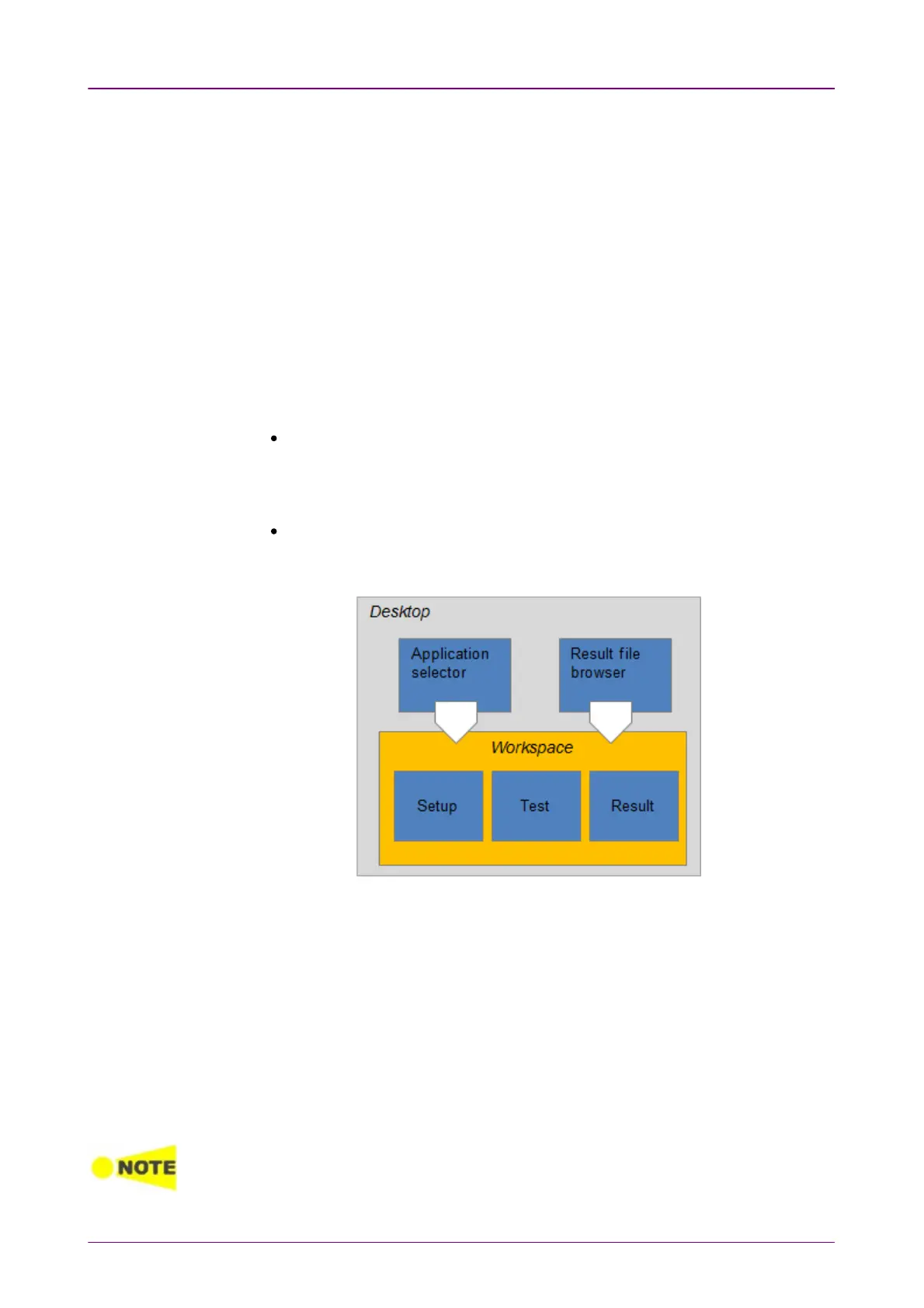
The GUI can be split up into two functional spaces or levels: the
desktop
and
the
workspace
.
The
desktop
is the entry level which appears after the booting. It consists of
the
application selector
, which allows you to start a new application, and the
result file browser
, which allows you to access previously created and stored
test results.
The
workspace
is where you work with a specific application (i.e. set up and
run a test and inspect the test results). Your selection on the desktop creates
the workspace and loads relevant data into it.
Application selectorApplication selector
The
application selector
loads a new application into the workspace. A new
application can be either one of the standard applications provided with the
instrument or a previously saved application with partial or full configuration
of interface/test setup parameters.
Result file browserResult file browser
The
result file browser
loads the results and configuration of a previous test
into the workspace. This allows you to generate reports from the results and/or
to rerun the test (either using the original configuration or with various
configuration modifications).
A specific set of resources (i.e. ports) are assigned to a workspace when it is created.
More than one workspace can therefore exist at the same time, each assigned to
different resources.














 To Next Page