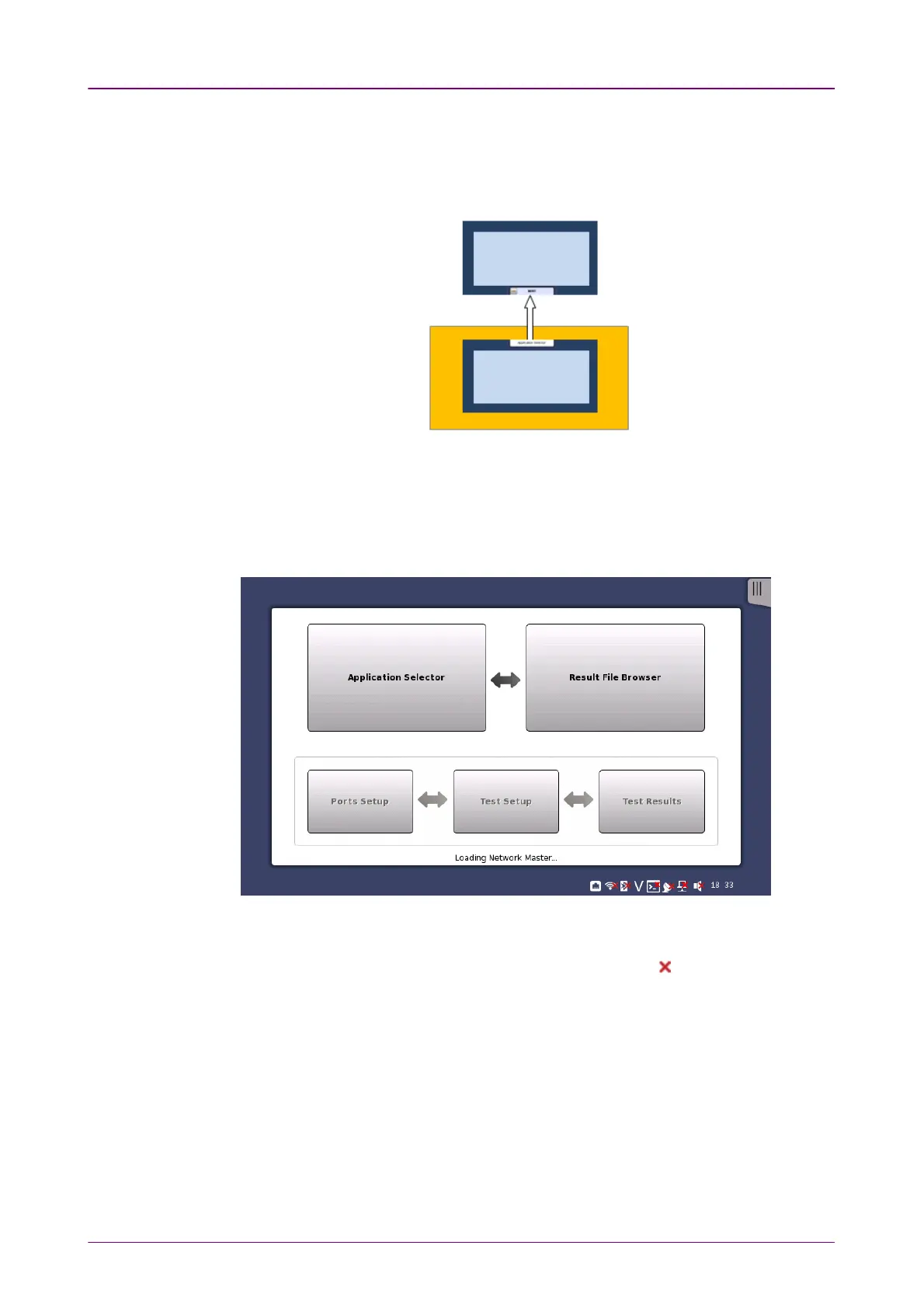
Startup Splash ScreenStartup Splash Screen
Status iconsStatus icons
From a setup screen you can return to the application selector using the tab at
the top of the screen. Test result screens contain a tab at the top which returns
you to the result file browser.
44..11..33 Layout of the GUI ScreensLayout of the GUI Screens
The Network Master starts up with a splash screen that shows the GUI concept
of desktop/workspace and the various screen types. It indicates both
application selector
and
result file browser
as entry points.
There are status icons of the battery and the network connections at bottom of
the screen. This blue area at bottom of screen is the "status bar".
When the network connection is unusable, the red cross ( ) appears on the
icon.














 To Next Page