TopologyTopology
99..11..22 Fibre Channel Frame SetupFibre Channel Frame Setup
99..11..22..11 InterfaceInterface
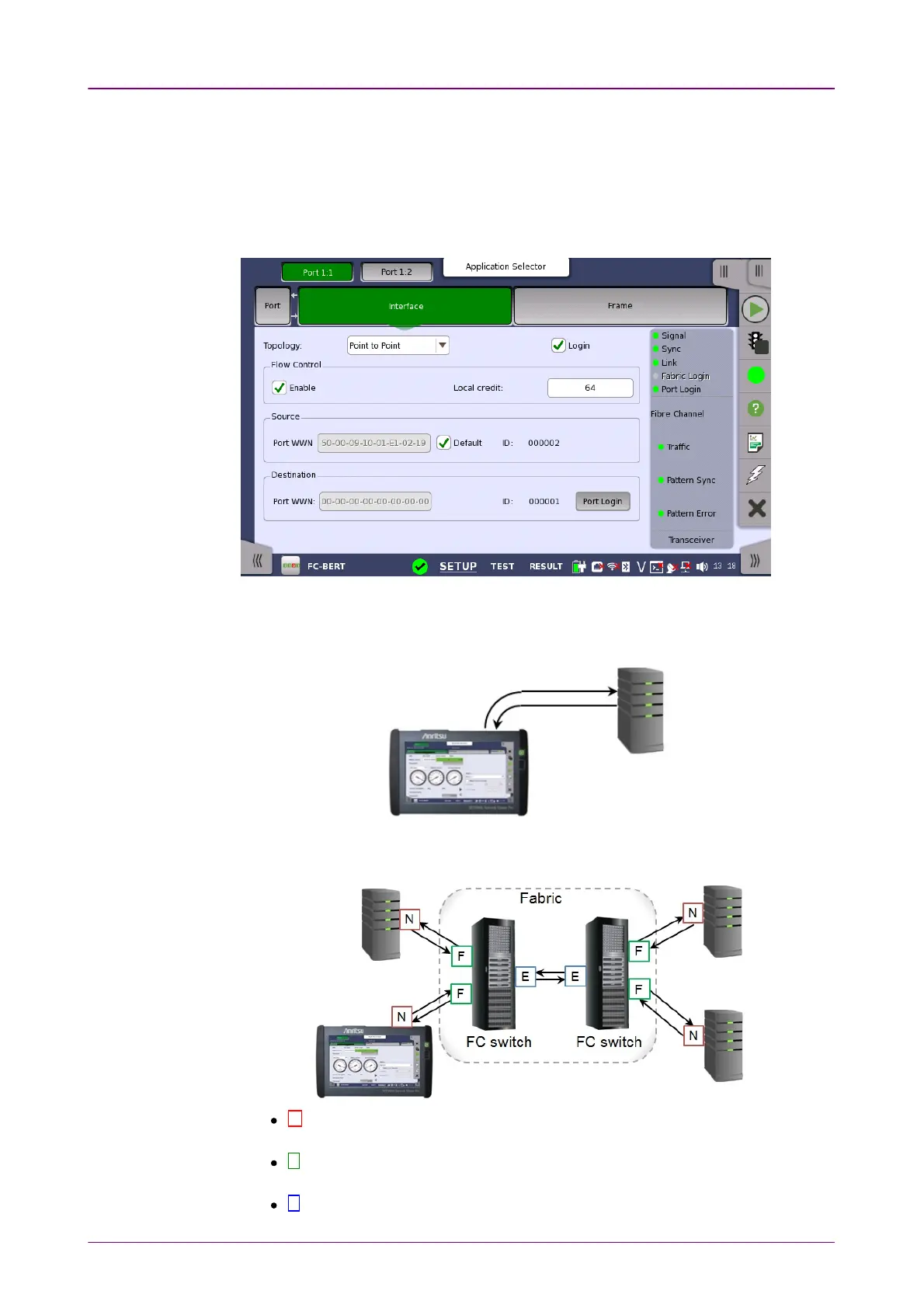
Touching the InterfaceInterface button in the navigation area displays the following
screen.
Point to PointPoint to Point is the direct connection to the device under test. Select the LoginLogin
check box to establish the connection. For FC Reflector, selecting the LoginLogin
check box requires peer to do an actual login.
FabricFabric is the connection using fibre channel switch. Touch Fabric LoginFabric Login button
to access to the fabric login server.
N N-Port: A hardware entity that includes a Link Control Facility, and has the
ability to act as an Originator, a Responder, or both.
F F-Port: The Link Control Facility within the Fabric that attaches to an N_Port
through a link.
E E-Port: A Fabric expansion port that connects to another E_Port to create an














 To Next Page