Input modeInput mode
OffOff
User [32] bitUser [32] bit, User [2048] bitUser [2048] bit
PRBS 9PRBS 9 to PRBS 31PRBS 31
Fox PatternFox Pattern, Fox (CMA3000)Fox (CMA3000)
All 0'sAll 0's, All 1'sAll 1's
Alternating 1:1Alternating 1:1, Alternating 1:3Alternating 1:3, Alternating 1:7Alternating 1:7, Alternating 3:24Alternating 3:24
Touch 'Normal' or 'Inverse' pattern type.
Touching the 'ITU standard' button will apply ITU-T O.150 recommended
Pattern typePattern type for 34 Mbit data rates (PRBS 23 Inverse).
User patternUser pattern
User pattern field is enabled if Pattern type is set to User [32] bitUser [32] bit or User [2084]User [2084]
bitbit. Touch the User patternUser pattern field and use the launched Pattern EditorPattern Editor dialog box
to define the user pattern. Depending on the selected pattern type, different
user pattern setup options will be available.
The length can be any length from 1 bit to 32 bits or from 1 bit to 2048 bits.
55..55..22 Receiver SetupReceiver Setup
55..55..22..11 Physical SetupPhysical Setup
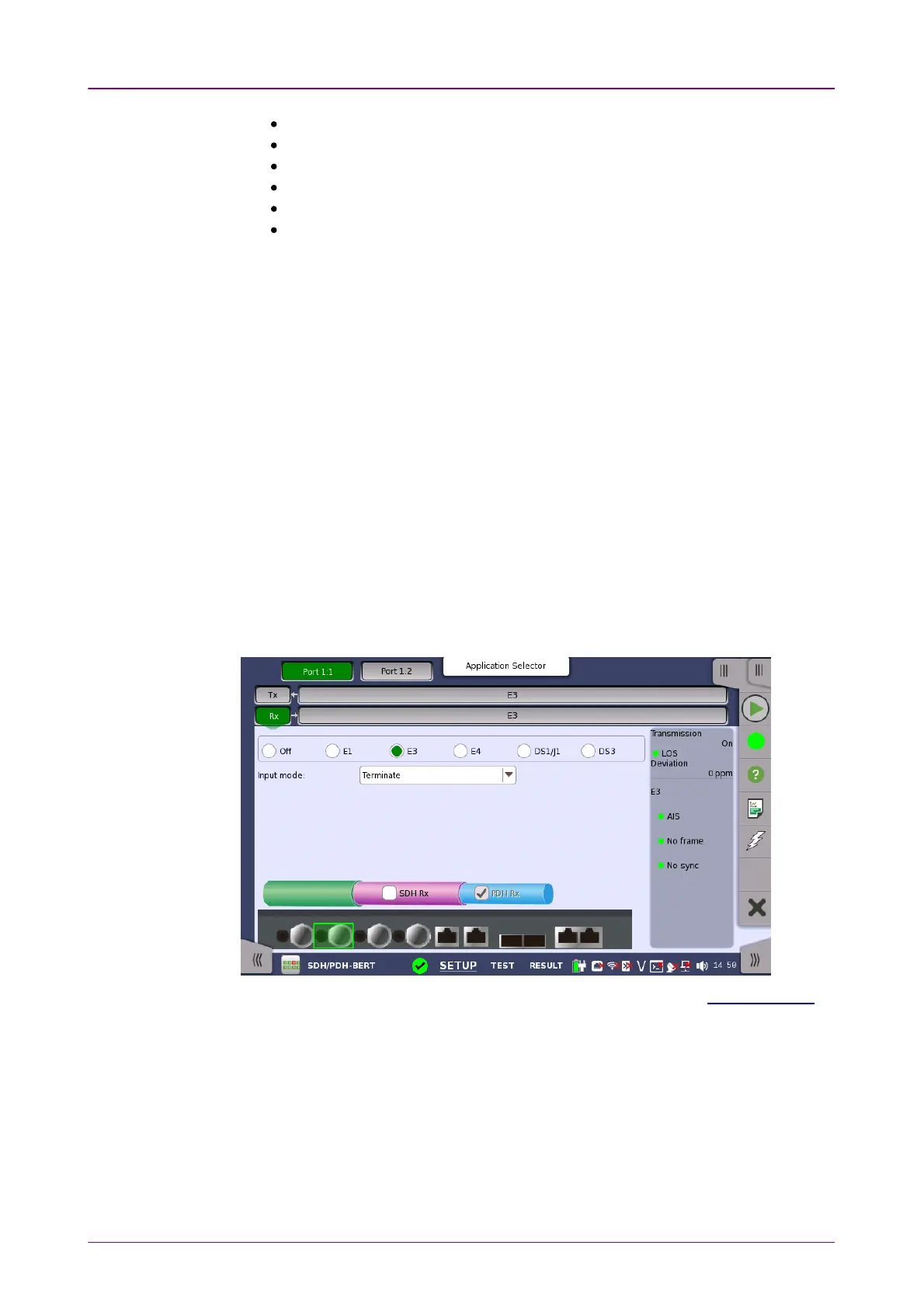
When the receiver is set up with only an E3 interface, selecting the RxRx button in
the navigation area will launch the following screen.
For the switching method between PDH Rx and DSn Rx, refer to Physical Setup
in "E1 Setup and Status". Touch E3E3 radio button. Touching OffOff radio button
disables the receiver.
This screen allows you to make the physical setup of the PDH receiver in E3
mode. It can also be used to inspect the current status of the selected port.
The configuration options available in the setup area of the screen are
described below. The status information is described in a separate section.
Select the mode of input.














 To Next Page