1010..11 ScenarioScenario
Scenario application executes applications according to the description in the
scenario file. The contents of the scenario file can be edited by using the
MX100003A MT1000A/MT1100A Scenario Editor Software
on the PC.
If the scenario files are not loaded, only Scenario manager icon appears on the
Utilities screen.
If the scenario file has loaded, that icon is displayed on the Utilities screen. The
icon of the scenario varies depending on the definition in the scenario.
An example of the scenario iconsAn example of the scenario icons
Displaying / hiding of the icon can be switched by the Scenario manager
screen setting.
1010..11..11 Scenario ManagerScenario Manager
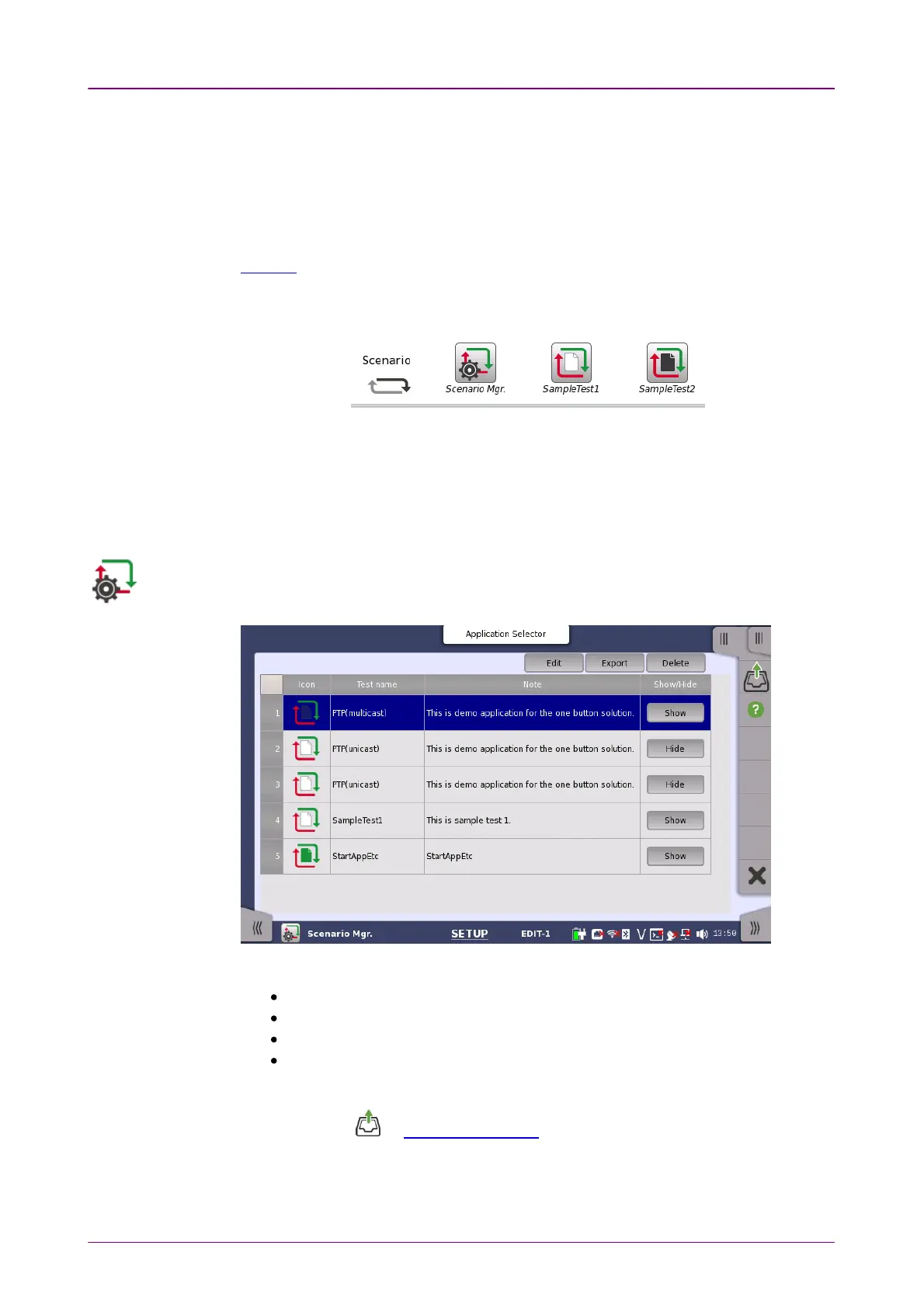
When you go to the test setup of the Scenario Manager, the following screen is
displayed.
This screen provides following operations:
Loading a scenario file
Switching displaying the icon of the scenario or not
Saving the scenario to file
Deleting the scenario in the table
Loading a scenario fileLoading a scenario file
1. Touch the on Application Toolbar.
2. Select the file using the dialog box.
3. Touch OpenOpen.
4. The contents of the loaded scenario appear in the table. Icon, Test name and














 To Next Page