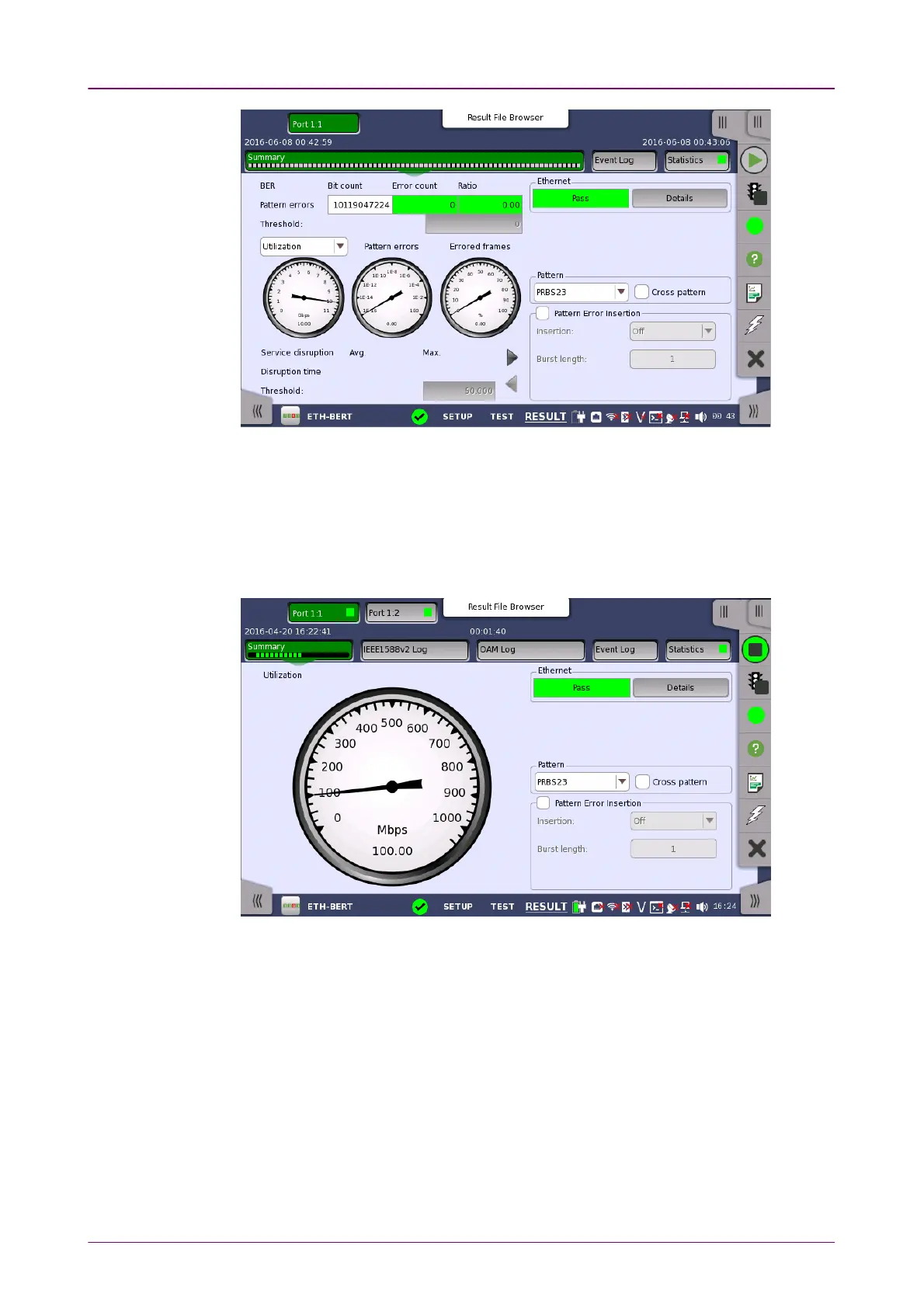
This screen contains a summary of the results of the Ethernet BERT test. The
information includes such things as number of pattern errors, average and
maximum disruption time, and number of exceeded thresholds.
The three dials showing utilization/throughput results, pattern errors and
errored frames can be enlarged by clicking on them. The black needle points
the measured value in the latest period.
To view throughput information, select ThroughputThroughput in the drop-down menu
and then expand the dial. Use the drop-down menu above the expanded dial to
select the relevant layer.
When EthernetEthernet is selected on 'Threshold' of the Test Setup screen, the EthernetEthernet
information appears in the upper right-hand corner, shows pass/fail status
summary. Touching the DetailsDetails button allows you to inspect the individual
pass/fail status.














 To Next Page