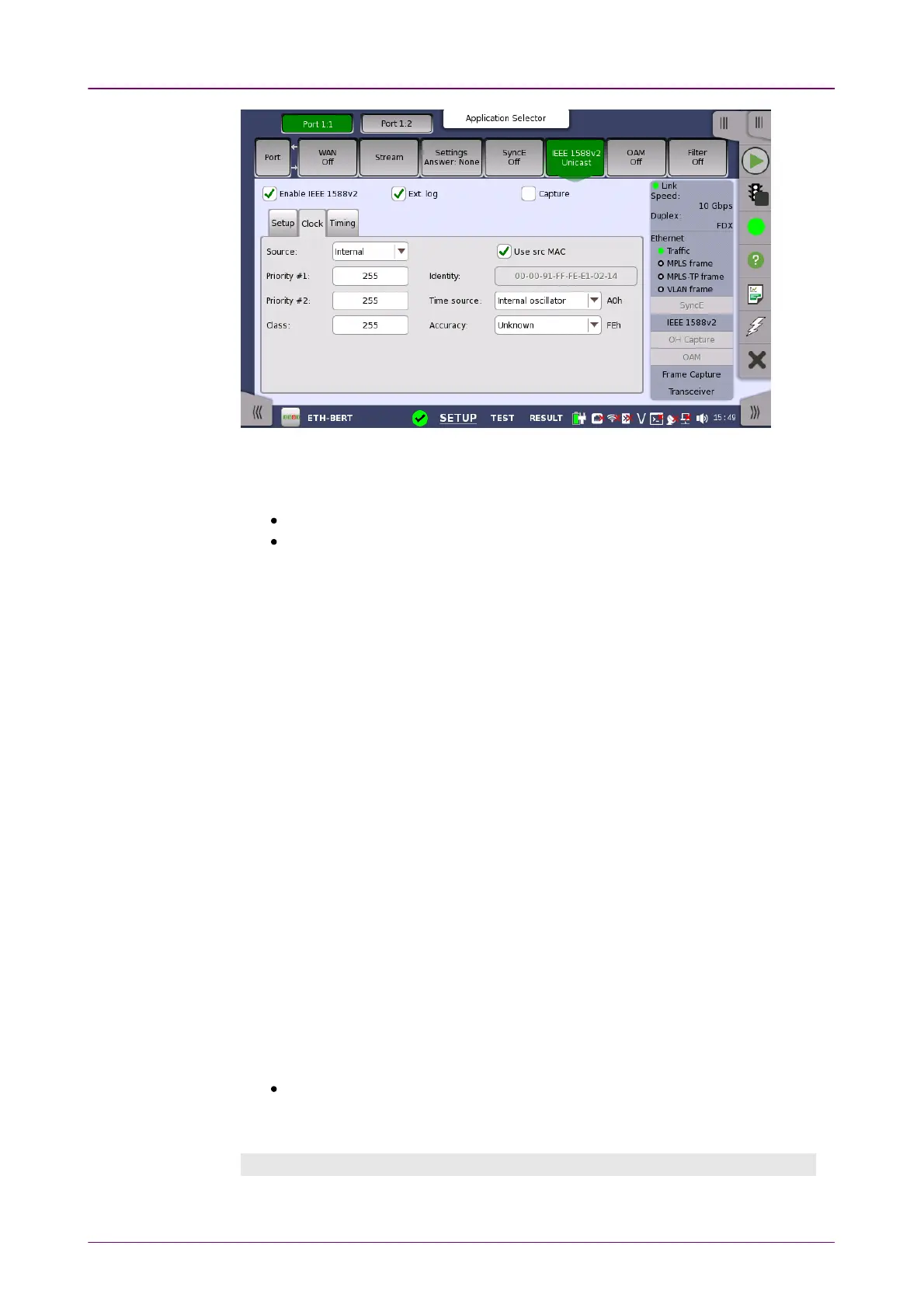
SourceSource
Allows you to specify where the time of the clock should come from.
InternalInternal: Current instrument time
GPSGPS: GPS time (Requires external GPS receiver)
Priority #1/#2Priority #1/#2
Allows you to specify the priority 1 and priority 2 values. Acceptable values are
between 00 and 255255.
ClassClass
Allows you to specify the clock class. Acceptable values are between 00 and
255255.
IdentityIdentity
Allows you to specify the 64 bit clock identity. You can either use the Source
MAC to generate the identity (by selecting the Use src MACUse src MAC check box) or you
can type the identity yourself (using the address field).
Time sourceTime source
Either choose one of the predefined time sources in the drop-down menu, or
select User definedUser defined and enter a value manually. Acceptable values are between
0x000x00 and 0xFF0xFF.
AccuracyAccuracy
Either choose one of the predefined accuracy in the drop-down menu, or select
User definedUser defined and enter a value manually. Acceptable values are between 0x000x00
and 0xFF0xFF.
PRTC connectedPRTC connected and PRTC not connectedPRTC not connected are available when:
Profile is set to G.8275.1G.8275.1 or User DefinedUser Defined and Slave modeSlave mode is cleared.
PRTC: Primary Reference Time Clock
Timing tab pageTiming tab page
The TimingTiming tab page contains the timing-specific parameters.














 To Next Page