66..11..44..33 Ethernet WANEthernet WAN
When Port is set to SFP+ 10 Gbps WANSFP+ 10 Gbps WAN, inserting the WAN alarms/errors is
available.
1. Select AlarmsAlarms or Errors/ViolationsErrors/Violations using the radio button.
2. Select DestinationDestination using the drop down menu.
3. Select the InsertionInsertion in case of Errors/Violations.
Alarms will be inserted continuously.
OffOff: Turns off inserting errors.
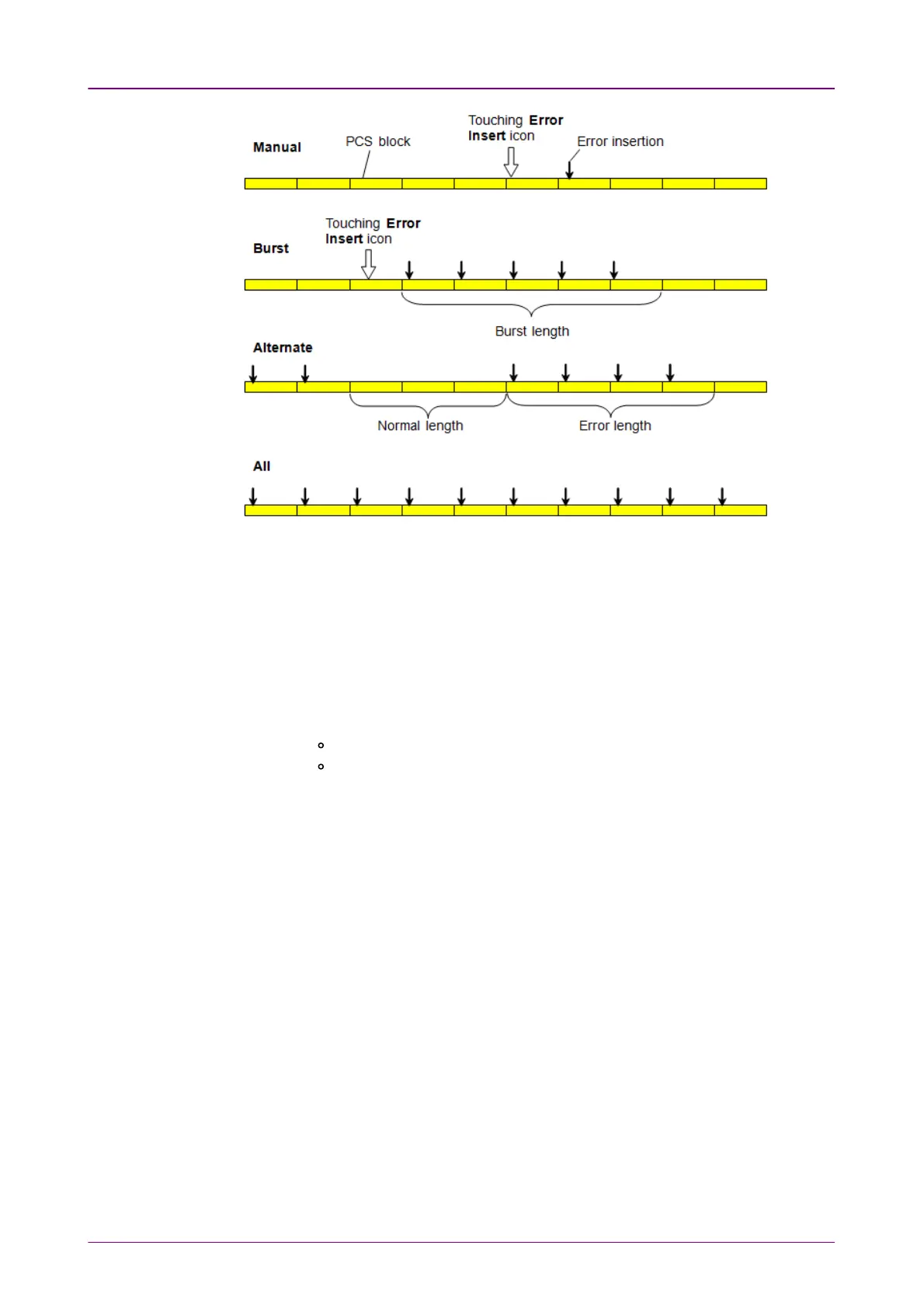
ManualManual: Inserts errors in the specified counts if you touch the Error
Insert icon.
4. Touch the WAN burst lengthWAN burst length field to set the errors insertion counts.
5. When Insertion is set to ManualManual, Touch the Error Insert icon.
66..11..44..44 Ethernet frequencyEthernet frequency
Touch the field to set Ethernet frequencyEthernet frequency. Enter the desired deviation in the Tx
Deviation field. A positive value increases the frequency.














 To Next Page