Selecting notationSelecting notation
Modifying columnsModifying columns
Open the MergeMerge drop-down menu to combine all channels where one specific
definition value (e.g. the source MAC address) is identical. The drop-down
menu contains all currently active definitions.
When the test results are shown in merged mode, definitions that are not
uniquely defined will be hidden, so that only the merge criterion, channel
number, and protocol information will be visible. The protocol information
field, which shows which protocols are detected in a channel, will in merged
mode show all protocols present in the frames contained in the merged
channel.
Unlike the setup of active definitions, the merge setting works on already
collected channels - that is, it does not affect how the system separates
channels, and it will work on both running, stopped and loaded tests.
Select the required notation for the results from the notation drop-down menu.
UnformattedUnformatted - e.g. 71892
SI prefixSI prefix - e.g. 71.892 k (k means "kilo")
EngineeringEngineering - e.g. 71.892E3
ScientificScientific - e.g. 7.1892E4
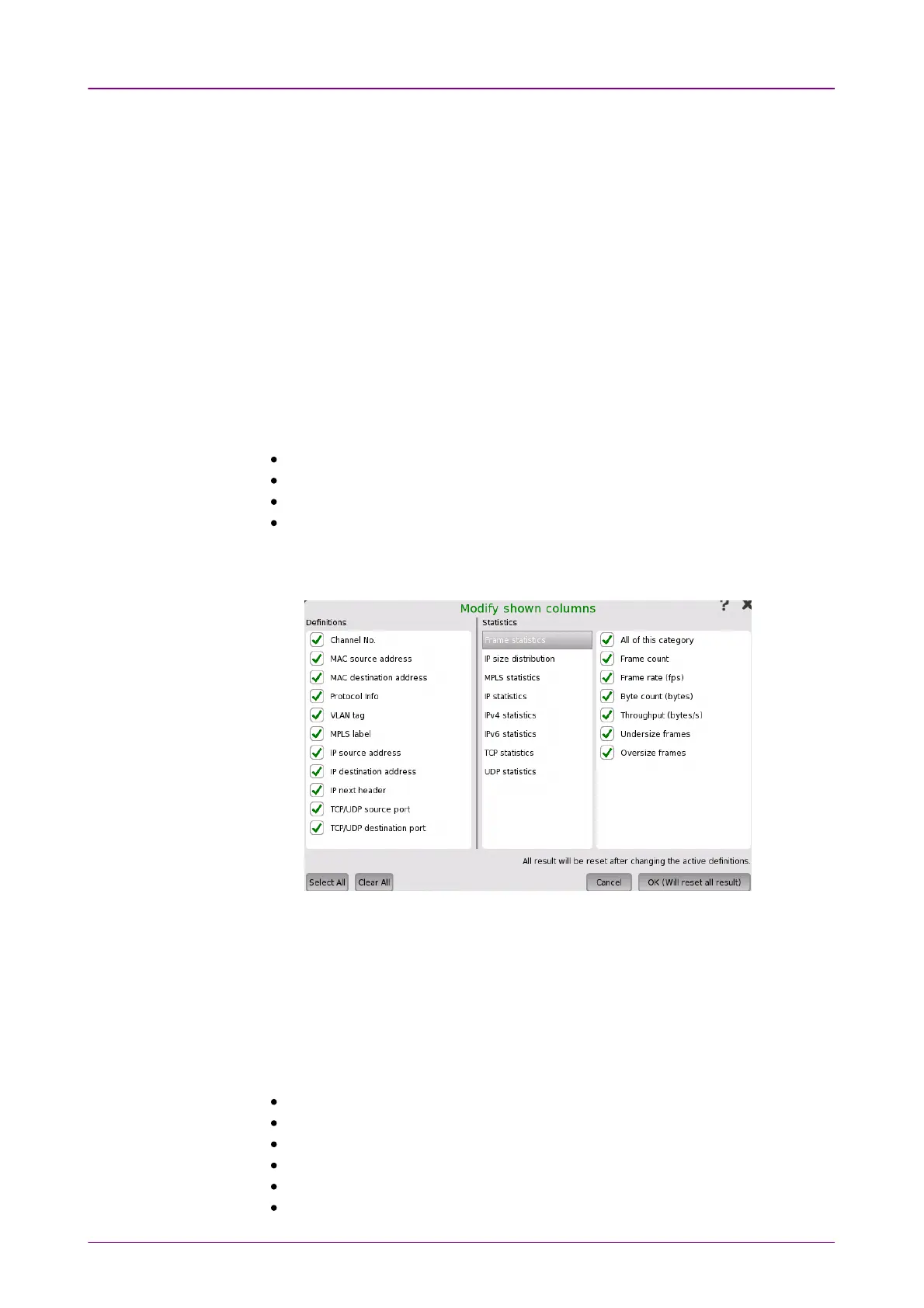
To select which columns are shown in the two lists, touch the Modify columnsModify columns
button. This will launch the Modify shown columnsModify shown columns dialog box.
DefinitionsDefinitions
The selected check boxes correspond to the columns currently shown in the
channels list on the SummarySummary screen.
StatisticsStatistics
The selected check boxes correspond to the columns currently shown in the
results list on the SummarySummary screen. Note that the check boxes are placed under
categories.
Frame statisticsFrame statistics
IP size distributionIP size distribution
MPLS statisticsMPLS statistics
IP statisticsIP statistics
IPv4 statisticsIPv4 statistics
IPv6 statisticsIPv6 statistics














 To Next Page