Frame sizeFrame size
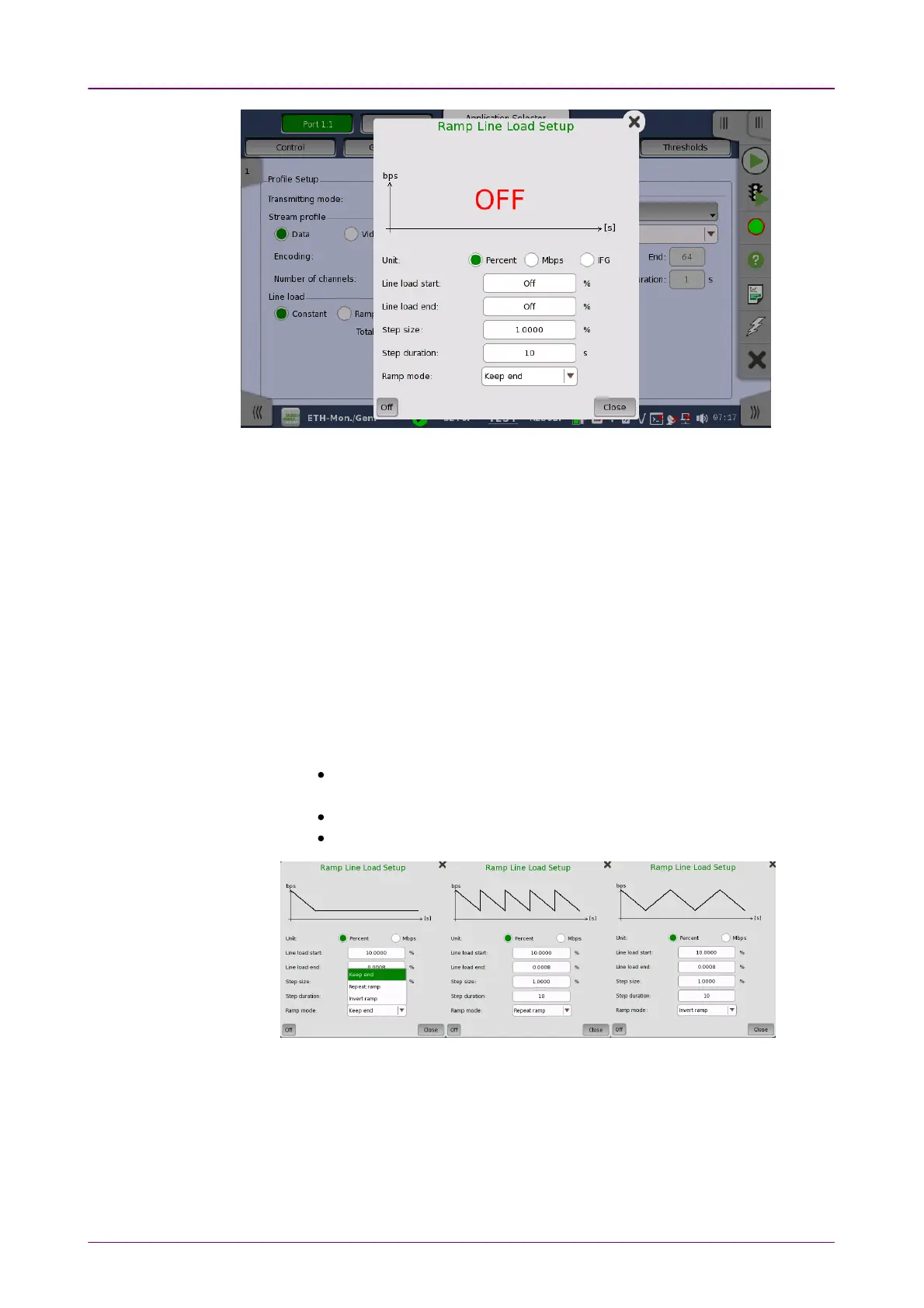
The line load unit can be specified from PercentPercent, and MbpsMbps. Touching OffOff at
left-bottom stops sending the stream.
The dialog box contains the following settings:
Line load startLine load start
The line load at which the ramp will start.
Line load endLine load end
The line load at which the ramp will end. (This is the value shown on the line
load button.)
Step sizeStep size
The step size from start to end.
Step durationStep duration
The duration of each step.
Ramp modeRamp mode
How the ramp should continue. 3 modes are available:
Keep endKeep end: The specified end line load is maintained after the ramp is
ended.
Repeat rampRepeat ramp: The ramp is repeated.
Invert rampInvert ramp: The ramp is inverted.
When Profile is set to DataData, three setups are available:
ConstantConstant
Uses the fixed frame size specified by the StartStart value for the duration of the
test. The following figure shows an example of frame sizes when ConstantConstant is
selected.














 To Next Page