Number of steps = f × (r+1) × l
f: Number of Frame Size steps
r: Repeats
l: Number of Line Load steps
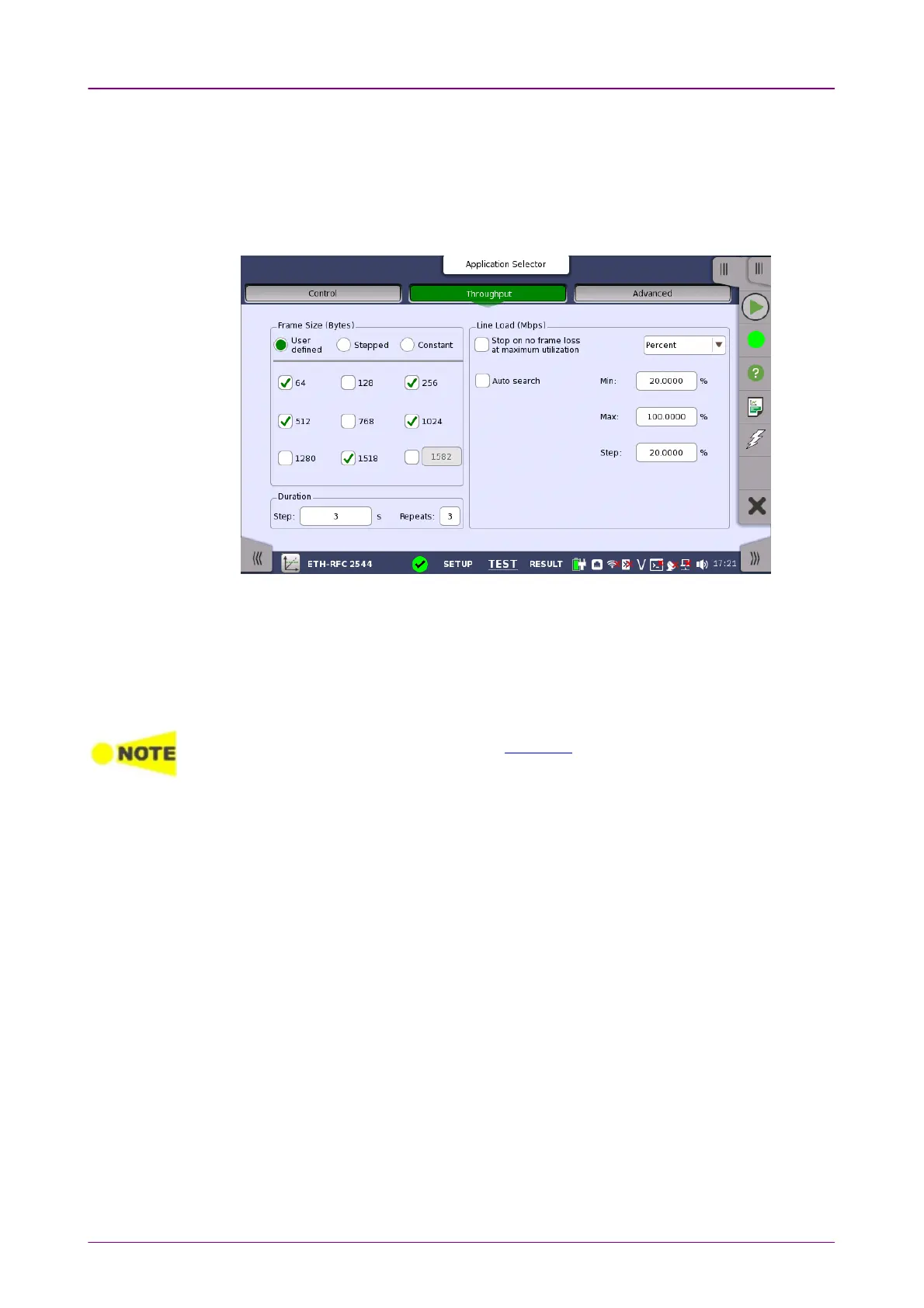
In the following setting example, the number of steps is 100.
f=5 Five frame sizes, 64, 256, 512, 1024, and 1518 bytes are selected.
r=3One measurement is repeated three times after the first measurement, which
means four times for each.
l=5 With the settings of Min. 20%, Max. 100%, and Step 20%, line load steps are five,
20%, 40%, 60%, 80%, and 100%.
Number of steps= f × (r+1) × l = 5 × (3+1) × 5=100
When Accumulate repeated stepsAccumulate repeated steps in the Advanced screen is selected, r=0 regardless of
the set value of RepeatsRepeats.
66..99..22..11 ControlControl
When you go to the test setup of the RFC 2544 application, the following
screen is displayed.














 To Next Page