How to attach carrying strap and handleHow to attach carrying strap and handle
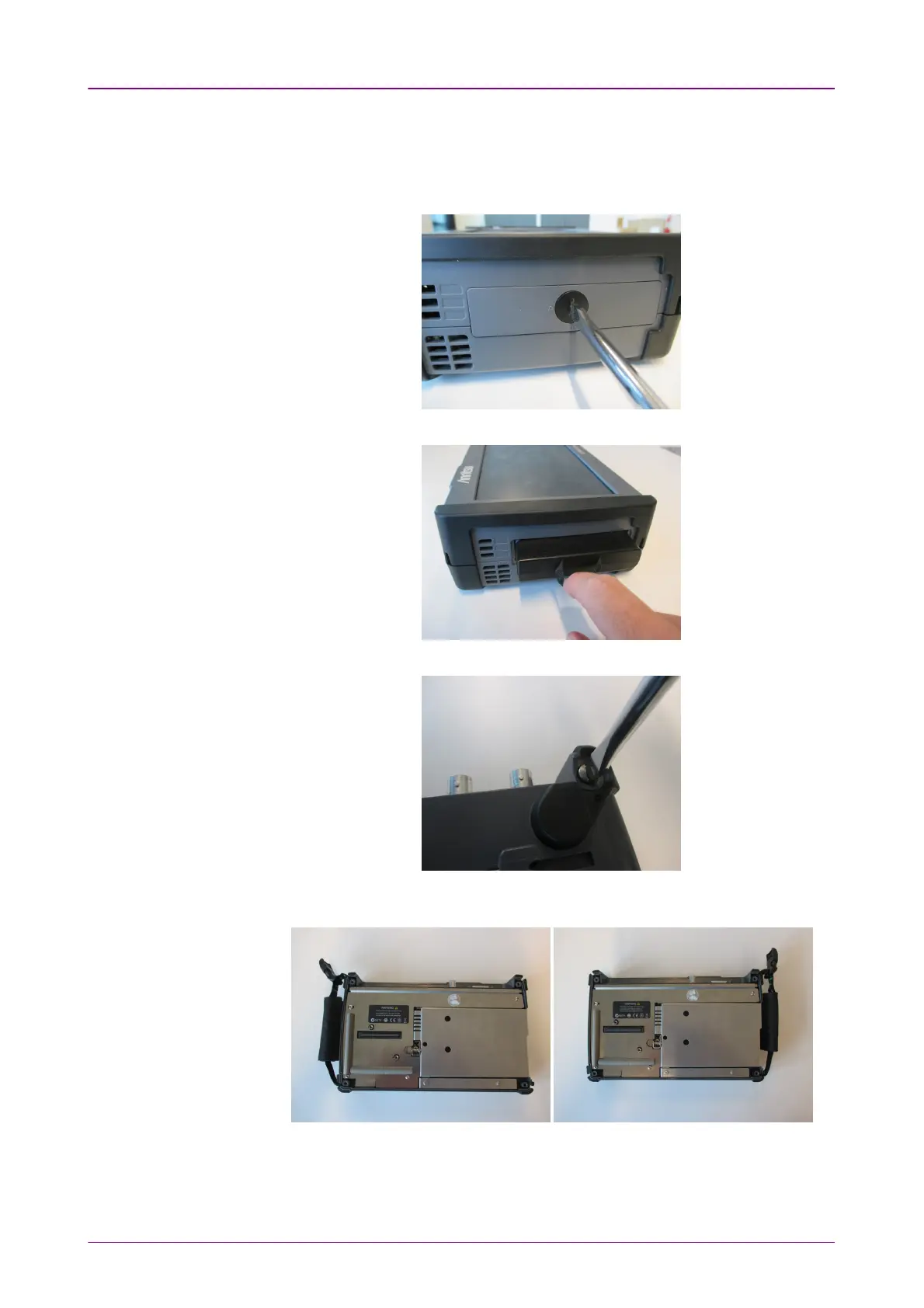
To attach carrying strap (Z1747A) and handle (Z1748A) to MT1000A Network
Master Pro, follow instructions below.
1. Use screw driver and remove the battery lid from MT1000A.
2. Remove the battery pack.
3. Loosen four screws at each corner of MU100010A.
4. Separate MT1000A and MU100010A.
5. Attach the handle on either right or left side.














 To Next Page