ApplicationApplication
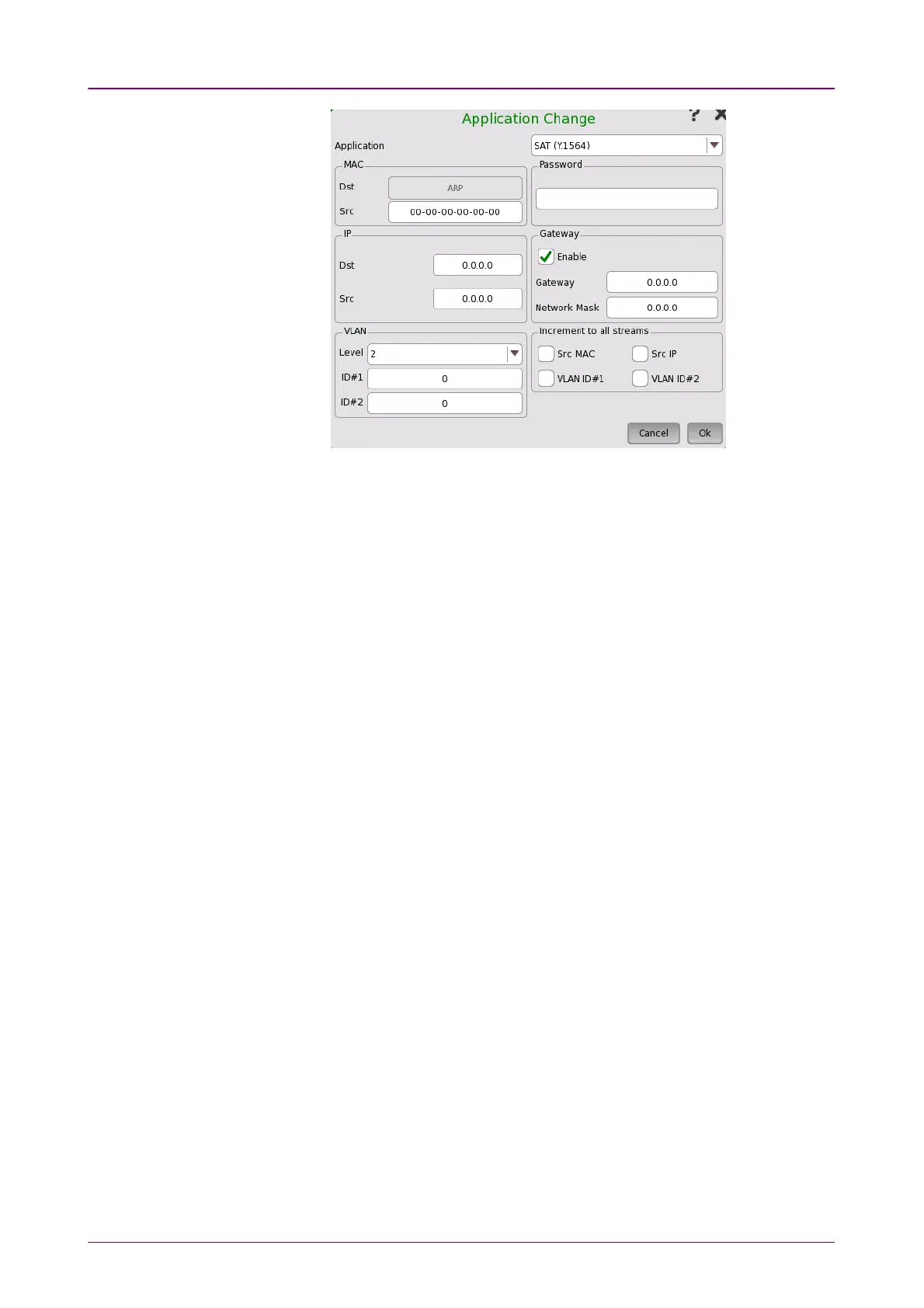
Touch the field to select the application to run in Network Master.
The following items appear according to the Application changeApplication change setting. These
settings are applied to the application that has been changed.
MACMAC
Set Source MAC address.
IPIP
Set Destination IP address and Source IP address.
GatewayGateway
Select the check box to enable GatewayGateway and Network MaskNetwork Mask settings.
VLANVLAN
Set LevelLevel and IDID. Following parameters are fixed value.
PasswordPassword
When a password has been set to the target Network Master, the PasswordPassword field
appears. Enter the password which is set to the target Network Master.
Increment to all streamsIncrement to all streams
When SAT (Y.1564)SAT (Y.1564) is selected at Application and the check box is selected,
the address values (MAC, IP, VAN) at the multi-stream are set incrementally in
each stream.














 To Next Page