Summary fieldSummary field
List-form informationList-form information
GraphicalGraphical
presentationpresentation
OffOff: Stops the error insertion.
ManualManual
1E-041E-04 to 1E-091E-09
Burst lengthBurst length
If 'Insertion' is set to ManualManual, touch the button and set the burst length to insert.
88..22..33..22 APSAPS
If APS is selected on the Test screen, APSAPS button appears in Navigation area.
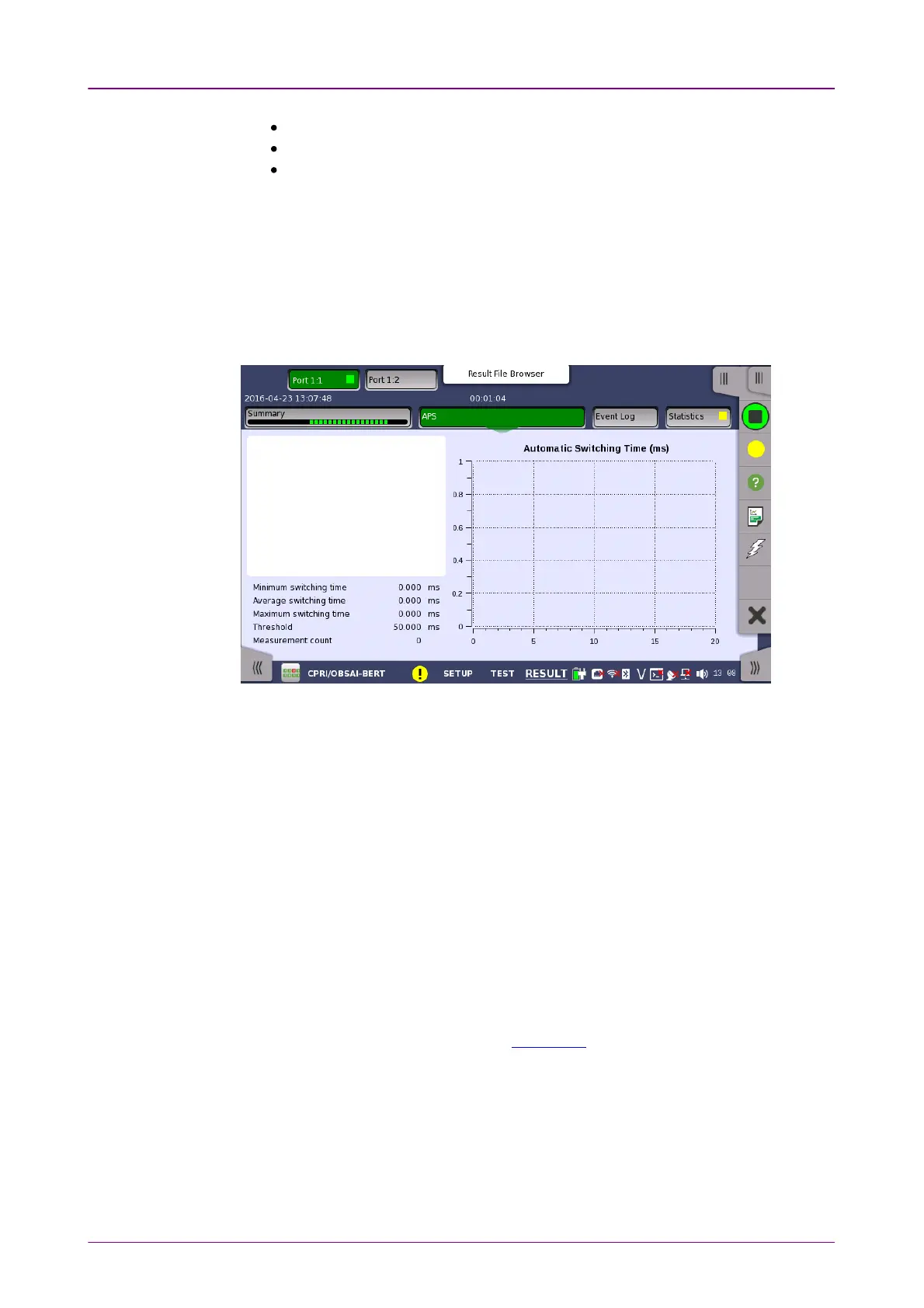
Touching the APSAPS button will display the screen shown below.
This screen shows the duration of all reference events, both in a list and in a
graphic representation. This screen contains the summary field displayed
below the list.
Consists of the minimum, maximum, and average automatic switching times in
milliseconds, the specified Max. reference duration value, the number of
measurements.
Presents the automatic switching times in list-form.
The graphical presentation consists of a bar diagram of the automatic switching
times. Results may be affected by unexpected alarms/errors.
88..22..33..33 Event LogEvent Log
Touching the Event LogEvent Log button in the navigation area displays the screen
providing the event log data. Refer to Event Log of SDH/SONET/PDH/DSn
BERT application.
88..22..33..44 StatisticsStatistics
Touching the StatisticsStatistics button in the navigation area displays the screen shown
below.














 To Next Page