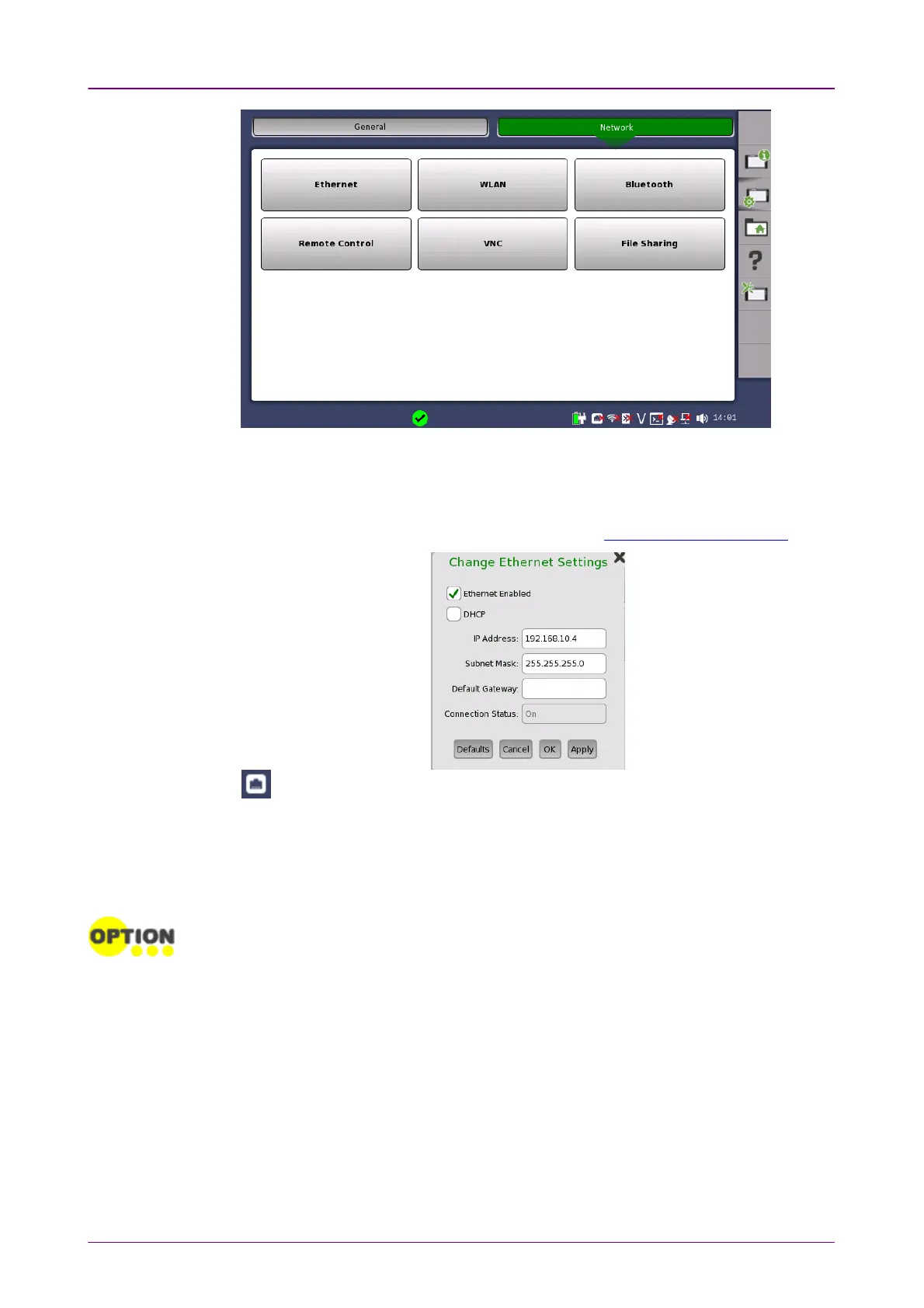
EthernetEthernet
Allows the instrument to be connected to the Ethernet either via dynamic
addressing (
DHCP
) or via manual specification of IP address, subnet mask and
default gateway. These settings are applied for the Ethernet service interface.
This icon on Status bar indicates the link status of the Ethernet service interface.
WLANWLAN
Allows the instrument to connect to a network via Wireless Local Area Network
(WLAN). Note that if WLAN is enabled, the instrument cannot connect to the
Ethernet via the Ethernet setting mentioned above.
This feature requires an option (MT1000A-003).














 To Next Page