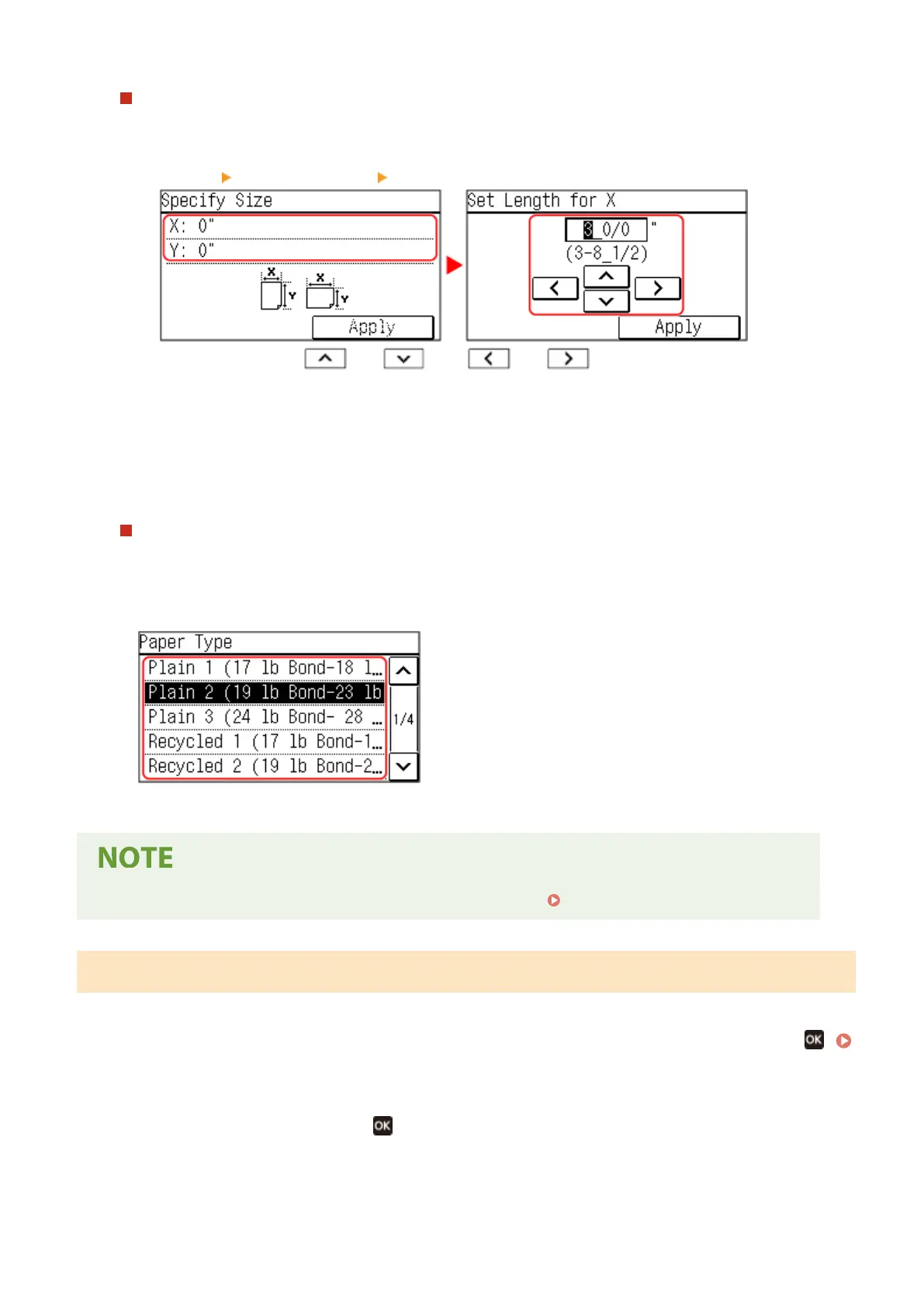
When Non-standard Size (Custom Size) Paper Is Loaded
1
Press [Custom].
2
Press [X] enter the value in [X] press [Apply].
Enter the value using and , with and to move the cursor between the digits
for inputting whole numbers and fr
actions.
3
Enter the value in [Y] in the same way as [X].
4
Press [Apply].
5
Press [Apply].
If a Set Paper Size Is Not Displayed
Pr
ess [Other Sizes], and select the paper size from the displayed list.
4
Select the type of the paper loaded in the paper drawer.
➠ The paper size and type ar
e set.
● Y
ou can change the paper size displayed on the screen in Step 3.
Hiding Unused Paper Sizes(P. 147)
5 Lines LCD Model
1
On the operation panel, select [Paper Settings] in the [Home] screen, and press
.
[Home] Screen(P. 113)
2
Press [Drawer 1], and press
.
Basic Operations
142











 To Next Page