5 Lines LCD Model
1
Place the original.
Placing Originals(P. 130)
2
On the operation panel, press [Copy] in the [Home] screen. [Home]
Scr
een(P. 113)
➠ The cop
y screen is displayed.
3
Set the Number of Copies, and Copy Ratio.
[Number of Copies]
Specify the number of copies.
Use / , or the numeric keys to enter the number of copies, and then press .
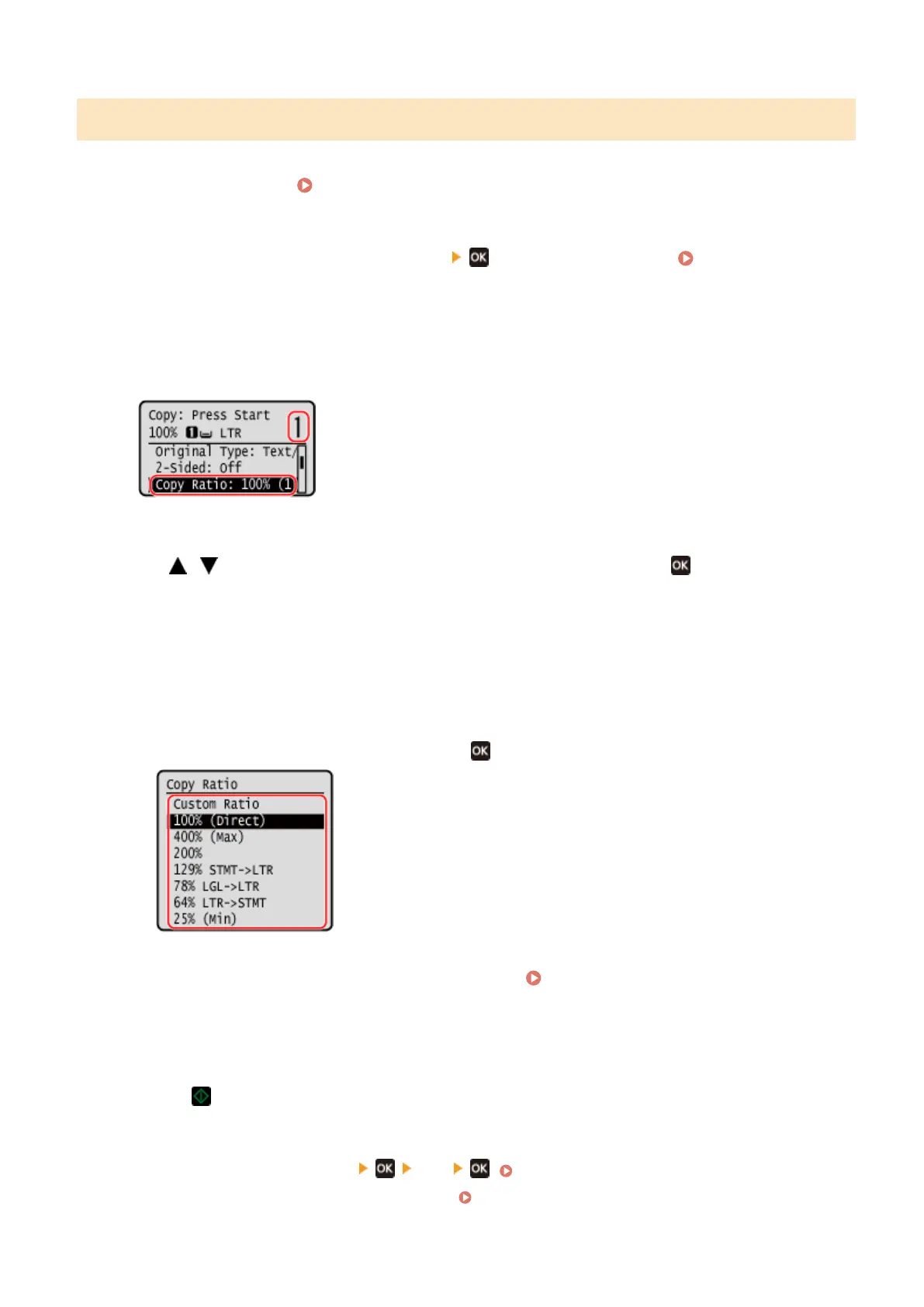
[Copy Ratio]
Set the ratio for enlarging or reducing copies.
Setting a Custom Copy Ratio
Press [Custom Ratio], enter a custom ratio using the numeric keys, and then press [Apply].
You can specify a value from 25% to 400% in 1% increments.
Automatically Setting the Copy Ratio for a Standard Size
Select a xed copy ratio from the list, and press .
4
Congure the other cop
y settings, as needed.
Additional Copying Features (5 Lines
L
CD Model)(P. 257)
You can perform 2-sided copying and adjust the image quality and other settings to suit your original and
purpose.
5
Press
.
➠ Cop
ying starts.
● To cancel copying, press [Cancel]
[Yes] . Canceling Copy Operations(P. 275)
● Use [Status Monitor] to vie
w the copy job status.
Viewing the Print Job Status and Log(P. 198)
Copying
249











 To Next Page