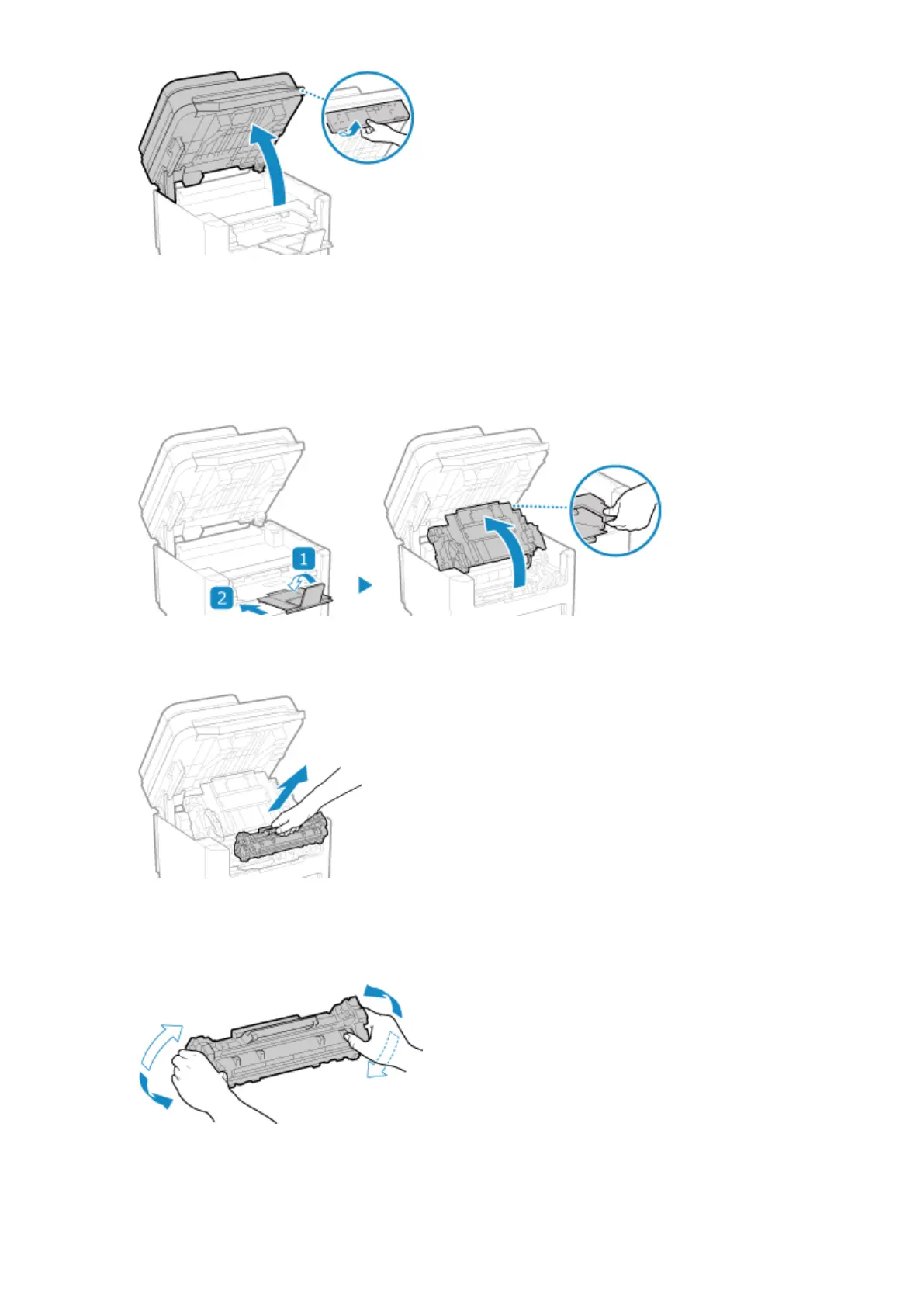
Check the following before lifting up the operation panel:
● The feeder or platen glass co
ver is completely closed.
● There are no thick originals such as books placed on the platen glass.
* Using excessive force to raise the operation panel could cause a fault.
2
Close the paper stopper, and then open the toner cover.
3
Remove the toner cartridge.
Slowly pull it out at the same angle as the slot.
4
Shake the toner cartridge ve or six times to e
venly distribute the toner inside the
cartridge.
Be careful not to touch the drum surface on the bottom of the toner cartridge.
5
Install the toner cartridge.
Maintenance
473











 To Next Page