7
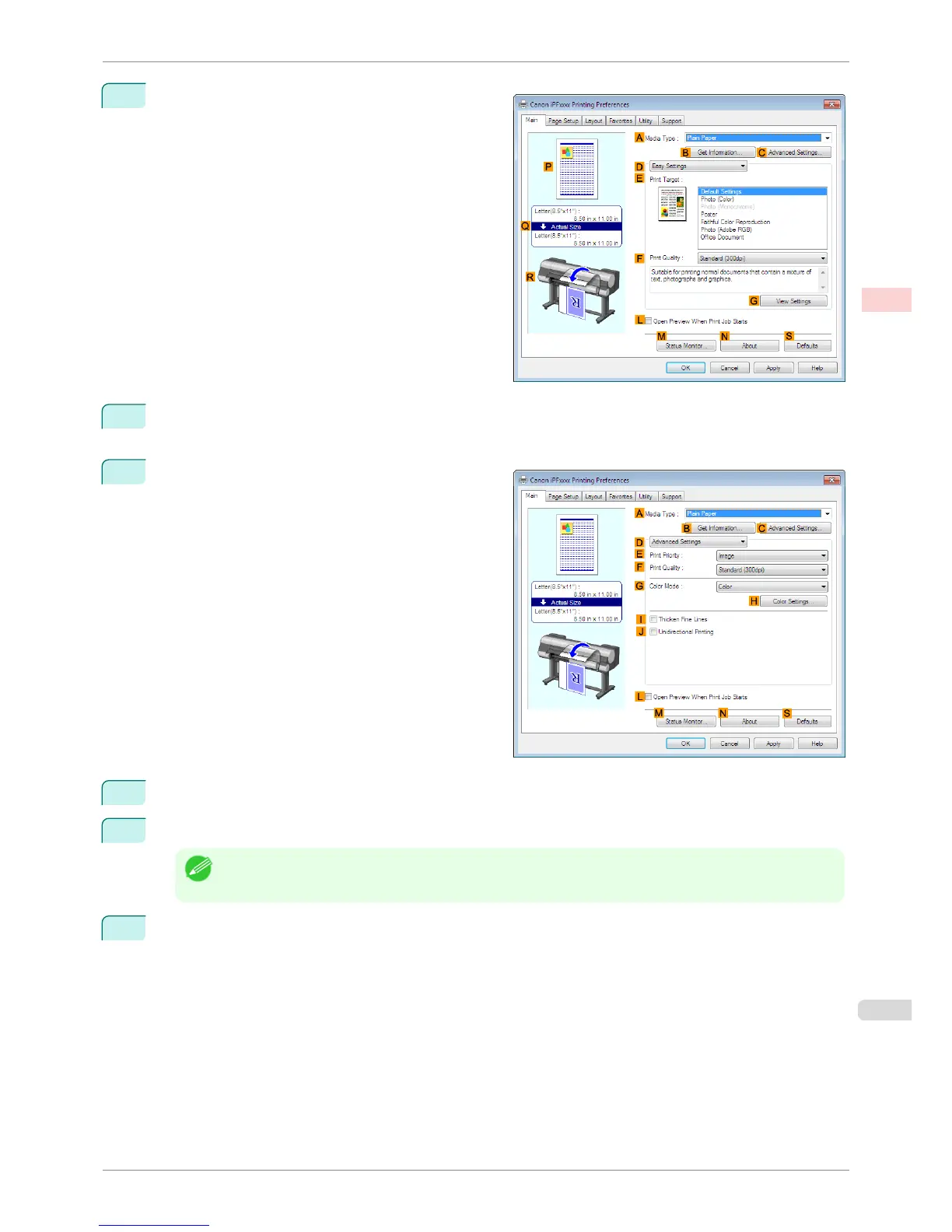
Make sure the Main sheet is displayed.
8
In the A Media Type list, select the type of paper that is loaded. In this case, click Canon Premium Glos-
sy Paper 2 280.
9
Click D Advanced Settings to switch the print mode.
10
Click Image in the E Print Priority list.
11
Select the print quality in the F Print Quality list.
Note
• Options displayed in the F Print Quality list vary depending on the paper type.
12
Click Color in the G Color Mode list.
iPF8400S
Printing Adobe RGB Images (Windows)
User's Guide
Enhanced Printing Options Printing Photos and Office Documents
41














 To Next Page