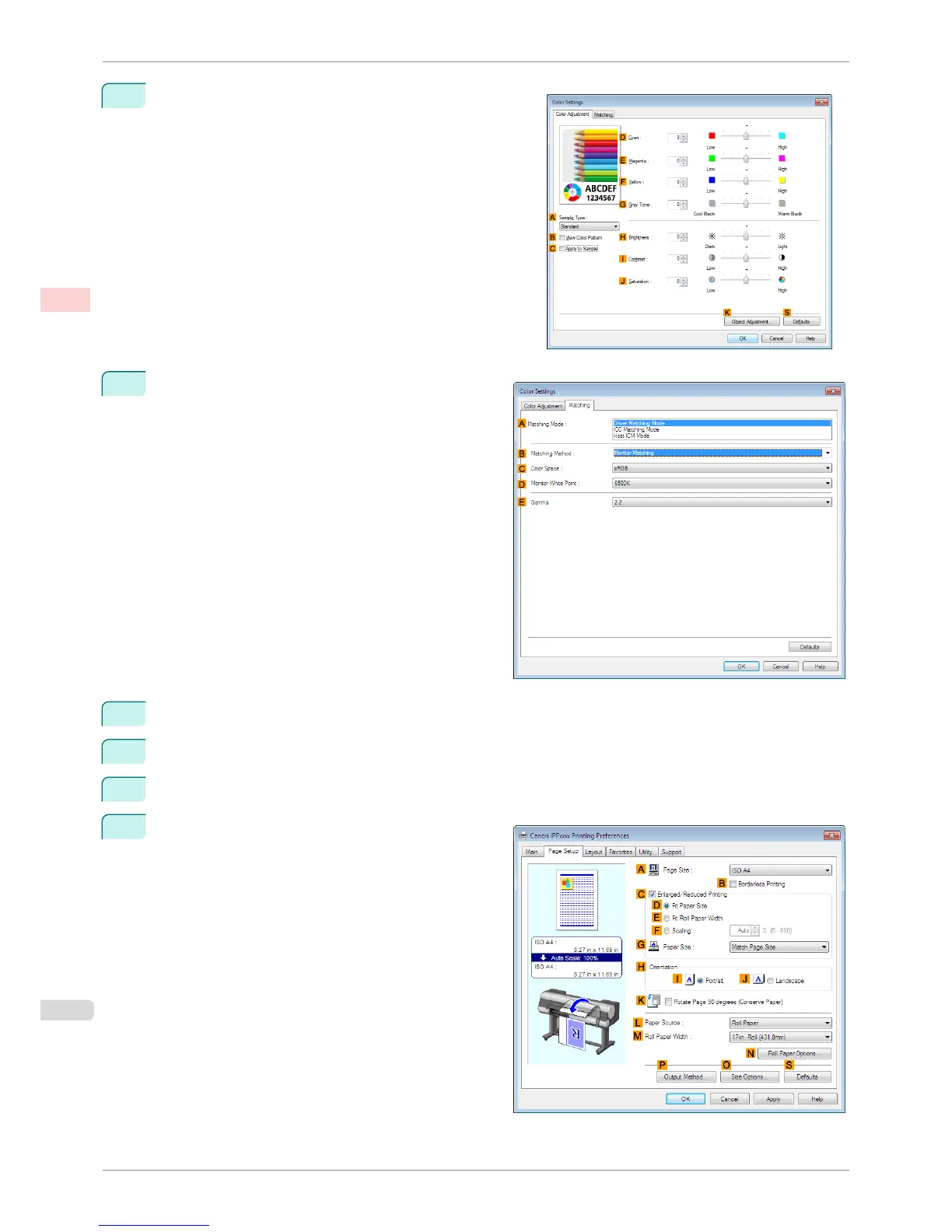
13
Click H Color Settings to display the Color Settings dia-
log box.
14
Click the Matching tab to display the Matching
sheet.
15
In A Matching Mode, click Driver Matching Mode.
16
In C Color Space, click Adobe RGB.
17
Click OK to close the Color Settings dialog box.
18
Click the Page Setup tab to display the Page Setup
sheet.
Printing Adobe RGB Images (Windows)
iPF8400S
User's Guide
Enhanced Printing Options Printing Photos and Office Documents
42














 To Next Page