9
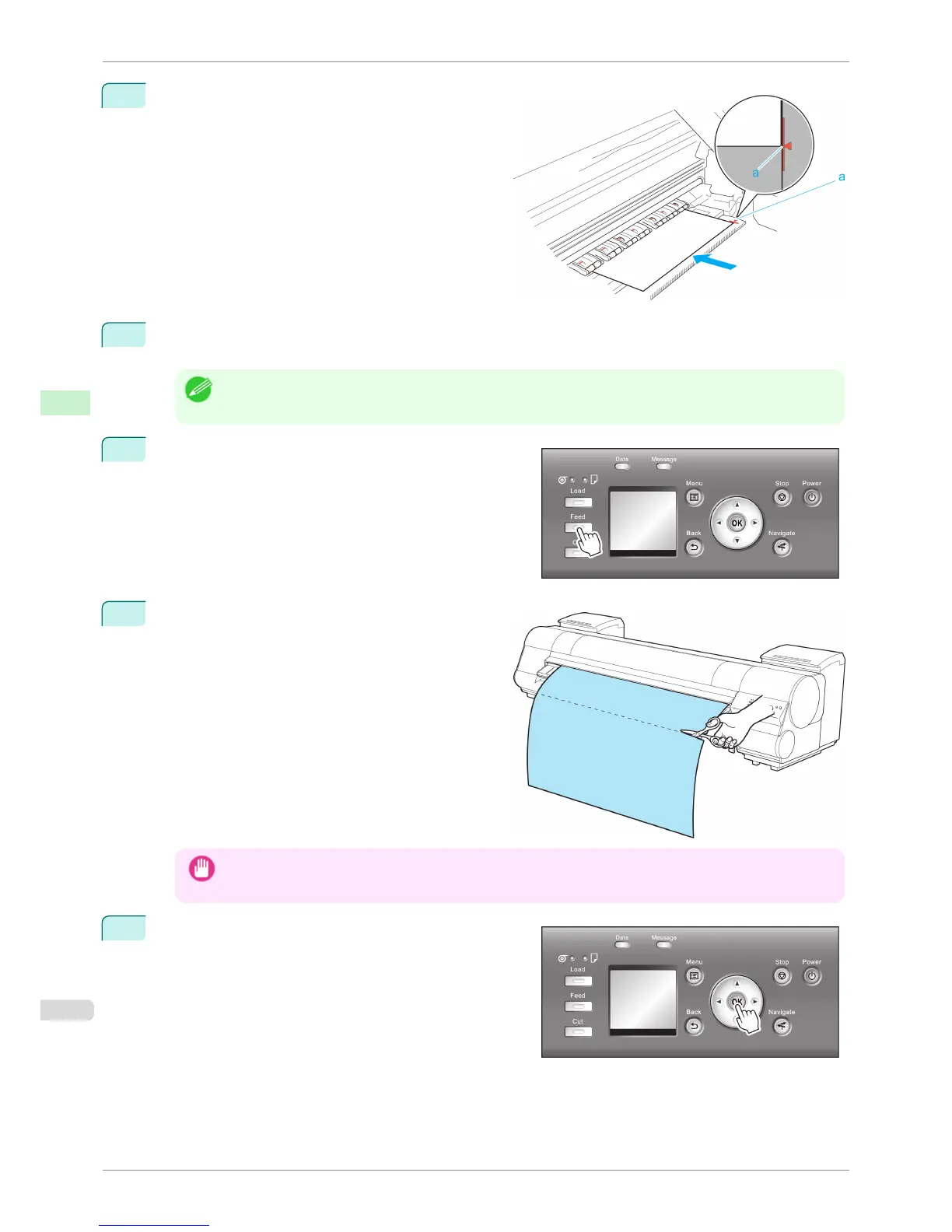
Press ▲ or ▼ to align the paper leading edge with
the (a) position.
10
Print the job.
The printer stops advancing the paper after printing.
Note
• The printer can continue to receive print jobs from computers. If a print job is received and printed here, it can
be printed without the margin of about 10 cm being created at the paper leading edge.
11
Press the Feed button.
Roll paper is fed to the specified cut position and then au-
tomatically stopped.
12
Cut the roll paper manually with scissors or the like.
Important
• Cut at the dotted line printed on the paper. If you cut on the printer side of the dotted line, the paper leading
edge may rub against the printhead and may deviate from the paper retainer.
13
Press the OK button.
After the roll is rewound, it stops automatically.
Specifying the Cutting Method for Rolls
iPF8400S
User's Guide
Handling and Use of Paper Handling rolls
488














 To Next Page