4
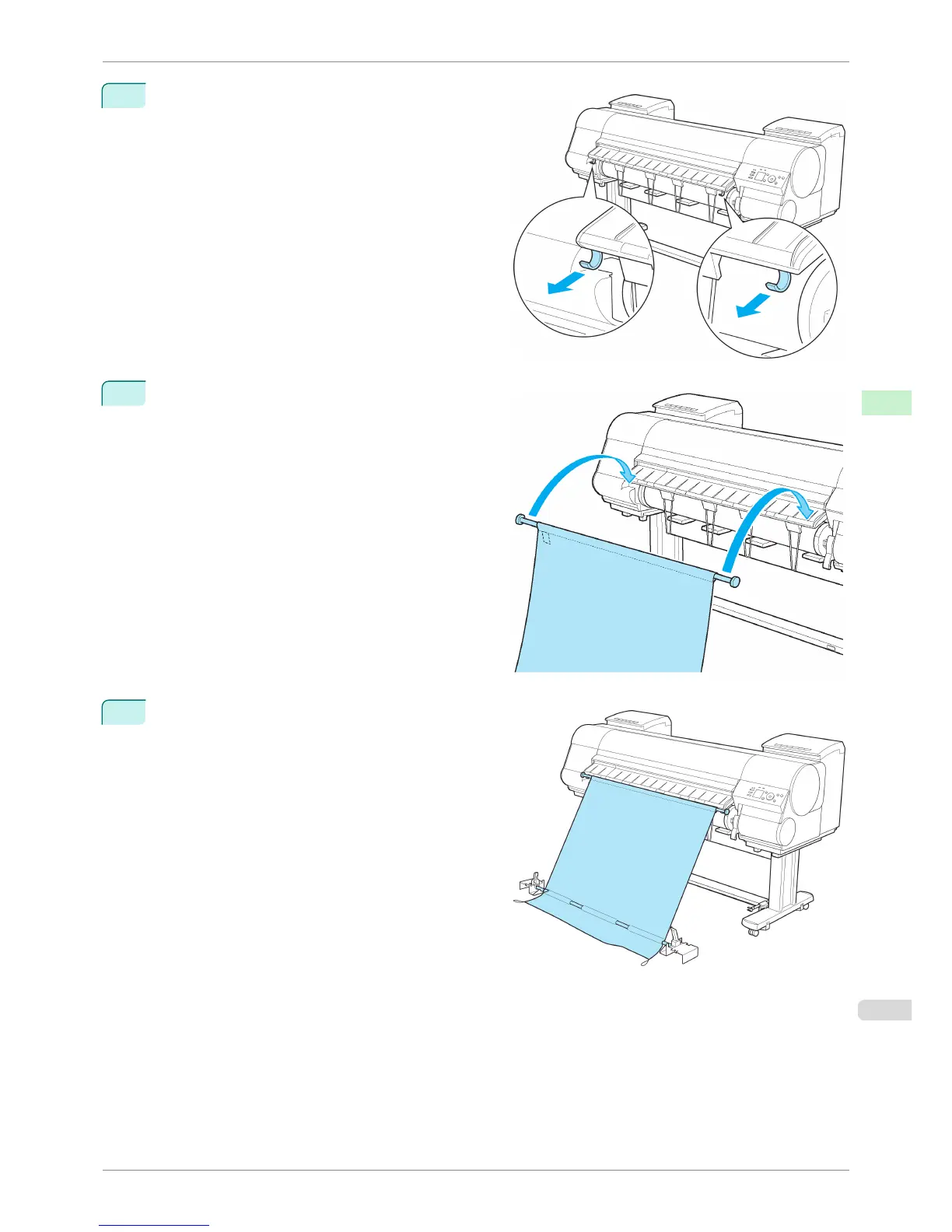
Pull out the left and right Basket Hooks from the Ejec-
tion Guide.
5
Attach the Basket Rod to the Basket Hooks so that
the white tag of the Basket Cloth is on the left.
6
Form the Basket Cloth into a sloping shape to make
it taut, and attach the middle Basket Rod to the Rod
Holder.
iPF8400S
Using the Output Stacker
User's Guide
Handling and Use of Paper Output Stacker
503














 To Next Page