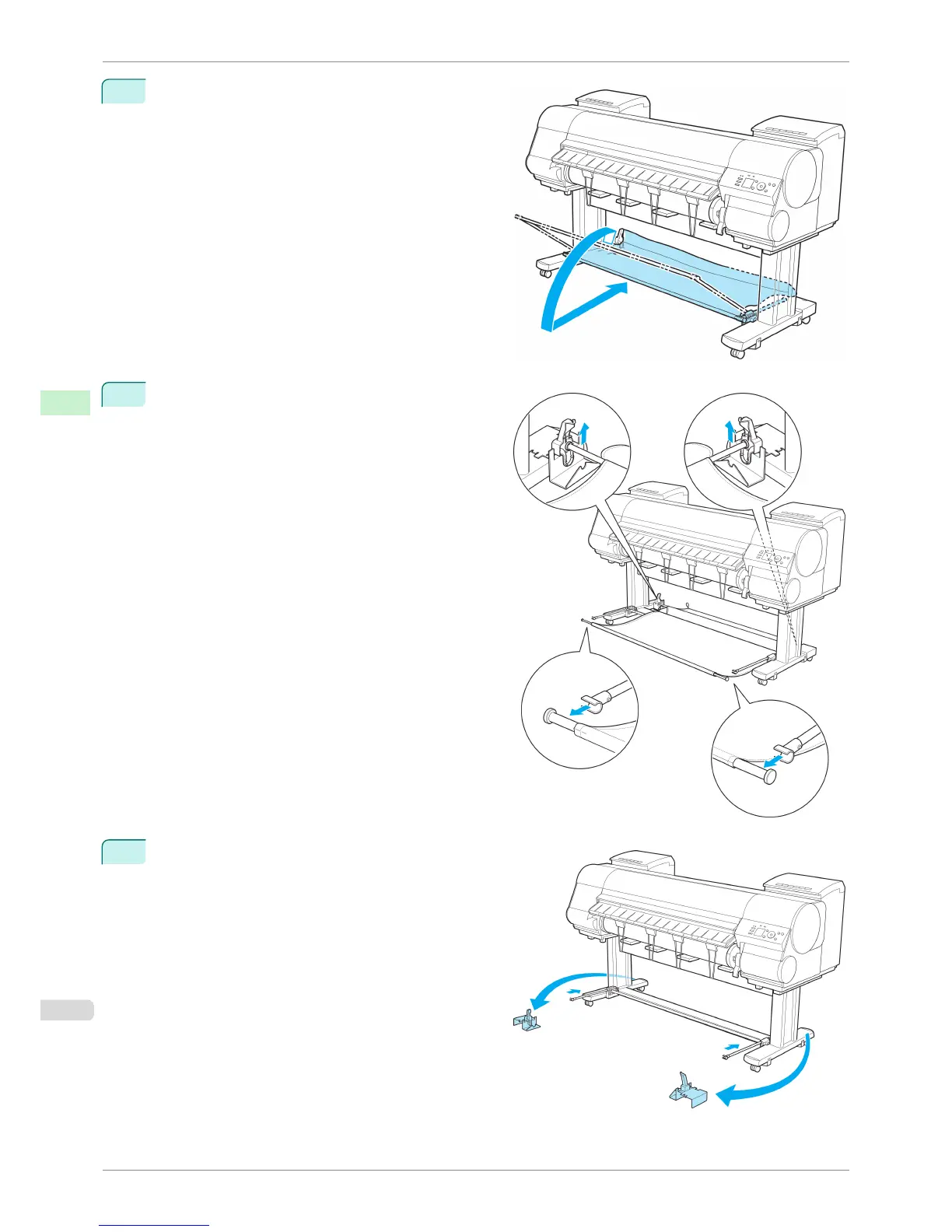
1
Lift the Basket Rod gently to release the lock, lower
the stacker toward the front, and push it back.
2
Remove the Output Stacker from the printer.
Remove the front Basket Rod from the left and right
basket arms, and remove the back Basket Rod and
black cord from the Rod Holder.
3
Stow the left and right basket arms. Next, with the
Rod Holder still attached, remove the Rod Holder
Adapter and put it in front of the printer.
Using the Output Stacker
iPF8400S
User's Guide
Handling and Use of Paper Output Stacker
502














 To Next Page