2
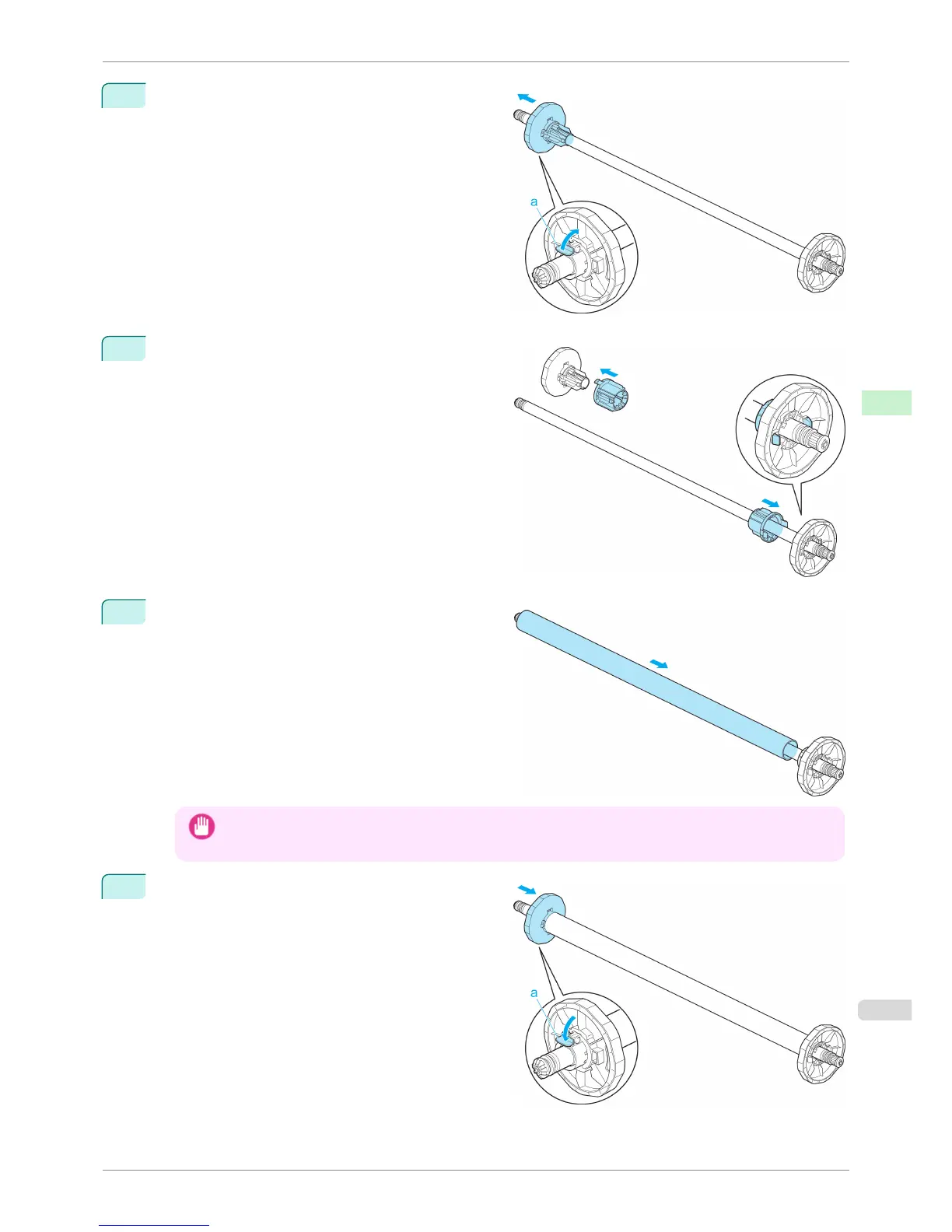
Unlock the flange on the left side of the Rewind Spool
by lifting the lever (a) from the shaft side. Remove the
flange.
3
When rewinding rolls with 3-inch paper cores, insert
the 3-inch Adapter on the flanges at both ends.
4
Insert the paper core, which serves as the spindle for
rewinding a roll, on the Rewind Spool.
Important
• Definitely load the same size of paper core in the Rewind Spool as that of the roll to be rewound. Using a
paper core of a different size may cause rewinding problems.
5
Push the flanges in firmly until the paper core is se-
cured in place and push down the lever (a) toward
the shaft.
iPF8400S
Loading the Rewind Spool on the Media Take-up Unit
User's Guide
Handling and Use of Paper Media take-up unit
509














 To Next Page