5
Press ▲ or ▼ to select Yes. As you hold the trailing edge of the printed document, press the OK button.
The roll is now cut.
Important
• Always hold the trailing edge of printed documents when cutting rolls. If you do not hold the documents, they
may fall on the floor and the printed surface may become soiled.
6
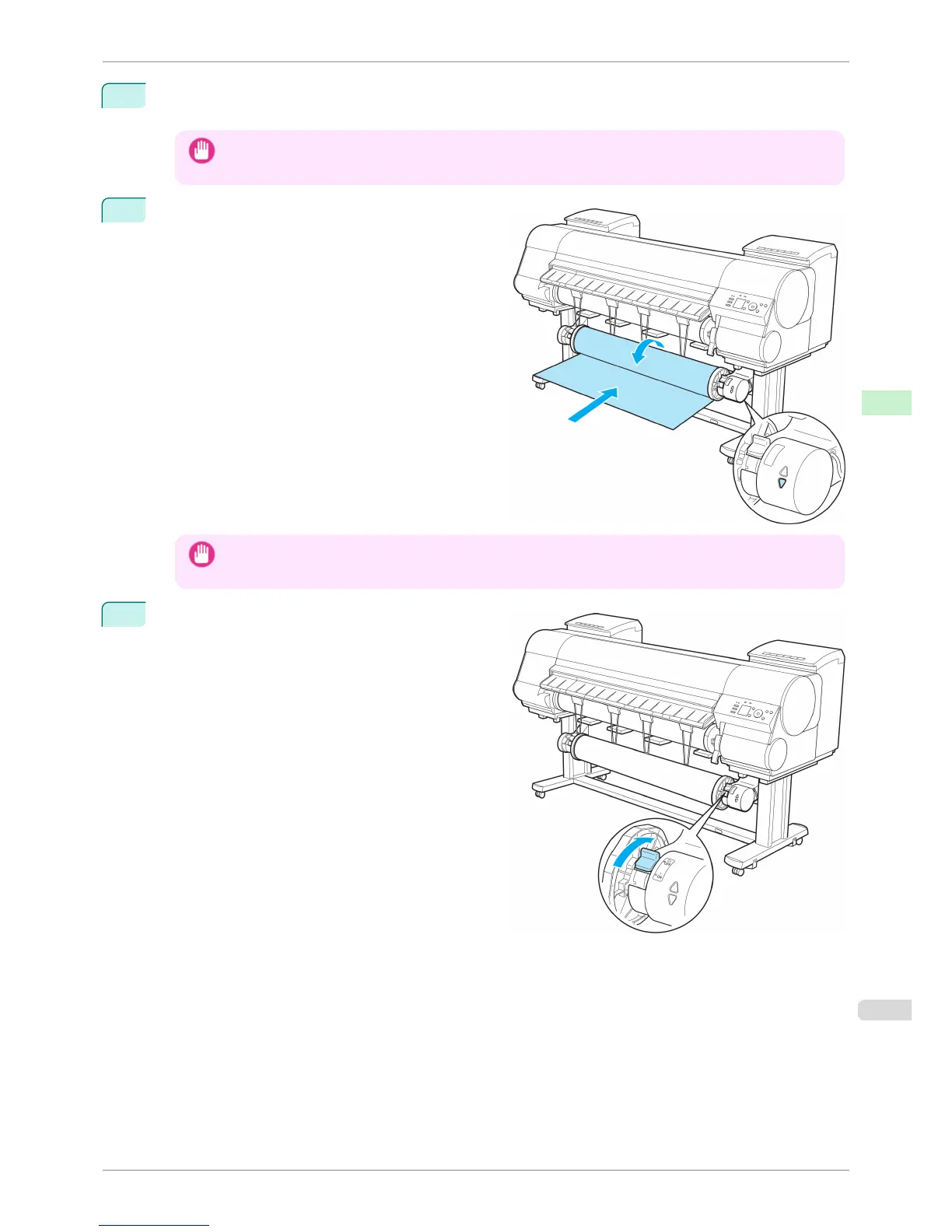
Hold the trailing edge of the printed document and
press the ▼ button on the Media Take-up Unit to re-
wind the printed document.
Apply adhesive tape to the rewound paper to hold it
in place, if necessary.
Important
• Be careful not to scratch the printed surface.
7
Turn off the Media Take-up Unit by pushing in the
Rewind Mode Switch.
iPF8400S
Removing Printed Documents from the Media Take-up Unit (Optional)
User's Guide
Handling and Use of Paper Media take-up unit
515














 To Next Page