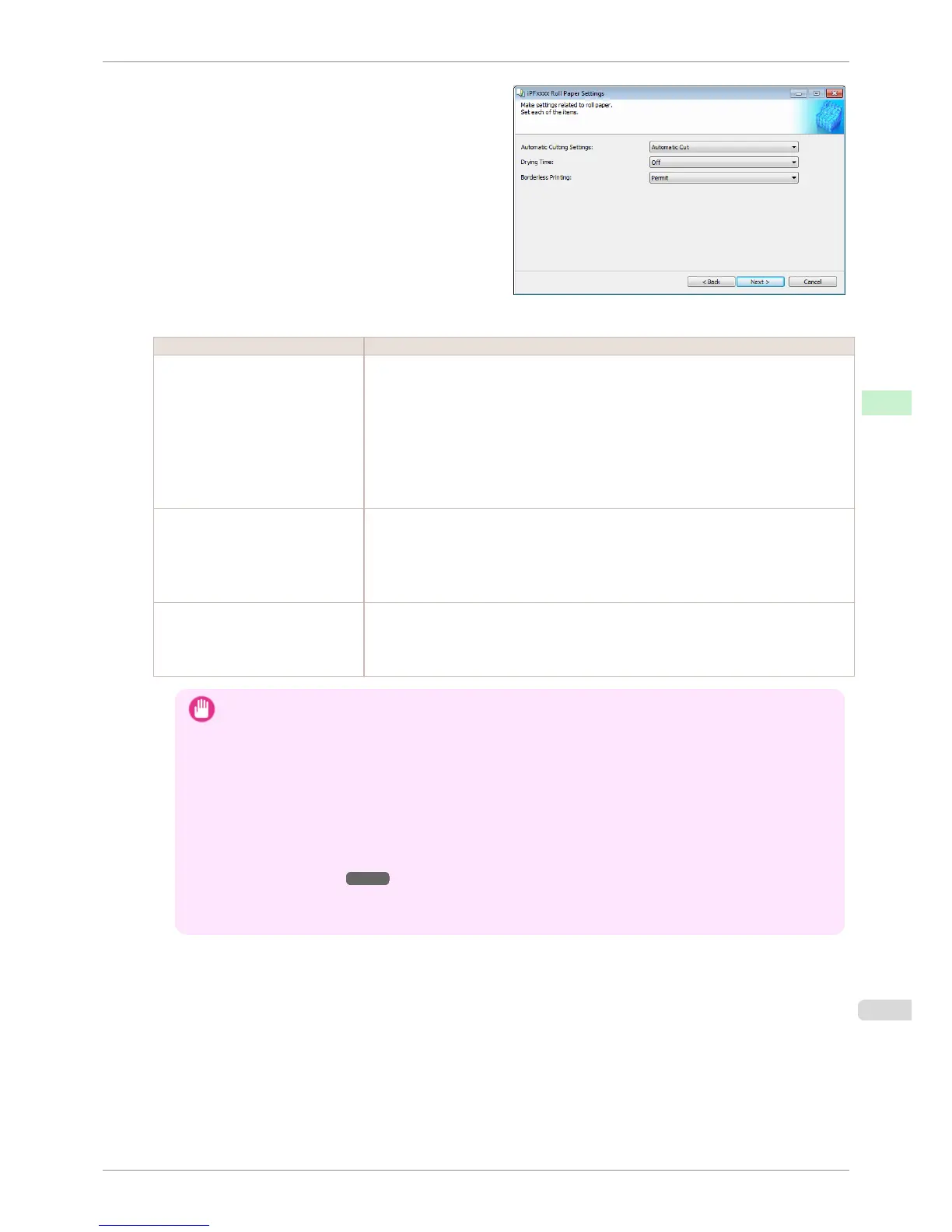
Configure the following settings as necessary, and then click the Next button.
Setting Details
Automatic Cutting Settings Configures the method for cutting roll paper when it is ejected after printing.
•
Automatic Cut:Roll paper is automatically cut by the cutter unit.
•
Eject Cut:When the Cut key is pressed on the printer control panel, the roll paper is cut
by the cutter unit. Select this if you do not want the printed material to drop immediately
after printing, such as to wait for the ink to dry.
•
User Cut:Cutting is not performed by the cutter unit. Cut the roll paper using scissors
after each sheet. Select this for paper that cannot be cut by the cutter unit.
Drying Time Specify the time that the printer waits for ink to dry, as needed.
•
Off:Ejects immediately after printing finishes.
•
30 sec./1 min./3 min./5 min./10 min./30 min./60 min.:Ejects after the specified time has
elapsed after printing finishes.
Borderless Printing Configures whether or not to permit borderless printing.
•
Permit: Borderless printing is permitted.
•
Deny: Borderless printing is denied.
Important
• Depending on the paper, there are types that cannot be cut by the cutter unit, and types that speed deteriora-
tion of the blade and cause damage to the cutter. For thick paper, hard paper, etc. do not use the cutter unit,
and instead cut the roll paper using scissors, etc. after printing. In this case, select User Cut as the Automatic
Cutting Settings.
• If borderless printing is performed on paper where the ink drying is poor, the cutter unit may leave scratches
where it touches the printed surface, or may not cut correctly. In this kind of situation, configure the amount of
time to wait for the ink to dry after printing using Drying Time. Alternatively, if the paper cannot be cut well by
the cutter, set the Automatic Cutting Settings to User Cut and cut the roll paper using scissors, etc.
• Paper where borderless printing can be performed is limited by the media type and roll paper width. Refer to
"Compatible Paper" ➔ P.532 .
• For custom paper where there is a need to set the Automatic Cutting Settings to User Cut, set the Border-
less Printing to Deny.
iPF8400S
Add Custom Paper
User's Guide
Handling and Use of Paper Media Configuration Tool (Windows)
535














 To Next Page