1
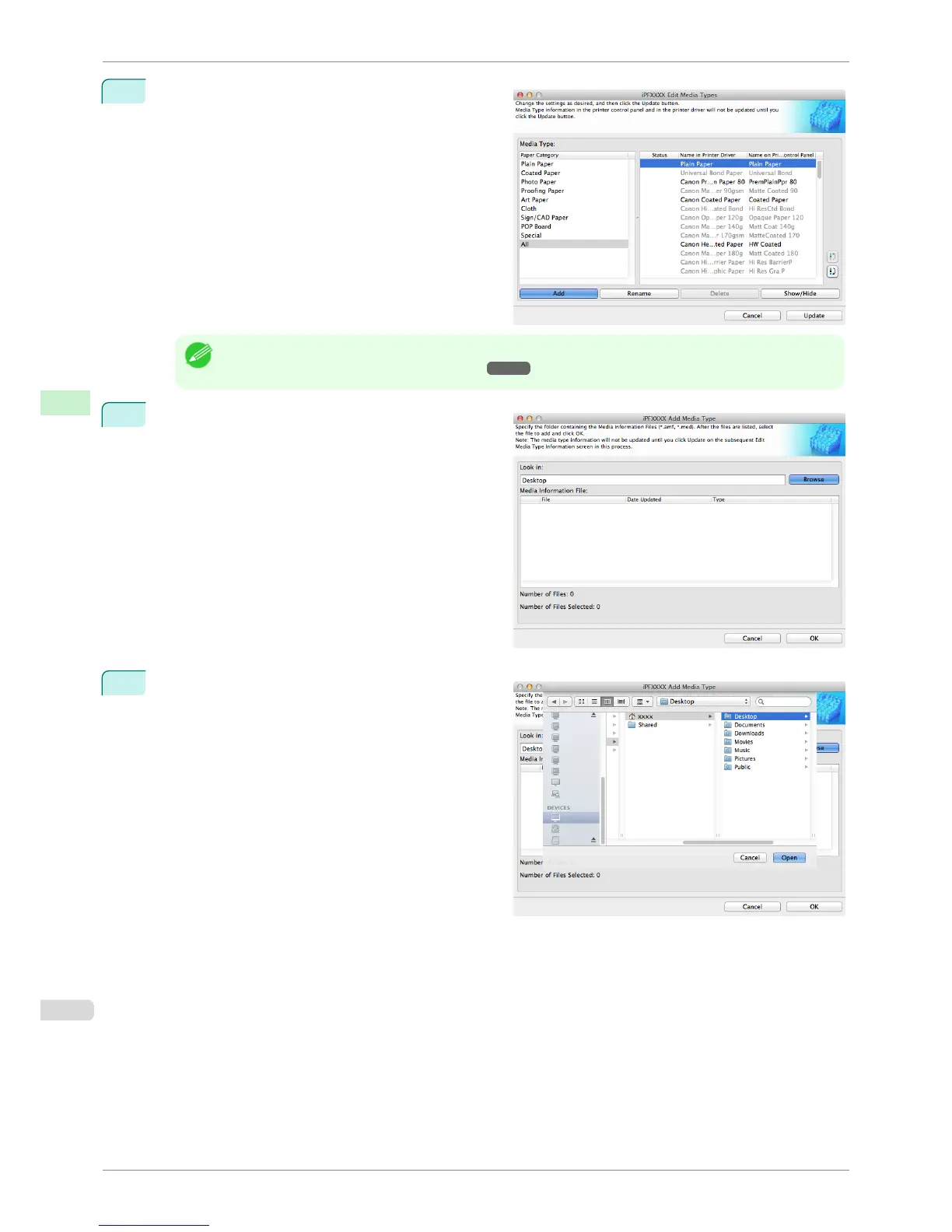
Open the Edit Media Types dialog box, and then
click the Add button.
Note
• For details on the procedure for opening the Edit Media Types dialog box, see "Editing Media Type Information
for Genuine Paper and Feed Confirmed Paper." ➔ P.548
2
The Add Media Type dialog box displays.
Click the Browse button.
3
Open the folder that contains the media information
files (.amf files).
Adding Media Types
iPF8400S
User's Guide
Handling and Use of Paper Media Configuration Tool (Mac OS)
550














 To Next Page