Setting Item Details
Print Priority Choose the graphic elements that you want to emphasize for printing.
For details on the settings, see "Giving Priority to Particular Graphic Elements and Colors for
Printing." ➔ P.57
Print Quality Choose the print quality.
For details on the settings, see "Giving Priority to Particular Graphic Elements and Colors for
Printing." ➔ P.57
Highest quality If you select this option, the document will be printed with enhanced quality at the highest
resolution. Compared to the other options, more time and ink are consumed in printing, how-
ever you will attain print results with the highest quality.
Extend print pass Uneven printing may occur when printing with the Highest setting in Print Quality. Selecting
this check box may improve the uneven printing. However, the printing speed will be re-
duced.
Paper Source Selects the paper source.
Automatic Cutting Selects how to cut the paper when Acquire Color Measurement Data finishes.
Print Labels Select this check box to print the color chart printing information.
7
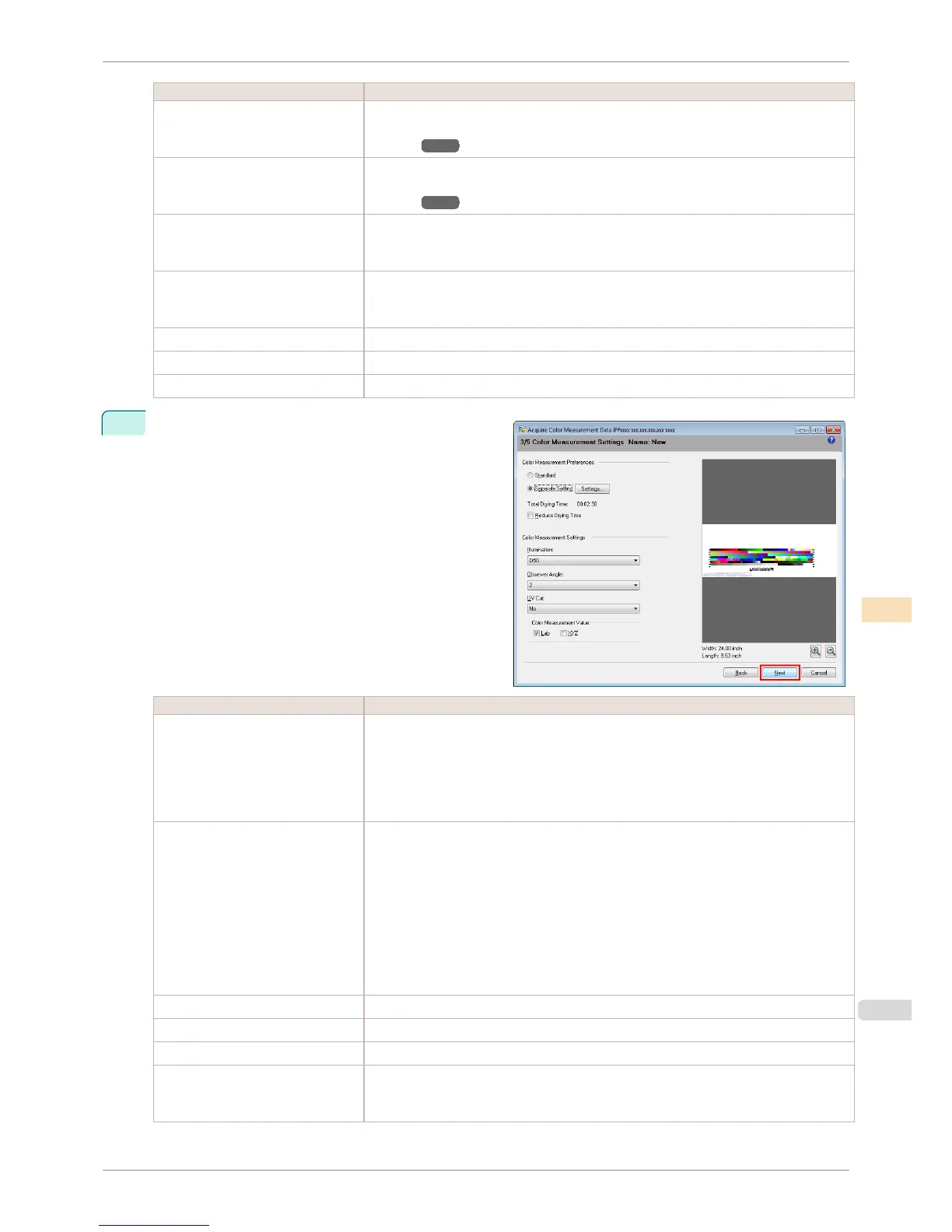
Configure the color measurement settings and drying
settings, and then click Next.
Setting Item Details
Color Measurement Preferences Configures the pattern size to print the color charts and the drying settings for the printed
color charts.
Choose Standard to print at the standard pattern size and dry using the standard setting
values.
Click the Settings button to display the Color Measurement Preferences dialog box, which
allows you to configure the pattern size and drying method in detail.(*1)
Reduce Drying Time Selecting this check box reduces the drying time.
Once the time configured in the Color Measurement Env. sheet in the Preferences dialog
box has elapsed, color measurement proceeds without performing any further drying with
the ventilation fan.
Specify a time that offers sufficient drying by air drying in the Preferences dialog box. If you
perform color measurement while the ink is not dry, the measurements may not be correct.
The Preferences dialog box is displayed when you click Preferences in the File menu.
If the number of patterns is small, drying will finish in a shorter amount of time than the time
configured in the Preferences dialog box. If this happens, the drying time will not be re-
duced even if the Reduce Drying Time check box is selected.
Illumination Select the illumination from D50, D65, and A.
Observer Angle Selects the observer angle.
UV Cut Selects whether or not UV cut is used.
Color Measurement Value Saves the color measurement data for the color measurement values where the check box
is selected.
The Lab check box cannot be cleared.
iPF8400S
Acquiring Color Measurement Data For Any Color Chart
User's Guide
Color Management Color Calibration Management Console (Windows)
763














 To Next Page