4
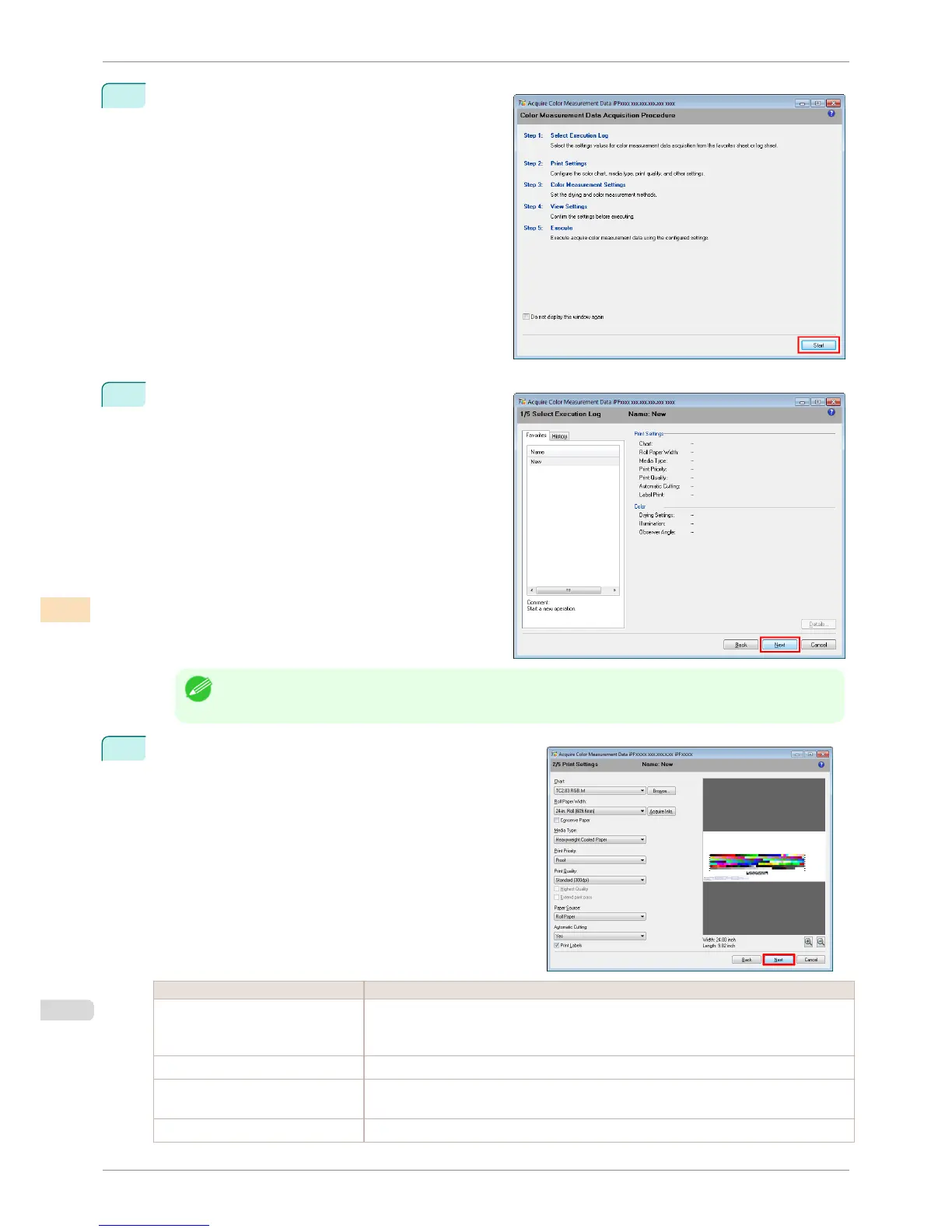
Check the color chart measurement procedure in the
procedure description window and then click Start.
5
Select New in Favorites and then click Next.
Note
• To perform color chart measurement using the setting values when executed previously, select the execution
log in the Favorites sheet or History sheet.
6
Select the color chart, configure the color chart print set-
tings, and then click Next.
Setting Item Details
Chart Selects the color chart to print. If the color chart you want to print is not displayed in the list,
click the Browse button and then select the color chart.
You can only select color charts that are CGATS format RGB.
Roll Paper Width Click the Acquire Info. button to display the paper width of the roll loaded in the printer.
Conserve Paper Selecting this check box allows you to conserve paper by reducing the gap between the
pieces of a color chart when the chart is printed split into pieces.
Media Type Select the type of paper.
Acquiring Color Measurement Data For Any Color Chart
iPF8400S
User's Guide
Color Management Color Calibration Management Console (Windows)
762














 To Next Page