Important
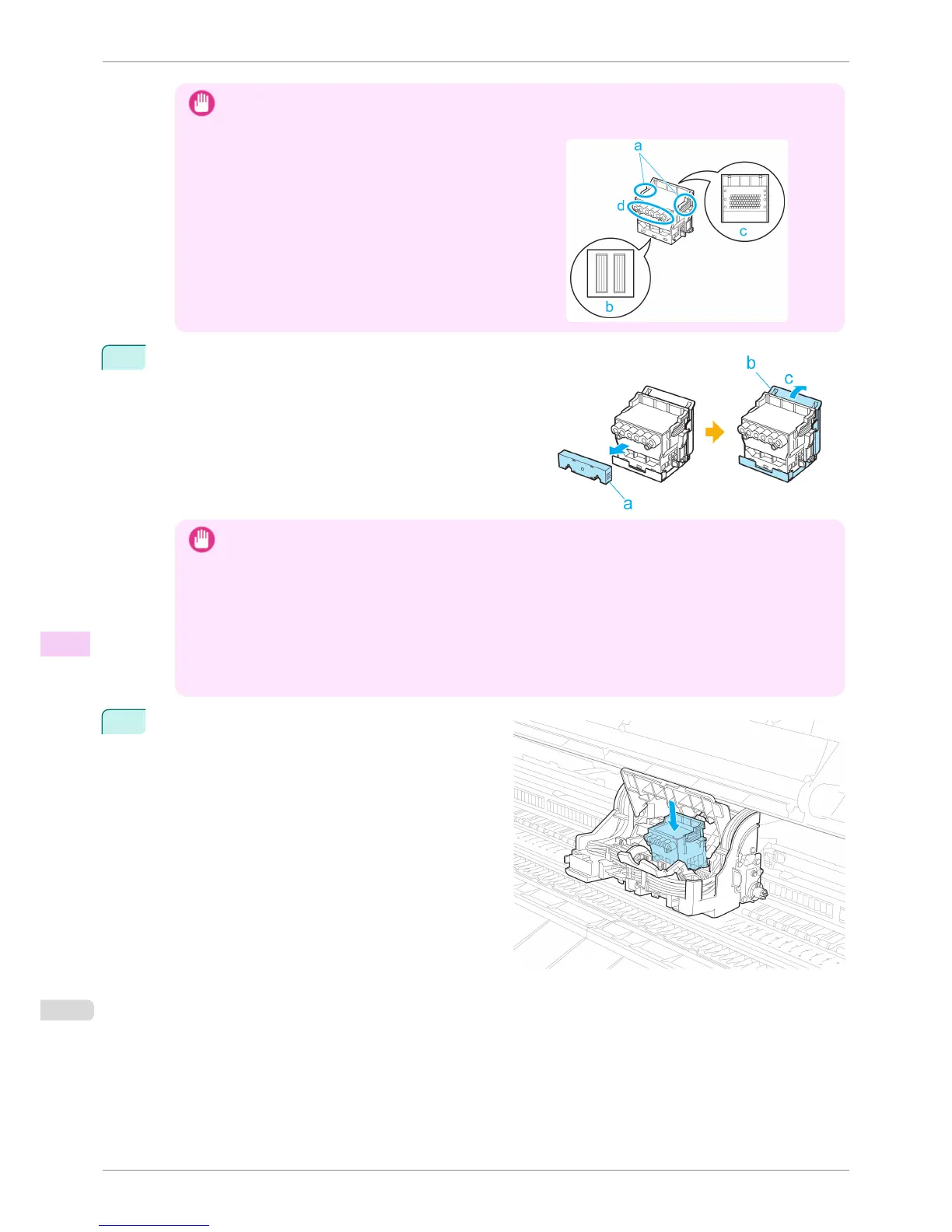
• When handling the Printhead, always hold it by the grips (a). Never touch the nozzles (b) or metal contacts (c).
This may damage the Printhead and affect printing quality.
•
Never touch the ink supply section (d). This may cause
printing problems.
9
While firmly holding the Printhead you have removed, use
your other hand to remove the orange Protective Part (a).
Squeeze the grips (c) of Protective Part (b) and pull it down
to remove it.
Important
• The inside surface of the Protective Part (a) and Protective Part (b) is coated with ink to protect the nozzles. Be
careful not to touch these surfaces when removing the caps.
• The Printhead contains ink to protect the nozzles. We recommend removing Protective Part (b) as you hold it
over the Printhead package or safely out of the way to avoid spilling ink and staining your clothes or the sur-
rounding area. If ink accidentally spills, wipe off the ink with a dry cloth.
•
If you need to put a Printhead somewhere temporarily before installation, do not keep the nozzles and metal
contacts facing down. If the nozzles or metal contacts are damaged, it may affect the printing quality.
• Do not reattach the removed Protective Part. Dispose of these materials in accordance with local regulations.
10
With the nozzles facing down and the metal contacts
toward the back, tilt the Printhead slightly forward and
insert it into the Carriage. Carefully push the print-
head firmly into the Carriage, ensuring that the noz-
zles and metal contacts do not touch the carriage.
Replacing the Printhead
iPF8400S
User's Guide
Maintenance and Consumables Printheads
824














 To Next Page