Advanced Guide
Troubleshooting
Contents
>
Routine Maintenance
>
When Printing Becomes Faint or Colors Are Incorrect
> Examining the Nozzle Check
Pattern
C095
Examining the Nozzle Check Pattern
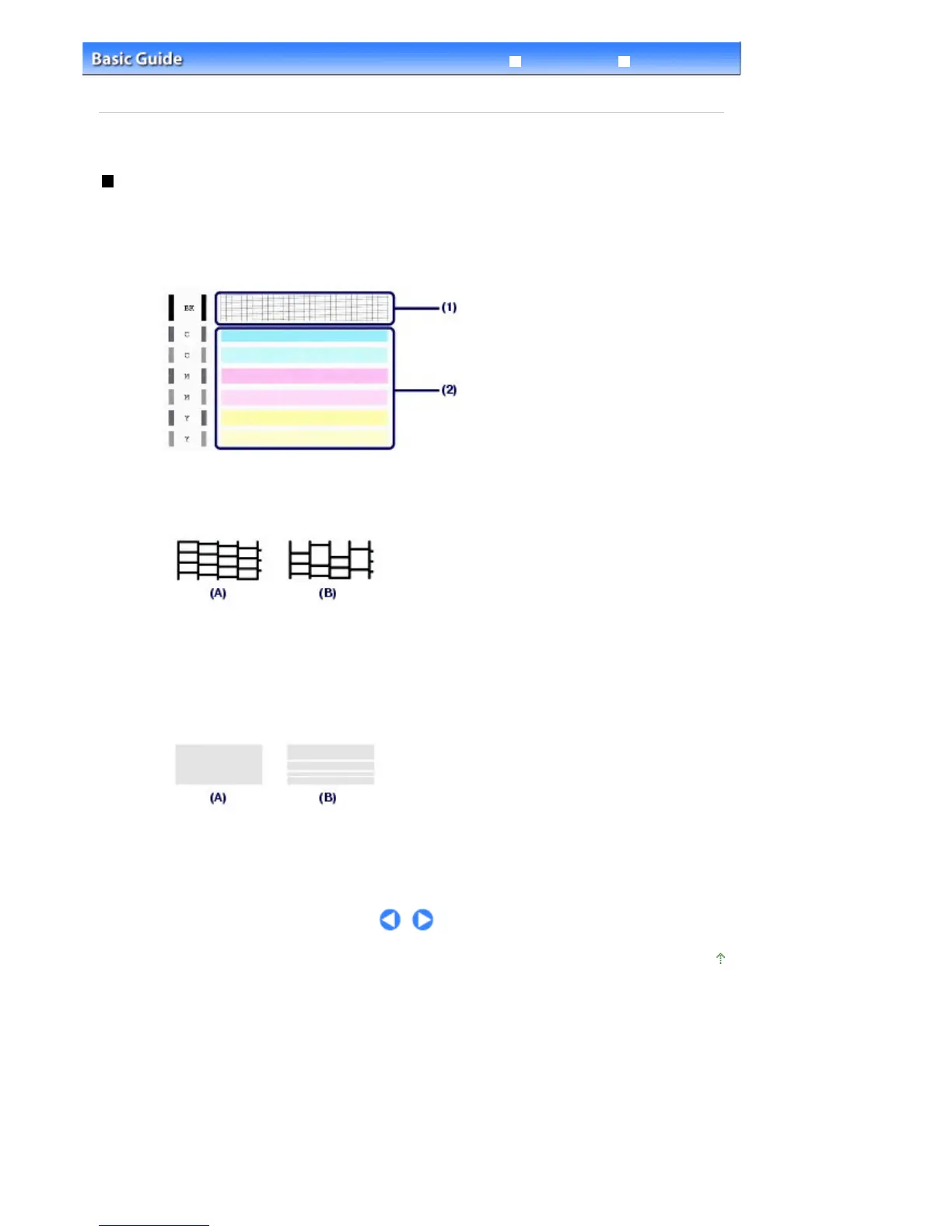
Examine the nozzle check pattern, and clean the Print Head if necessary.
1.
Check if there are missing lines in the pattern (1) or horizontal white streaks in the
pattern (2).
(1)
Check if lines are missing in this pattern.
If yes, the cleaning is required.
See
Cleaning the Print Head
.
(A) Good
(B) Bad (lines are missing)
(2)
Check if horizontal white streaks are present in this pattern.
If yes, the cleaning is required.
See
Cleaning the Print Head
.
(A) Good
(B) Bad (horizontal white streaks are present)
Page top
Seite 101 von 922 SeitenExamining the Nozzle Check Pattern















 To Next Page