Advanced Guide
>
Printing from a Computer
>
Printing with the Bundled Application Software
>
Printing
Photos
> Selecting the Paper
A013
Selecting the Paper
1.
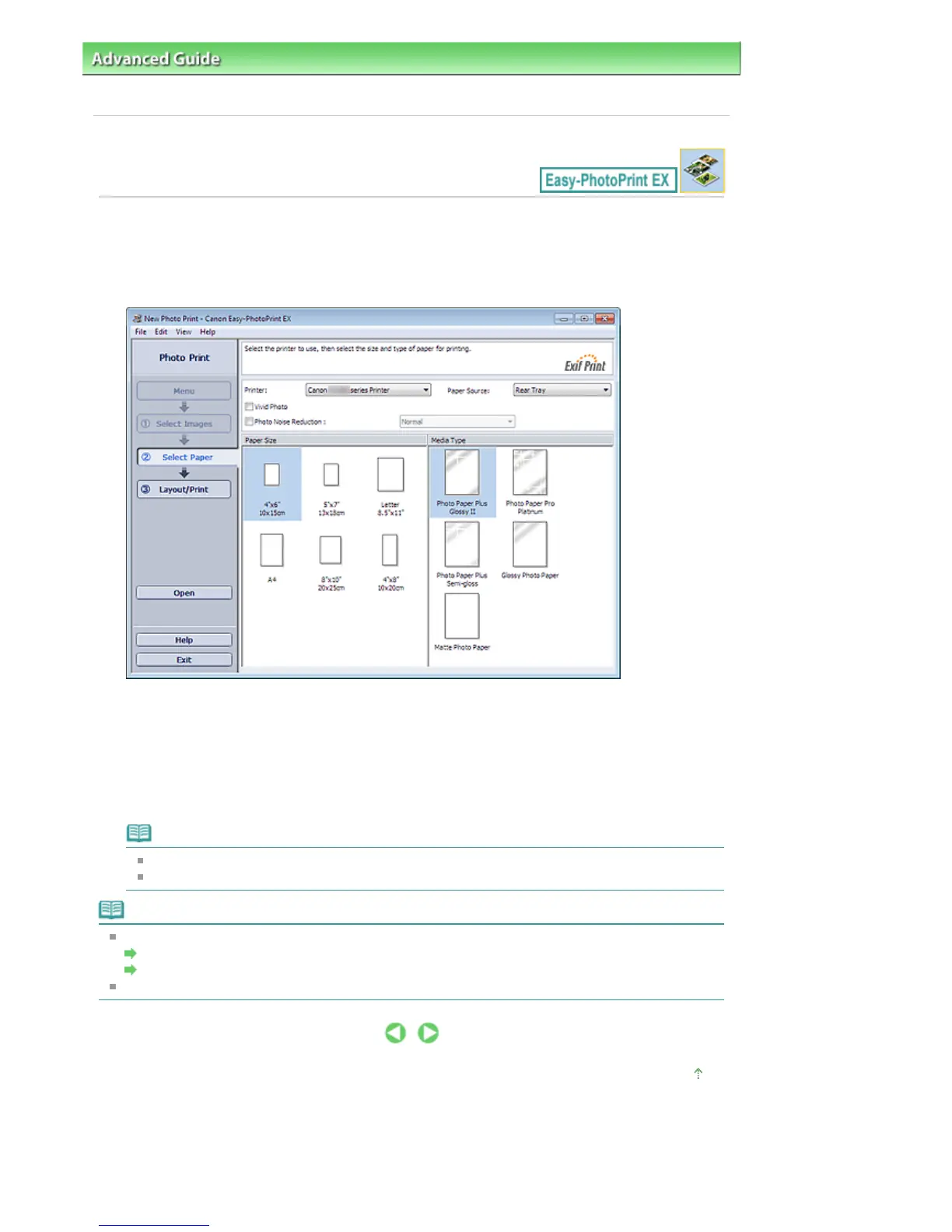
Click Select Paper.
The Select Paper screen appears.
2.
Set the following items according to the printer and paper to be used:
Printer
Paper Source
Paper Size
Media Type
Note
The paper sizes and media types may vary depending on the printer. See Help for details.
The paper sources may vary depending on the printer and the media type.
Note
You can print photos with more vivid colors or you can reduce the photo noise.
Printing Vivid Photos
Reducing Photo Noise
See Help for details on the Select Paper screen.
Page top
Seite 151 von 922 SeitenSelecting the Paper















 To Next Page