Advanced Guide
>
Scanning
>
Scanning with the Bundled Application Software
>
Let's Try Scanning
> Easy
Scanning with Auto Scan
S108
Easy Scanning with Auto Scan
Scan documents easily by automatically detecting the document type.
Important
Supported document types are photos, postcards, business cards, magazines, newspapers, text
documents, and BD/DVD/CD. To scan other documents, specify the document type.
Scanning Photos and Documents
Place documents of the same size when scanning two or more documents from the ADF (Auto
Document Feeder).
1.
Place the document on the Platen or ADF.
Placing Documents
2.
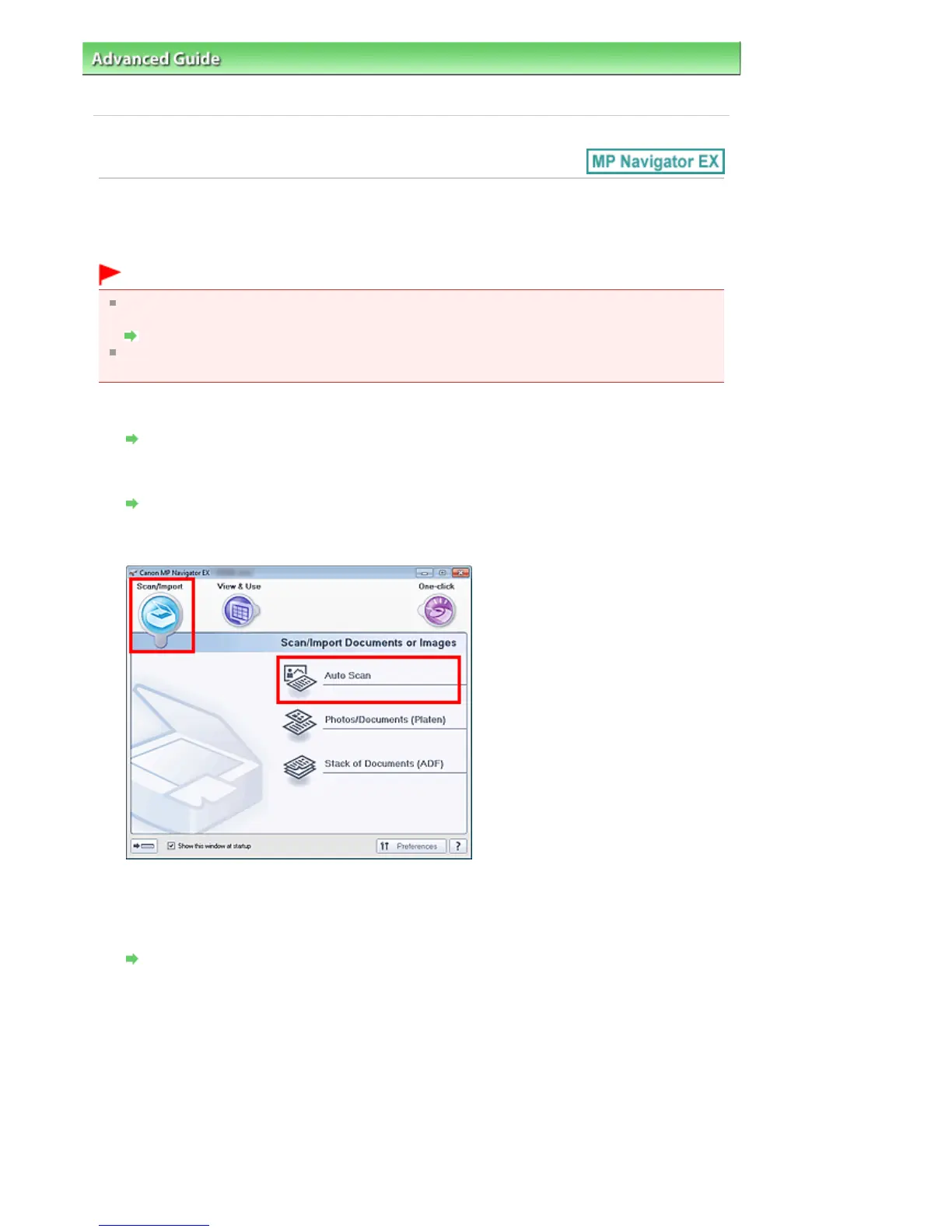
Start MP Navigator EX and open the Navigation Mode screen.
Starting MP Navigator EX
3.
In Scan/Import, click Auto Scan.
4.
Click Specify... as required.
Set the preferences if you want to apply suitable corrections based on the document type.
When setting is completed, click OK.
Scan Settings Dialog Box (Auto Scan)
5.
Click Scan.
Seite 389 von 922 SeitenEasy Scanning with Auto Scan















 To Next Page