Advanced Guide
>
Printing from a Computer
>
Printing with Other Application Software
>
Various Printing
Methods
>
Stamp/Background Printing
> Registering a Stamp
P404
Registering a Stamp
This feature may be unavailable when certain printer drivers or operating environments are used.
You can create and register a new stamp. You can also change and register some of the settings of an
existing stamp. Unnecessary stamps can be deleted at any time.
The procedure for registering a new stamp is as follows:
Registering a New Stamp
1.
Open the
printer driver setup window
2.
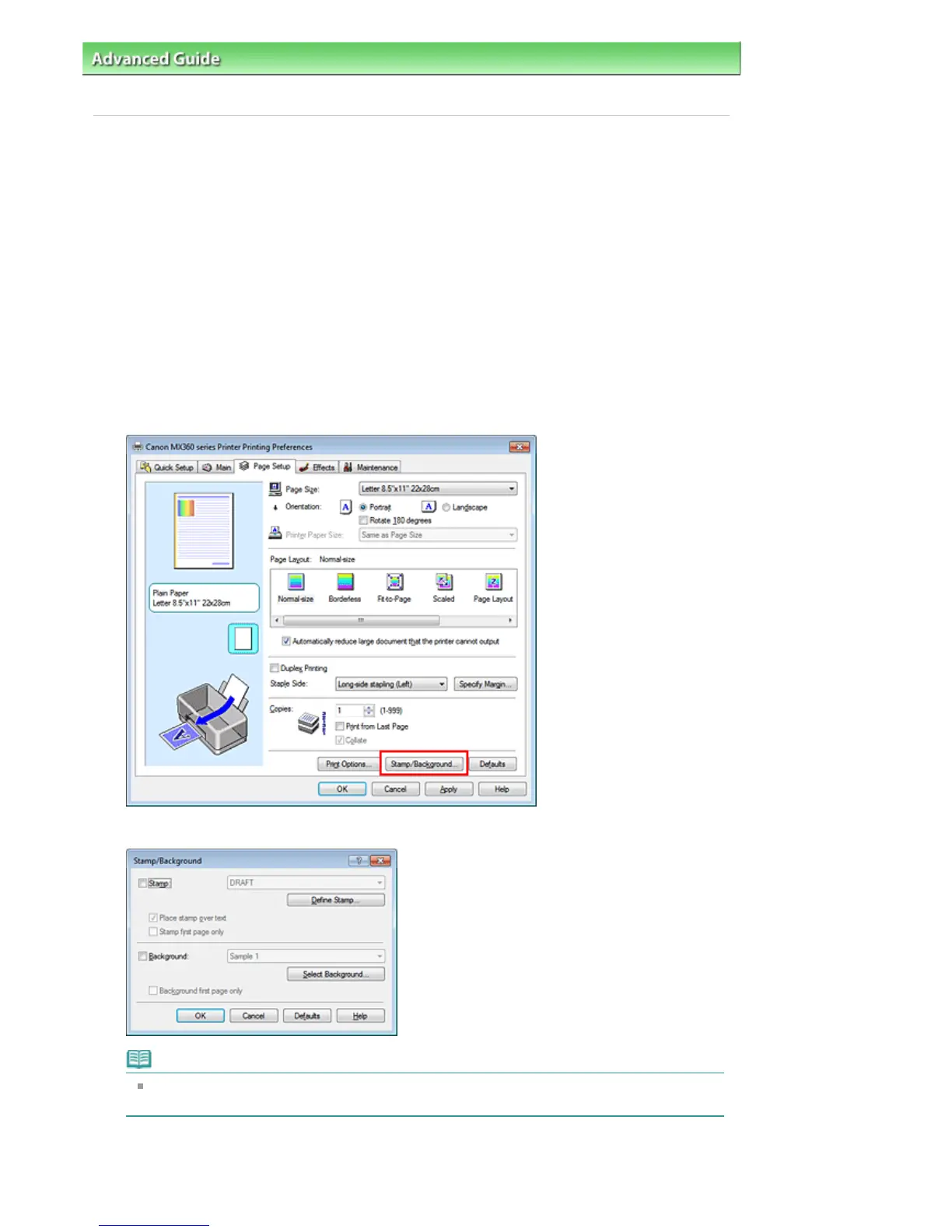
Click Stamp/Background... (Stamp...) on the Page Setup tab
The Stamp/Background (Stamp) dialog box opens.
Note
With the XPS printer driver, the Stamp/Background... button has become the Stamp... button
and only the stamp function can be used.
3.
Click Define Stamp...
The Stamp Settings dialog box opens.
Seite 296 von 922 SeitenRegistering a Stamp















 To Next Page