Advanced Guide
>
Printing from a Computer
>
Printing with Other Application Software
>
Changing the
Print Quality and Correcting Image Data > Presenting Image Data with Vivid Colors
P023
Presenting Image Data with Vivid Colors
This feature is unavailable when the XPS printer driver is used.
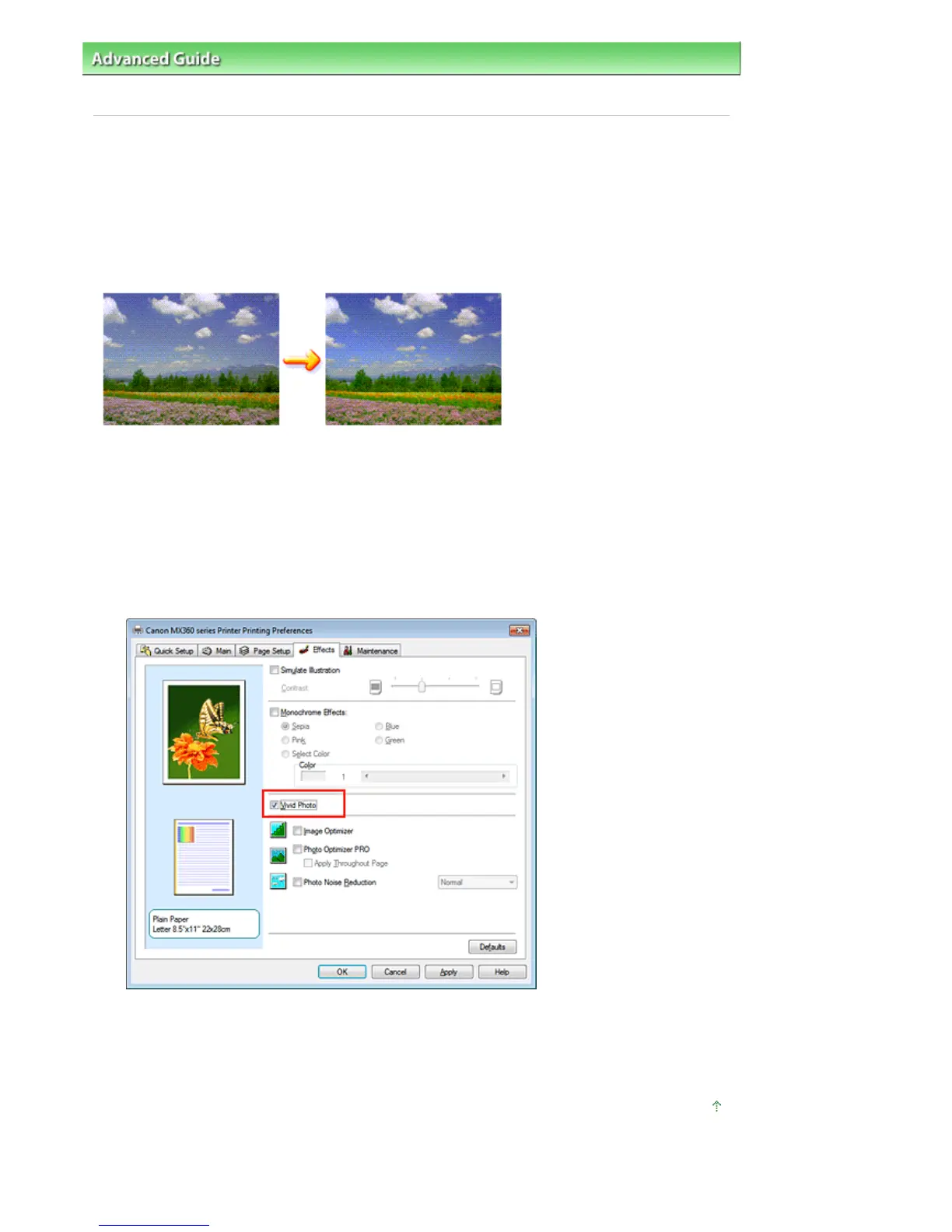
The Vivid Photo function allows you to print image data with vivid colors.
The vivid photo function emphasizes the colors in background sceneries while maintaining the human
skin color natural. By using this function, you can make vivid hues appear even more vivid.
The procedure for performing Vivid Photo is as follows:
You can also set vivid photos on the Quick Setup tab by choosing Photo Printing under Commonly Used
Settings, and then choosing Additional Features.
1.
Open the
printer driver setup window
2.
Set Vivid Photo
Check the Vivid Photo check box on the Effects tab.
3.
Complete the setup
Click OK.
When you execute print, the image will be printed with vivid colors.
Page top
Seite 332 von 922 SeitenPresenting Image Data with Vivid Colors















 To Next Page