Advanced Guide
>
Scanning
>
Scanning with the Bundled Application Software
>
MP Navigator EX Screens
> Print Document Dialog Box
S718
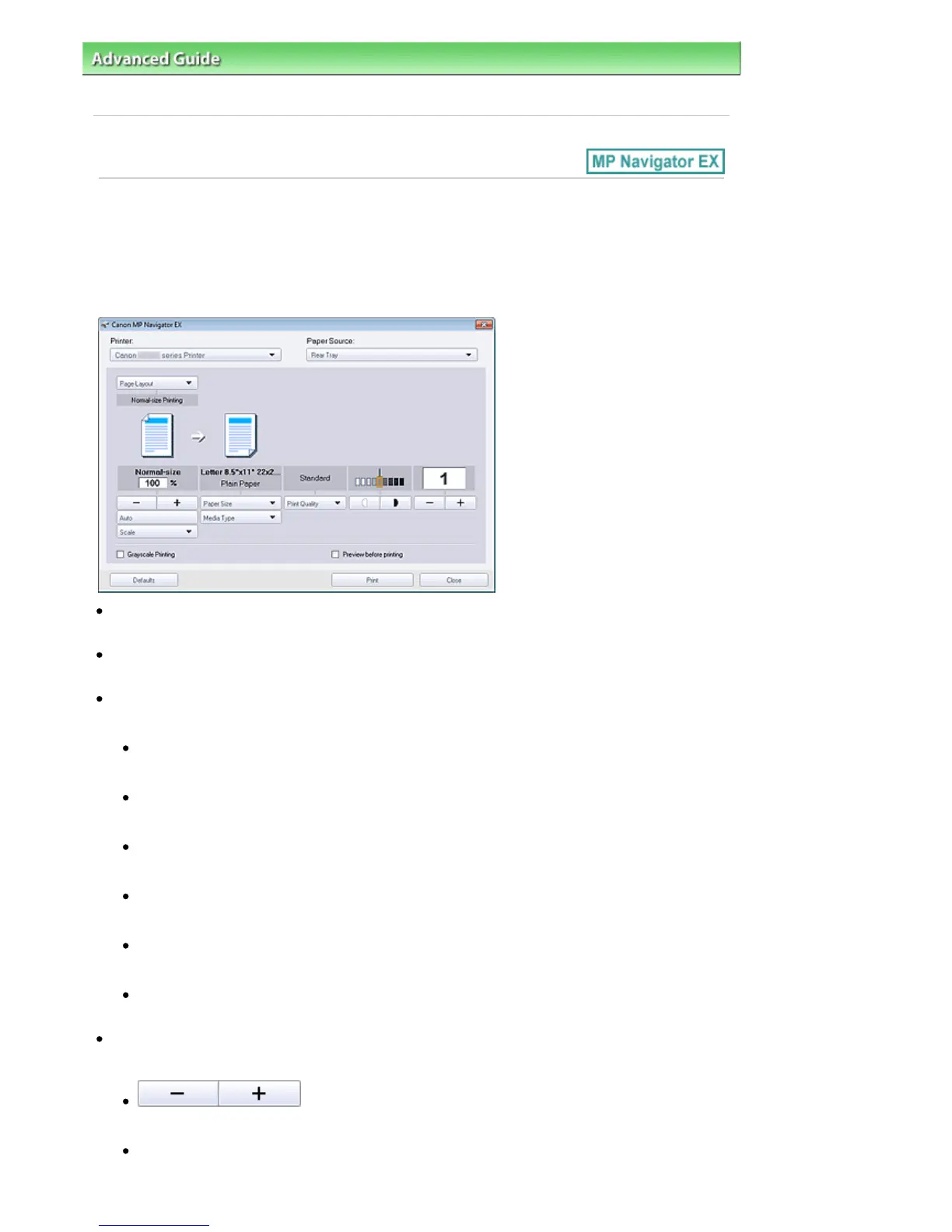
Print Document Dialog Box
Click Print in the View & Use window, then click Print Document on the list to open the Print Document
dialog box.
In the Print Document dialog box, you can make advanced settings for printing multiple scanned images
at one time.
Printer
Select the printer to use.
Paper Source
Select paper source.
Page Layout
Select a print type.
Normal-size Printing
Print one image per sheet.
Scaled Printing
Print images at the selected scale (enlarged or reduced).
Fit-to-Page Printing
Print an image at the paper size (enlarged or reduced).
Borderless Printing
Print the image on an entire sheet of paper without borders.
Page Layout Printing (2 on 1)
Layout and print two images on a sheet of paper.
Page Layout Printing (4 on 1)
Layout and print four images on a sheet of paper.
Enlarge/Reduce
Enlarge or reduce images to print.
(Enlarge/Reduce)
Print a reduced or enlarged image by specifying a scale in increments of 1%.
Auto
Scale is adjusted automatically according to the detected paper width and the selected paper size.
Seite 485 von 922 SeitenPrint Document Dialog Box















 To Next Page