Opens automatically when printing or copying starts and printed paper is ejected.
(11)
Operation Panel
Use to change the settings of the machine or to operate it.
See
Operation Panel
.
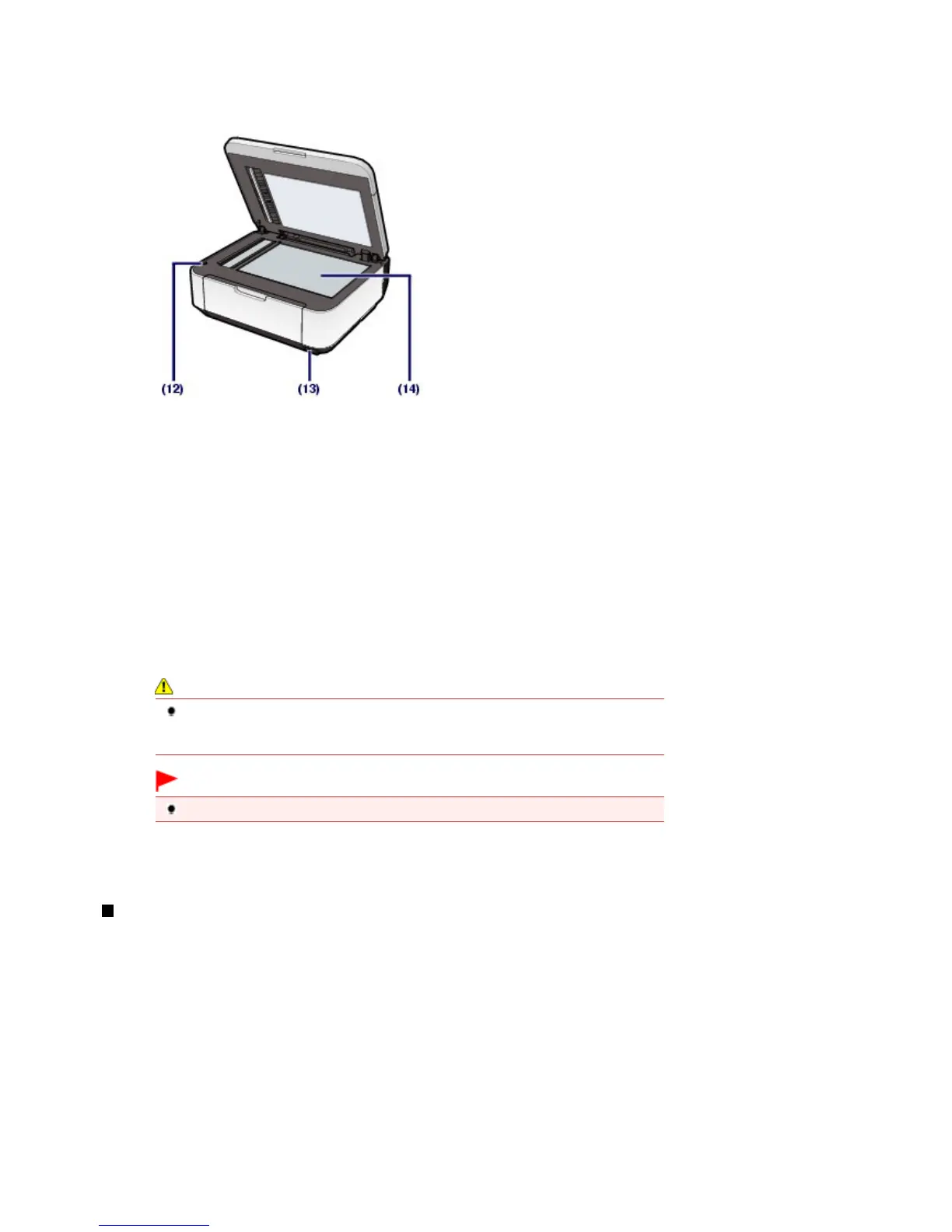
(12)
Scanning Unit Detection Button
Locks the Scanning Unit (Cover) while the Document Cover is open. This button is pressed down when the
Document Cover is closed, so that you can open the Scanning Unit (Cover). (You do not need to touch this
button.)
For information on the Scanning Unit (Cover), see Scanning Unit (Cover)
.
(13)
Direct Print Port
Connect a PictBridge compliant device such as a digital camera or the optional Bluetooth Unit BU-30* to print
directly.
See
Printing Photos Directly from Your Digital Camera or Mobile Phone
.
You can also insert a USB flash drive to this port.
Refer to the on-screen manual:
.
* The Bluetooth Unit is not available in some countries or regions depending on the local laws and
regulations. For details, contact the service center.
Warning
Do not connect any equipment other than PictBridge compliant devices, the optional
Bluetooth Unit BU-30, and USB flash drives to the Direct Print Port of the machine. This
may cause fire, electric shock, or damage to the machine.
Important
Do not touch the metal casing.
(14)
Platen Glass
Load an original to copy, scan, or fax.
Rear View
Seite 5 von 922 SeitenMain Components















 To Next Page