Advanced Guide
Troubleshooting
Contents
>
Faxing > Using Various Sending Functions
Using Various Sending Functions
You can send a fax in various ways as follows.
For details, refer to the on-screen manual:
Advanced Guide
.
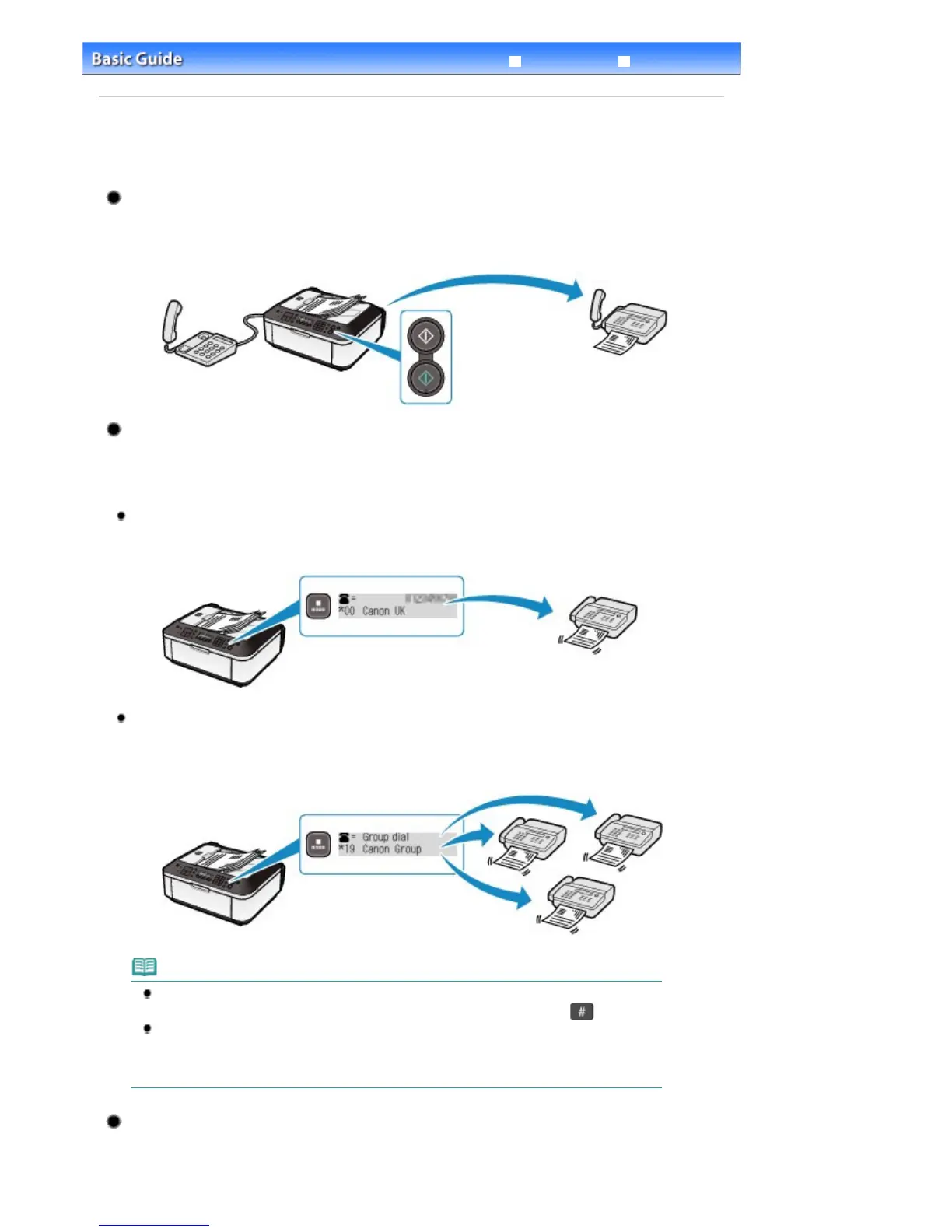
Sending a Fax after Speaking on Telephone
You can send a fax manually after speaking on telephone if you want to talk to the recipient before
sending a fax, or if the recipient has a fax machine that cannot receive fax automatically. You can dial
Sending a Fax with Easy Operation by Registering Numbers
If you register a frequently dialed fax/telephone number or group of numbers to a coded speed dial
or a group dial, you can dial the number or group of numbers by searching for and selecting its
coded speed dial or registered name.
Coded speed dial
If a recipient's name and fax/telephone number are registered to coded speed dial, you can
initiate a call or fax to that recipient by selecting its coded speed dial code or registered name.
Group dial
If two or more recipients' fax/telephone numbers are registered to a coded speed dial as a
group, you can send the same original to all the recipients in the group just by selecting its
coded speed dial code.
Note
You can display the search coded speed dial screen or the search telephone number screen
by pressing the
Coded Dial
button. You can switch screens by pressing the
button.
To register a coded speed dial, group dial, etc., press the
FAX
button, then the
Menu
button to
select TEL no. registration in the Fax settings menu. Registration and editing of the registered
data can be also performed on a computer using Speed Dial Utility supplied with the machine.
For details, refer to the on-screen manual:
.
Sending Same Documents to Several Recipients (Sequential
Broadcasting)
You can send the same documents to two or more recipients with one operation. The recipients
Seite 36 von 922 SeitenUsing Various Sending Functions















 To Next Page