Advanced Guide
>
Scanning
>
Scanning with the Bundled Application Software
>
Utilizing Images in MP
Navigator EX
> Editing Files
S505
Editing Files
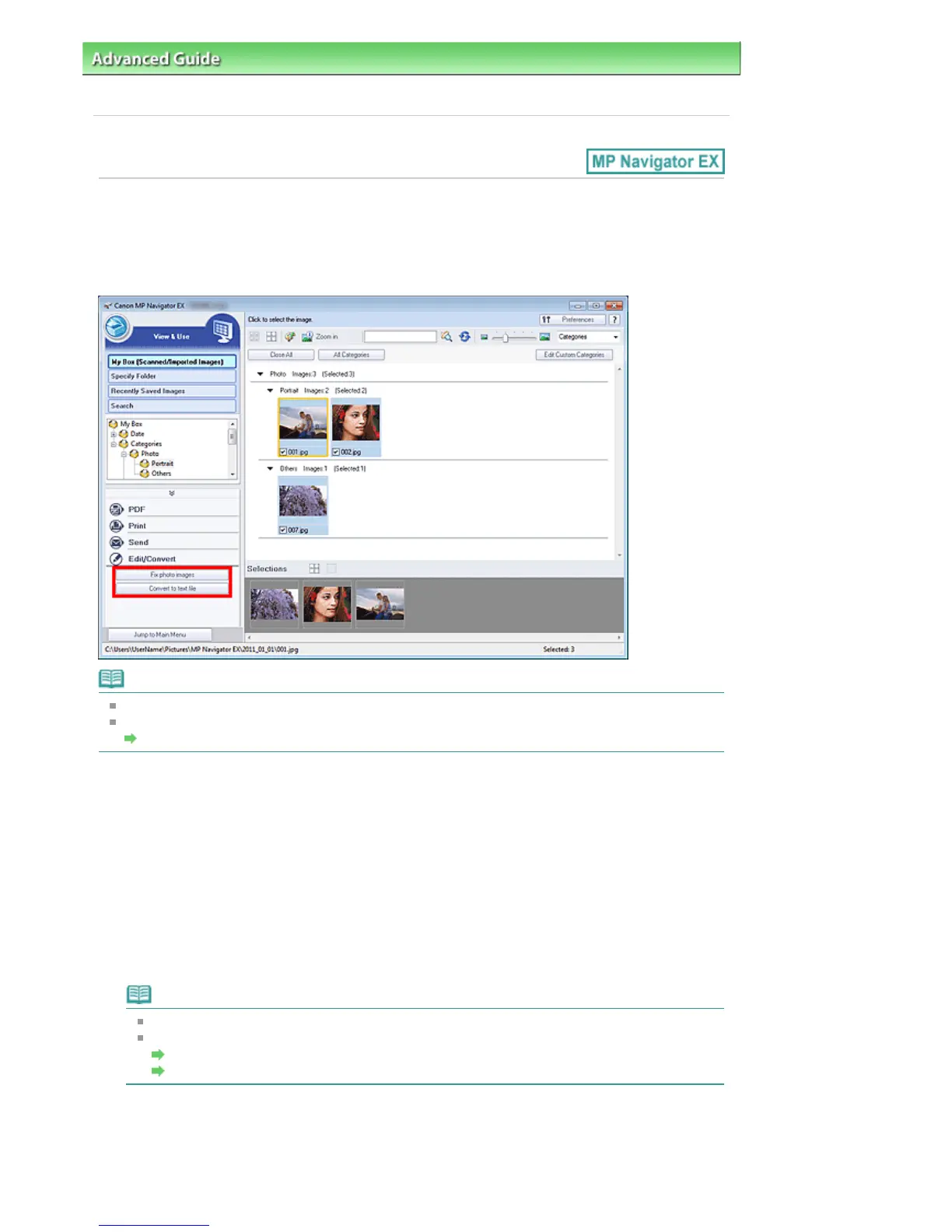
You can edit images or convert them to text using MP Navigator EX or an application that accompanies
the machine. After scanning documents and saving them, open the View & Use window to select what
you want to do with the images.
Note
See "
Let's Try Scanning
" to scan images into MP Navigator EX.
You can also select images saved on a computer.
Opening Images Saved on a Computer
Correcting Photo Images
You can correct/enhance images in the Correct/Enhance Images window.
1.
Select images and click Edit/Convert.
2.
Click Fix photo images on the list.
The Correct/Enhance Images window opens.
3.
Correct/enhance images in the Correct/Enhance Images window.
Note
See "
Correct/Enhance Images Window " for details on the Correct/Enhance Images window.
See the corresponding sections below for correcting/enhancing images.
Correcting/Enhancing Images Automatically
Correcting/Enhancing Images Manually
Converting Documents to Text
Scan text in scanned magazines and newspapers and display it in Notepad (included with Windows).
Seite 438 von 922 SeitenEditing Files















 To Next Page