Advanced Guide
>
Printing from a Computer
>
Printing with Other Application Software
>
Changing the
Print Quality and Correcting Image Data
> Smoothing Jagged Outlines
P407
Smoothing Jagged Outlines
This feature is unavailable when the XPS printer driver is used.
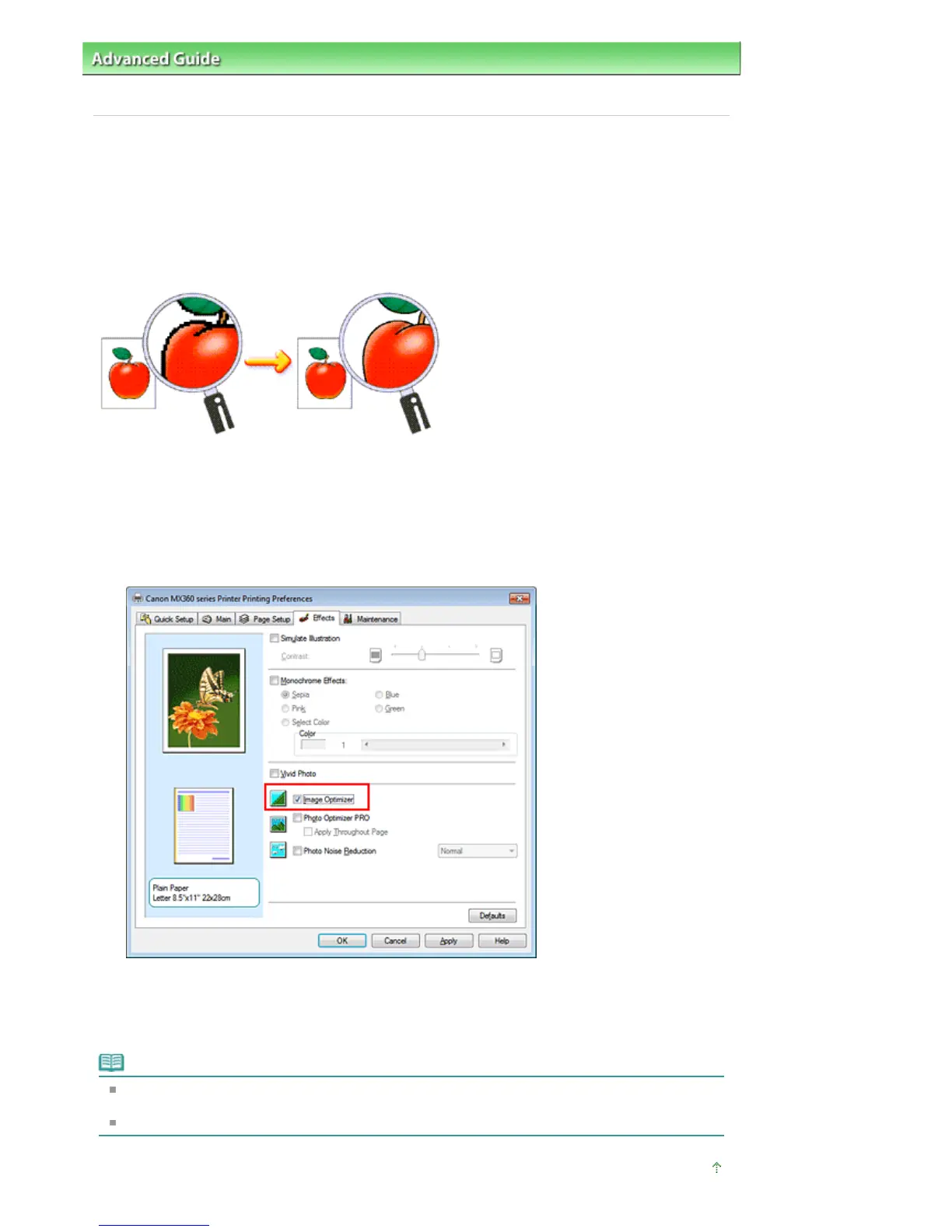
The Image Optimizer function reduces the jagged outlines that are produced when photos and graphics
are enlarged with your application software. It allows you to print smooth outlines. This feature is
especially useful when printing low-resolution images from Web pages.
The procedure for performing Image Optimizer is as follows:
1.
Open the
printer driver setup window
2.
Set image optimizer
Check the Image Optimizer check box on the Effects tab.
3.
Complete the setup
Click OK.
The photos and graphics will be adjusted and printed with smooth outlines.
Note
Depending on application software or resolution of image data, the image optimizer may have no
discernible effects.
It may take longer to complete printing when the image optimizer is used.
Page top
Seite 333 von 922 SeitenSmoothing Jagged Outlines















 To Next Page